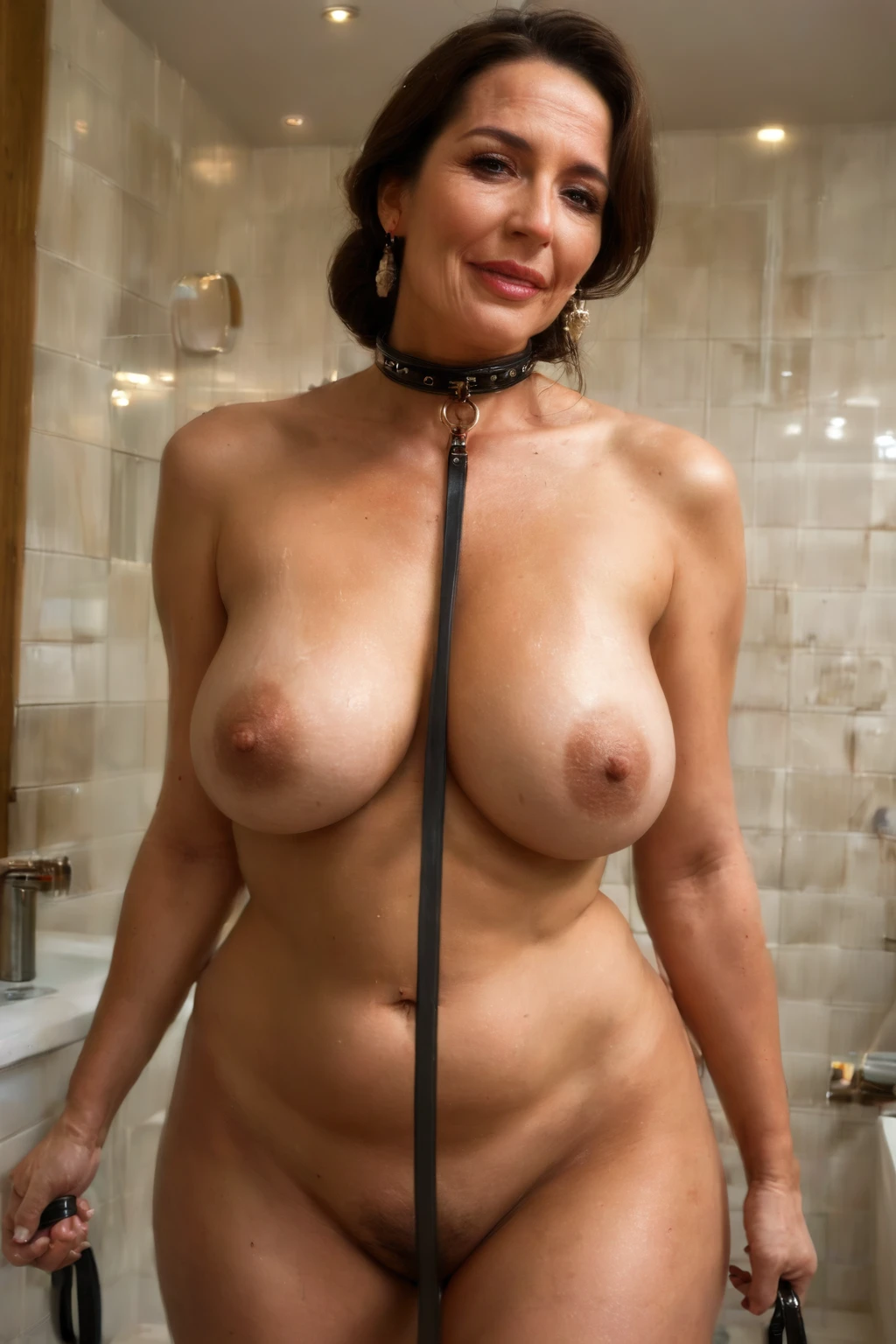

How to Generate Collar AI Images — Complete Guide
Leather that catches the light, a buckle sitting snug at the throat, a strap of hardware that turns a nude into a statement about who's in charge. That's the pull of this look. AI rendering loves the material here — the grain of the leather, the small metal glint of a ring or clasp, the way a taut line reads against bare skin. If you want that charged, pet-play energy without fussing over how to describe it, this is the category that gets you there.
You can start it two ways: from the collar category page, or straight inside the generator.
What the Collar Category Captures
Pick this and the frame centers on a collar fastened around the woman's neck, most often paired with a leash trailing from the ring. That's the whole idea — worn ownership rather than jewelry. It's the detail that separates a collar from a choker: a choker is just a snug decorative band at the throat, while a collar reads as something she's been put in, leash and all. The strap sits on the neck, plainly visible, and everything else in the shot works around it.
See It First: Collar Examples
collar example 1
collar example 2
collar example 3
collar example 4
collar example 5
collar example 6
collar example 7
collar example 8
collar example 9
collar example 10
collar example 11
collar example 12
collar example 13
collar example 14
collar example 15
collar example 16
There are 30 in total waiting in the collar gallery, and if you'd rather keep it strictly photographic, the realistic collar style narrows things to that lane.
Generating a Collar Image
1. Open the Generate page and select the collar category. Kick it off, and the finished images land in your gallery — delivered as WebP files at 1312x1968.
2. You don't hand-write any prompt text. The platform assembles it from whatever categories you've chosen and takes it from there.
The composition stays close on the upper body, keeping the collar and its hardware front and center in the frame.
A Prompt Fragment to Try
Leaning into the pet-play mood is as simple as one leather-and-leash phrase. Here's the modifier clause behind that idea:
```text
wearing a leather collar with leash, pet-play aesthetic
```
Mixing Collar With Other Picks
Collar lives in the accessory family, so it doesn't always play nicely stacked against unrelated categories. The rule is simple in practice: if you combine it with something that clashes, whichever category you picked first is the one that shows up in the final image.
Where Collar Sits Next to Similar Categories
A few neighbors get conflated with this one — here's how they actually differ:
Category What it actually is
--- ---
collar (this guide) a collar around her neck, often with a leash
breast play hands or mouth playing with her breasts, squeezing and sucking nipples
masturbation she pleasures herself, hand on her own pussy or clit, solo
wam messy wet-and-messy, body covered in messy substances (food, slime, oil)
Getting Cleaner Results
- Pick the same AI model when you want the face to stay consistent from one generation to the next.
- Run a small batch in one go, then keep the frames that landed best.
The One Trap to Watch
The mistake to avoid is letting the piece slide into choker territory — the two get confused constantly, and only one of them carries the ownership-and-leash read described above. The negative prompts already push against that drift, steering the accessory back toward a proper collar rather than a plain decorative band, and they also hold back a stray leash from turning up when collar is the only category in play.
Collar Questions, Answered
Q: My collar keeps looking like a plain choker or thin band — why?
That slippage is exactly what the built-in negative prompts work against, nudging the result toward a genuine collar with its heavier, worn-in character rather than a slim decorative strap.
Q: Can I put a male partner in the scene?
Not by default — a solo frame is what you get. Flip the male-partner toggle in the generator and a male figure joins the shot alongside the collar.
Q: Why doesn't a leash always show up?
When collar is the only category selected, the system deliberately holds the leash back. Pair it with the leash-forward phrasing (like the fragment above) when you specifically want that tether in frame.
Q: Can I customize the collar's design?
The platform builds the collar look for you, and finer design controls beyond that aren't something the available facts spell out.
Keep Reading
The categories closest to this one have their own walkthroughs:
- How to generate breast play AI images
- How to generate masturbation AI images
- How to generate wam messy AI images
You'll find every category guide over on the blog index. When you're ready, the AI Collar Generator is where it all comes together.