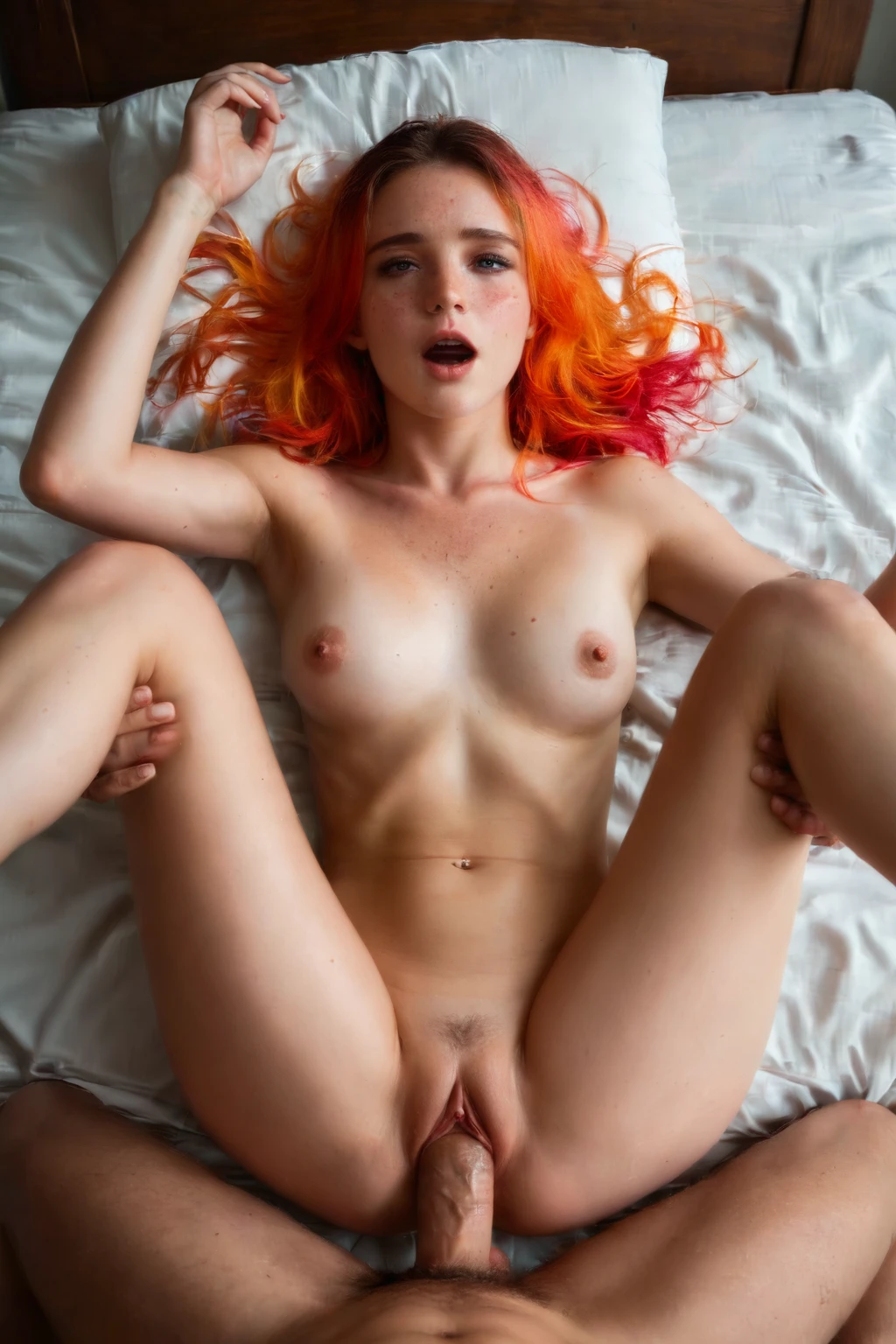

How to Generate Missionary AI Images — Complete Guide
Face to face, her on her back, him on top and between her legs, eyes meeting over the point where the bodies join — that closeness is the whole reason people reach for this pose first. It's the shot most of us picture when we picture sex at all, and it lands in a generated image without any explanation needed. On AINudeGirls you pick the category and the scene gets built for you: you never write or polish a prompt yourself. That frees you up to work on the parts you actually care about — the angle, the wardrobe, the light — while the system handles the wording and the composition.
Try any example below straight in our AI generator, or look through the missionary category page first to get a feel for it.
What Is Missionary AI Image Generation?
Strip it down and the missionary category is three facts that all have to be true at once: the woman lies on her back, her partner is on top between her legs, and the two of them face each other. That last one carries the most weight. The eye contact and the nearness of the faces are the emotional register of the shot — the thing people come to this category for instead of something more clinical or detached.
Because so many poses live near it, a few get explicitly ruled out. If the partner is flat on his back facing up, that's the woman on top, not this. Anything taken from behind — all fours, doggy style — fails on the face-to-face requirement. So does the mating press, where her legs fold up over her shoulders rather than spreading out to the sides. When a result drifts into one of those, it hasn't found a stylistic variation; it has missed the definition, and a regenerate fixes it faster than any tweak to your picks.
Getting Started with Missionary on AINudeGirls
1. Open the Generate page and choose the "missionary" category. Layer on anything else you want the scene to carry — a setting, an outfit, a body type — and those get woven into the same image.
2. The platform assembles the prompt from whatever tags you've selected. There's no text box to fill; you point at the details you want and the generator does the phrasing and the composition.
3. Hit Generate. Your image arrives in the gallery as a WebP at 1312x1968, ready to view, download, or run again for a fresh take if the first one isn't quite what you had in mind.
Example Missionary Prompts to Try
Even though you never type any of this, it's worth seeing what the generator produces when you click. Here's one prompt in the two forms the system works with. The prose version reads as a full narrative — handy if you just want to picture the scene in plain language — while the tag version compresses the same idea into short weighted keywords.
Prose form:
```text
POV from above a young woman alone lying on her back with her legs spread wide, looking up at the camera with parted lips and an expression of intense pleasure, her shaved pussy fully visible at the bottom of the frame, full body visible, soft window light bathing her body, female alone in frame, no other people
```
Tag form (Pony/booru):
```text
(lying on back, legs spread, legs up:1.2), on bed, bedroom, arms up, looking at viewer, moaning, blush, realistic skin texture, completely nude
```
Every run also pulls from a rotating pool of scene variants, so two generations with identical settings won't hand you the same composition back to back. Here's that variation in action:
```text
POV first-person view from above of a young woman alone lying on her back on white sheets, both her legs spread wide and bent at the knees pulled toward her chest, her completely shaved smooth pink pussy fully exposed at the bottom of the frame, bare breasts swaying gently with each rocking motion, head tilted back with mouth parted in pleasure, hands gripping the sheets above her head, intimate macro overhead view focused between her thighs, warm bedroom lighting, full body visible, female alone in frame, no other people
```
```text
POV first-person view from above of a young woman alone lying on her back with both her ankles resting on her own shoulders (legs folded), her completely shaved smooth pink pussy fully exposed in extreme front presentation at the bottom of the frame, bare breasts pressed flat by her own knees, mouth open in a silent cry of pleasure, intimate macro overhead view, warm bedroom lighting, full body visible, female alone in frame, no other people
```
Both hold the core steady — alone in frame, legs spread, shot from above — while the leg position, the camera distance, and the mood all move. That's the range you get run to run, none of it requiring you to touch a single word.
Tips for Better Missionary Results
- Reach for phrases like "missionary position," "lying on back," "on her back," and "legs spread" when you're choosing or searching categories. The generator's scene logic keys off those most reliably.
- Rather than regenerating over and over hoping for a new angle, let scene variant rotation do the work — it walks you through the different takes on the pose automatically, which is the quickest way to see everything this category can do.
- When a result lands with the wrong pose or a bit of anatomy off, just run it again. A genuinely broken structure is rare; a small glitch that clears on the second pass is far more common.
Scene and Framing Variations for Missionary
Framing is where the variety begins. Every shot holds the woman on her back with the face-to-face penetration clearly readable from above, but an overhead angle can keep both faces and the point of connection in frame — the thing that makes the category read as intimate rather than merely explicit. Tighter crops lean into physical detail; wider ones keep the bodies and the bed or room in view.
Wardrobe shifts the texture without touching the pose. A white nightgown pushed up around the waist reads nothing like lingerie left half-on, which reads nothing like full nudity from the first frame. Lighting layers onto that. Soft, diffused light — a window, a bedside lamp — falls gently across skin and feels tender, closer to a quiet morning than a staged shoot, while harsh direct light hardens the contours and throws sharper shadows for a more graphic, high-contrast look.
The focus point moves the mood most of all. Center the shot on the meeting of the faces and it plays romantic and personal; center it on the spread of the legs or the point where the bodies join and it plays purely physical. Neither is more correct than the other — they're just different emphases on the same pose. What none of them can do is bend the definition. Light and framing steer the mood; the woman stays on her back, the partner stays on top, and the two keep facing each other.
Common Mistakes and Failure Modes
The mix-ups almost always come from neighboring poses, because several of them share the on-the-back, front-penetration family. Partner flat on his back facing up is really her on top. All fours or doggy style is penetration from behind with no eye contact. The mating press folds her legs over the shoulders instead of letting them spread. All three sit visually close and are easy to ask for by accident if you're unsure which category name maps to which pose — and this one allows none of them.
Separately, generations with broken alignment or anatomy — an extra limb, a penetration point that doesn't line up with the bodies shown — get filtered out rather than served. If one slips through to you, it's not a variation worth keeping; regenerate and the next attempt almost always comes back clean.
Missionary vs Related Categories
Here's how it stacks up against the poses closest to it:
Category What it actually is
--- ---
missionary (this guide) she on her back, legs spread or around him, penetrated from on top face-to-face
cowgirl she straddles and rides the man who lies on his back, she is on top and upright
doggy style penetration from behind while she is on all fours or bent forward, penetrator kneeling behind her
against wall pressed or pinned against a wall, either penetrated standing or posed against it
The fastest tell is simply who's on top. Here he is, and she's on her back facing him. In cowgirl she's the one up top, upright, looking down at him. Doggy style drops the face-to-face contact entirely — she's turned away. And against wall swaps the horizontal bed for a vertical, standing setup.
Combining Missionary with Other Categories
Missionary is a scene-defining pose, and the platform composes one coherent pose per image, so it pairs with only one other pose-type category at a time. Pick a second one — say "69-position" or "all-fours" — and only the one you chose first will show up; the later pick gets dropped. So if you're stacking pose picks, choose the one you actually want up front.
Everything outside that group stacks freely. Settings, outfits, body types, lighting styles all layer on with no conflict, and that's where most of your room to customize really lives. The one thing you don't have to arrange is the partner: the act needs a man, so he's in every generation automatically, whatever else you select.
Real Missionary Examples from Our Gallery
missionary example 1
missionary example 2
missionary example 3
missionary example 4
missionary example 5
missionary example 6
missionary example 7
missionary example 8
missionary example 9
missionary example 10
missionary example 11
missionary example 12
missionary example 13
missionary example 14
missionary example 15
missionary example 16
Browse all 74 in the missionary gallery, or jump to the realistic missionary style if you only want the photoreal takes.
Frequently Asked Questions
Q: Why does my result come back in the wrong pose — her on top, or taken from behind?
Those are separate categories that sit right next to this one. If the image shows her straddling him upright, or turned away on all fours, or her legs folded over her shoulders, the scene has drifted out of the missionary definition — the woman on her back, partner on top, the two facing each other. Regenerating almost always snaps it back.
Q: Can I change who the partner is or how he looks?
No — the characters in this category aren't customizable right now. You can't currently dial in his appearance.
Q: Why do two generations with the same settings look different?
That's the scene variant rotation working as intended. Each run draws from a rotating pool, so leg position, camera distance, and mood shift even when your category picks stay identical.
Q: Can I add a setting or an outfit on top of missionary?
Yes. Anything outside the pose group — settings, outfits, body types, lighting — layers on freely and is where most of your customization happens. Just note that a second pose-type pick won't combine; only your first one shows up.
Related Guides to Explore
The closest neighboring categories, each with its own walkthrough:
- How to generate cowgirl AI images
- How to generate doggy style AI images
- How to generate against wall AI images
You'll find the full set on the blog index. When you're ready to make your own, the AI generator is one click away — pick missionary, add whatever setting or wardrobe you like, and let the platform compose the rest.