
How to Generate Pantyhose AI Images — Complete Guide
Nylon is a lighting problem before it is a wardrobe one. Sheer hosiery only reads as sheer when something catches it: a rim of light down the shin, the faint stretch-lines where fabric pulls across a knee, the half-tone shift where skin shows through but doesn't quite match itself. Miss that and you get painted-on tights. On AINudeGirls you never have to solve it by hand — you select Pantyhose, and the platform writes the entire scene around the look, composition and material detailing included.
For background on the subject itself, see Pantyhose on Wikipedia.
Both the pantyhose category page and the generator start from the same single pick, so nothing below depends on which door you came in through.
What You Get With Pantyhose
One thing, precisely: sheer pantyhose or nylons covering both legs at once, waist to toe. The "both legs" part is not a stylistic preference, it is the definition. Hosiery on one leg and bare skin on the other isn't a pantyhose result. Neither is fabric that stops mid-thigh, nor a weave so dense it reads as leggings.
That single rule is also what keeps the category clear of its neighbours. Fishnets have an open, visible mesh where pantyhose has a smooth continuous surface. Stockings end above the knee and leave bare thigh. Pantyhose seals the whole leg in one uninterrupted see-through layer — much closer to what somebody wears under an office skirt than to costume legwear.
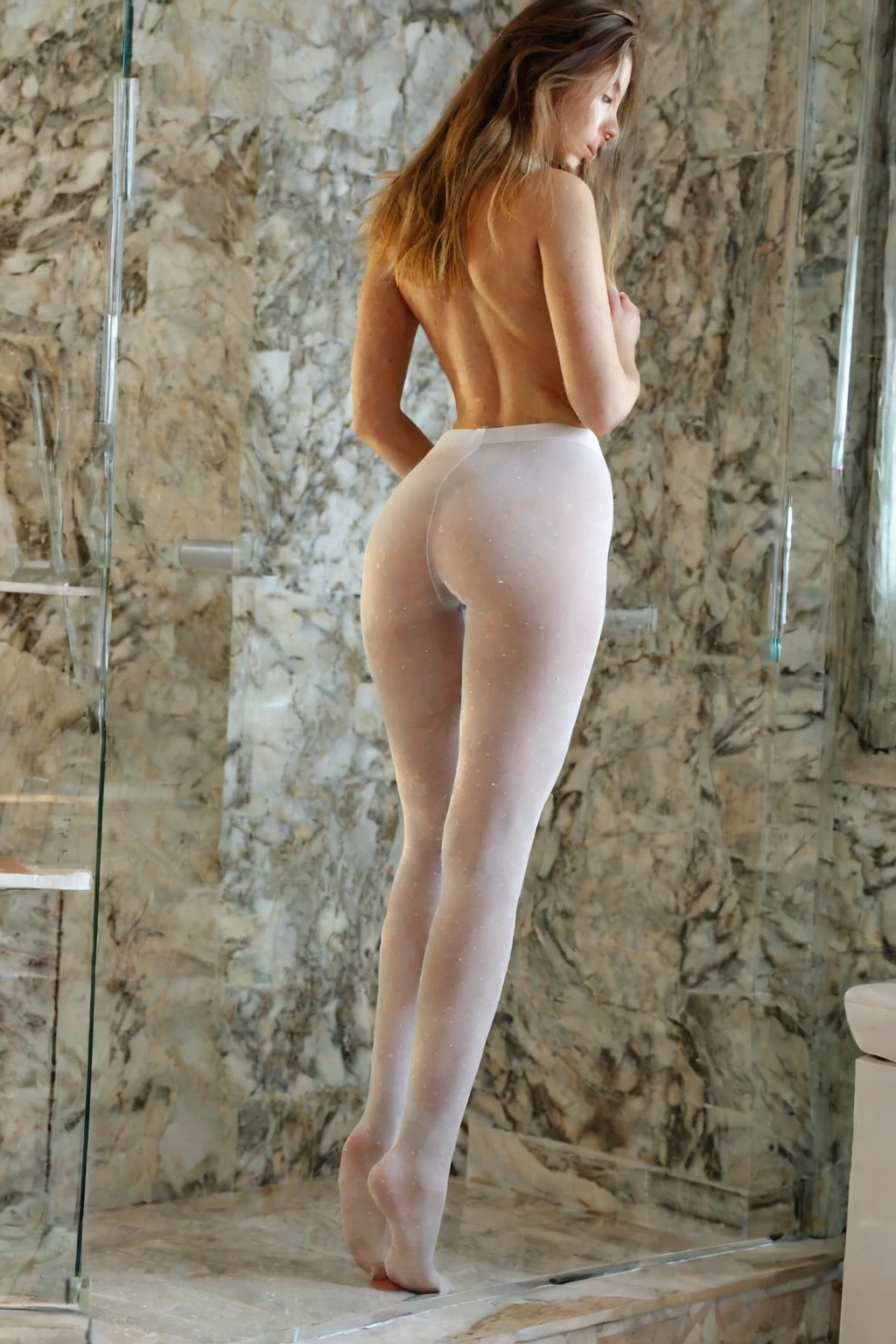
Within that constraint, the variation is genuinely wide, and most of it comes down to light and distance. Side and back lighting make the nylon glow at the silhouette edge and throw a visible shine along shin and thigh; flat frontal light flattens the material into a tint. Warm indoor light brings out a soft, skin-toned translucency. Harder studio light pushes the fabric's own sheen forward. Framing works the same way. A full-body shot lets the sheen run unbroken from hip to ankle, which is where the material announces itself most clearly. A tight crop on a calf or thigh trades that for texture — the stretch lines, the shift in how highlights land on covered skin versus bare.
Wardrobe is worth a thought too. The legs are the anchor here, so anything that leaves them unobstructed — a skirt, a dress, a cropped top, nothing at all — keeps the nylon in charge of the frame instead of burying it.
pantyhose example 1
pantyhose example 2
pantyhose example 3
pantyhose example 4
pantyhose example 5
pantyhose example 6
pantyhose example 7
pantyhose example 8
pantyhose example 9
pantyhose example 10
pantyhose example 11
pantyhose example 12
pantyhose example 13
pantyhose example 14
pantyhose example 15
pantyhose example 16
Thirty examples in total sit in the pantyhose gallery. If stylised results aren't what you're after, the photoreal-only cut narrows it down.
Generating Your First Pantyhose Image
1. Open the Generate page and pick Pantyhose from the category list. That one selection drives everything downstream.
2. Leave the prompt box alone. The scene description is assembled for you — material, pose, lighting, setting — so there is no wording to get right.
3. Start the generation. Results arrive in your gallery as WebP files at 1312x1968, ready to view, download, or keep in your collection.
4. Scenes come out solo. If you want somebody else in the frame, switch on the male-partner toggle before you generate.
A single image costs 15 credits. Sets bring the per-image cost down: 68 credits for five, 120 for ten — which is the sensible way to buy yourself a spread of lighting and framing to choose between rather than judging the category off one roll.
Prompts and Settings That Work
You never type a prompt on this platform, so the useful question isn't "what do I write" — it's "what does this category actually contribute to the scene the platform builds?" For pantyhose, it's this clause:
Modifier clause:
```text
wearing sheer pantyhose covering both legs from waist to toes, legs sheathed in nylon
```
Read it closely and you can see why it holds. It names the material (nylon), the coverage (both legs, waist to toes), and the fit — *sheathed*, not draped or loose. Those three specifics are what stop results drifting toward tights, leggings or thigh-highs.
That clause doesn't stand alone. It gets folded into a scene the platform composes from your other picks, which is why the practical move is to choose Pantyhose *alongside* another category rather than expecting it to carry a whole image. Pick it with footjob, for instance, and the scene it joins looks like this:
```text
POV full-body shot of a young woman alone lying back with her soft bare feet raised toward the camera, painted toenails prominent, looking down at her own feet with an amused smile, full body visible, bright soft lighting, female alone in frame, no other people
```
Or pair it with gagging, and the surrounding scene shifts entirely while the legwear clause stays put:
```text
POV full-body shot of a young woman alone with her lips parted and glistening, expressive teary eyes locked on the camera, hands resting on her thighs, full body visible, intense bright soft side lighting, female alone in frame, no other people
```
Same nylon, two completely different images. The category you stack on top decides the pose, the camera and the mood; pantyhose decides the legs.
Pantyhose Compared
The three categories people confuse with each other, side by side:
Category What it actually is
--- ---
pantyhose (this guide) sheer pantyhose covering both legs
fishnets torn black fishnet stockings
stockings thigh-high stockings with garter belt
At a glance: pantyhose is smooth and continuous with no visible weave; fishnets show an open diamond grid, often torn; stockings stop above the knee and leave bare thigh above a garter strap. If an image feels wrong, check which of those three silhouettes you're actually looking at.
Mixing Pantyhose Into a Scene
Pantyhose belongs to the legwear family, and so do fishnets and stockings. Pick two of them and only the first one shows up in the image — sheer nylon and torn mesh can't share a pair of legs, so the platform doesn't try to blend them. Decide which legwear look you want before you add anything else.
It's a solo category as well. Group and multi-person picks won't combine with it cleanly, so a threesome scene isn't something to plan around here.
Where stacking does pay off is everything outside the legwear slot: the act, the camera angle, the setting. Those layer on top of the nylon without arguing with it.
When the Output Disappoints
The most common miss is partial coverage — hosiery on one leg, or nylon that stops short of the toes. Both legs, full length, is the entire definition, so an image that breaks it isn't a pantyhose result no matter how good it looks otherwise.
Next most common: the texture goes. When the legwear reads as opaque tights, or as bare skin with a tint on it, the sheerness that defines the category is gone. The fabric has to sit visibly *over* the skin as its own translucent layer, not merge into it.
Then there's the subtle one — coverage that is technically on both legs but doesn't match between them. Different opacity, different shine, one leg catching light while the other stays flat. That reads as a mistake rather than a choice. Regenerating is less trouble than trying to reason your way out of it.
Things Worth Knowing
Q: What exactly does picking Pantyhose put in the image?
Sheer pantyhose covering both legs, waist to toes, in every result. The scene around it — pose, framing, lighting, setting — varies from image to image.
Q: Can I change the hosiery itself: colour, denier, a patterned pair?
No. That defining look is fixed, which is what makes the category consistent. What you do control is everything surrounding it: framing, lighting, pose, mood and the rest of the wardrobe, all of which change the feel of a shot considerably.
Q: Why does my result look like fishnets or thigh-highs instead?
Almost always because a second legwear category got picked alongside it, and only one of them can show up on a pair of legs. Choose one legwear look, not two.
Q: What do I actually receive?
A WebP file at 1312x1968, in your gallery. The portrait ratio suits this category particularly well: there's enough vertical room to show hosiery running the full length of a leg without cropping at the ankle.
The two categories closest to this one:
Every category guide is indexed on the blog.