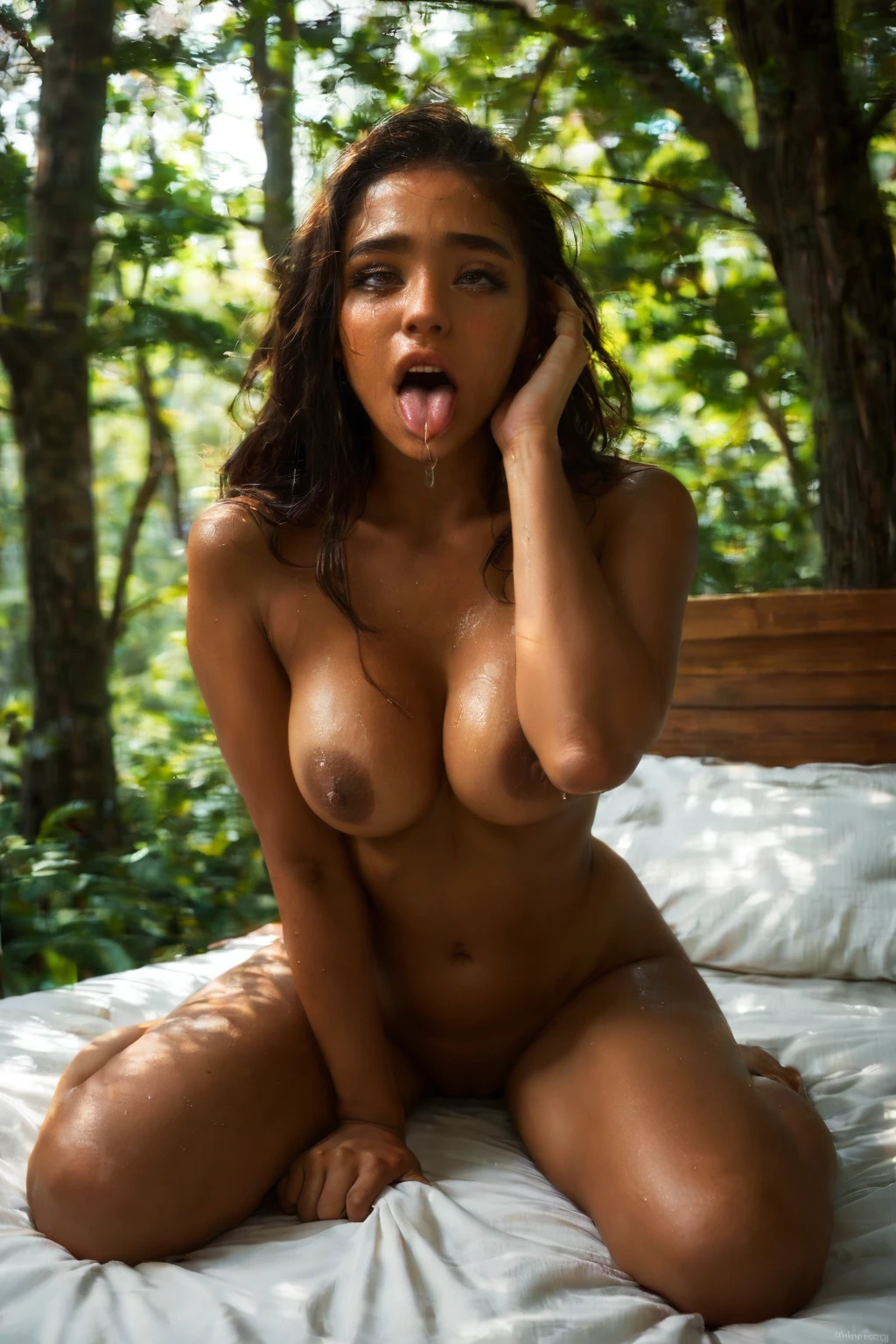

How to Generate Ahegao AI Images — Complete Guide
This is the moment the reaction becomes the whole picture. She's past the point of composure, overwhelmed, and the frame exists to catch her at that peak. Nothing subtle, nothing held back — the expression carries the entire image, and that's exactly the point of the category. On AINudeGirls you don't build any of it by hand. You pick the ahegao category and the platform writes the prompt for you; you never write or tweak a line.
Everything below is live. Try any example in the AI generator, or scroll the ahegao category page first to see the range.
What Is Ahegao AI Image Generation?
Ahegao is the exaggerated orgasm face: eyes rolled up, tongue hanging out, an expression pushed all the way into bliss. A correct image lands all three of those at once — that combination is what separates a real ahegao from a near miss, and it's why the category exists as its own thing rather than a variation on the ordinary O-face. The platform runs models tuned specifically to hold that look on every render.
Getting Started on AINudeGirls
1. Open the Generate page and select the ahegao category.
2. Hit generate. The platform builds the prompt from your category pick — you don't type anything yourself.
3. Finished images land in your gallery as WebP files at 1312x1968.
Example Ahegao Prompts to Try
You never write these — they show what the platform runs on your behalf, so you know what's happening when you generate. Two forms go out at once. A natural-prose version feeds the prose-driven models, and a comma-separated tag version feeds the tag-based (booru-style) encoder. Both aim at the same result from different angles.
Prose form:
```text
an intimate full-body shot portrait of a completely nude young woman on rumpled bed sheets in a bright warmly-lit bedroom, her face locked in an exaggerated ahegao expression with her tongue lolling out, eyes rolled back and crossed, cheeks flushed deep red, both hands gripping fistfuls of her own hair, caught at the peak of an overwhelming orgasm, her bare breasts visible at the bottom of the frame, sweat glistening on her skin, dramatic warm side lighting casting soft even light across her ecstatic face, raw intense atmosphere, female alone in frame, no other people
```
Tag form (Pony/booru):
```text
ahegao, ahegao face, rolling eyes, tongue out, drooling, orgasm face, flushed cheeks, sweat, hands gripping own hair, on bed, bedroom, bare breasts, arched back, ecstatic expression, looking at viewer, completely nude
```
The pipeline also rotates alternative scene variants to keep a batch from repeating itself. Here are two it might reach for:
```text
intimate close-up portrait of a young woman alone on rumpled white sheets in a softly-lit bedroom, her face locked in an exaggerated ahegao expression with her tongue lolling out far past her chin, eyes rolled completely back showing whites, cheeks flushed deep red, both hands gripping fistfuls of her own hair, sweat glistening on her face, bare breasts visible at the bottom of the frame, intimate close-up framing her ecstatic face, dramatic warm side lighting, female alone in frame, no other people
```
```text
intimate mirror-selfie view of a young woman alone in a softly-lit bedroom, phone held in her left hand, face locked in an exaggerated ahegao expression with tongue lolling out and eyes rolled back in the reflection, cheeks flushed red, mischievous heart-eyes expression, bare breasts visible in the mirror, warm bedroom lighting, female alone in frame, no other people
```
Tips for Better Ahegao Results
- Stay in the ahegao category rather than trying to describe the look yourself — its anchor keywords like "rolling eyes" and "tongue out" are already baked in.
- Turn on scene variant rotation so each generation cycles through a different framing.
- Stick to one AI model for more consistent faces across a run.
- Batch a handful at once and keep the strongest ones.
- The negative prompts already target the usual breakdowns by name — melted face, asymmetrical eyes, deformed tongue, broken pupils — so you don't have to fight them manually.
Scene and Framing Choices
You've got room to move around that defining look without ever losing it. Framing can sit right on her face in a tight close-up, or it can pull back for the full body — both are on the table, and the mirror-selfie variant gives you a third angle entirely. Wardrobe is a fork too: strip it down to keep the expression front and center, or dress her up so the polished attire plays against the unravelled reaction. The tongue needs to read clearly and sit naturally, since the mouth is doing most of the storytelling. Whatever pose or setting you land on, the blissed-out expression stays put — that's the one thing every variant is built around.
Common Mistakes and Failure Modes
The mistake that trips people up most is treating ahegao as a louder version of the ordinary O-face. It isn't, and when a render drifts that way it slides off-category. The other pitfall is technical: an expression pushed this far can tug the model toward a distorted face. The category's negative prompts name those failures directly and hold the features sharp, which is why staying inside the ahegao category — instead of improvising — keeps you on target.
Ahegao vs Related Categories
A quick map of where ahegao ends and its neighbors begin:
Category What it actually is
--- ---
ahegao (this guide) exaggerated orgasm face: eyes rolled up, tongue out, blissed-out expression
blowjob her lips around a cock actively sucking
cum on face semen covering her face
cunnilingus oral performed ON a pussy, a tongue licking her vulva
Real Ahegao Examples from Our Gallery
ahegao example 1
ahegao example 2
ahegao example 3
ahegao example 4
ahegao example 5
ahegao example 6
ahegao example 7
ahegao example 8
ahegao example 9
ahegao example 10
ahegao example 11
ahegao example 12
ahegao example 13
ahegao example 14
ahegao example 15
ahegao example 16
There are 45 in total — see the rest in the ahegao gallery, or jump to the realistic ahegao style if you only want the photoreal cuts.
Combining Ahegao with Other Categories
Ahegao lives in the scene family, so you pair it with a single scene — 69-position, against-wall, all-fours, amazon-position, anal, anal-gape, and the rest. If you end up selecting two families, only the first one you choose registers, so lock in your scene before anything else or the ahegao look won't carry through. Each generation renders one person. By default she's alone in the frame; if you want a man in the shot, flip on the male-partner toggle in the generator.
Frequently Asked Questions
Q: Why do my results come out looking like a normal O-face instead of ahegao?
That's the most common drift, and it usually means the render slipped toward a plain orgasm face. Staying inside the ahegao category is what keeps you on the tuned models that hold the fuller, exaggerated version rather than the toned-down one.
Q: Why does the tongue or face sometimes come out distorted?
An expression pushed this hard can tug a model toward a warped face. The category's negative prompts already target melted faces, deformed tongues, and broken pupils by name — batch a few and keep the cleanest ones.
Q: Can I get close-up or selfie-style shots instead of full-body?
Yes. Turn on scene variant rotation and the pipeline cycles through different framings, including tight close-ups and a mirror-selfie angle.
Q: Do I have to write any of the prompt myself?
No. Selecting the ahegao category is the whole job — the platform assembles the prose and tag prompts for you.
Related Guides to Explore
Closest neighbors worth a look:
- How to generate blowjob AI images
- How to generate cum on face AI images
- How to generate cunnilingus AI images
You'll find every category guide on the blog index.
Start Creating
Pick the category, hit generate, and let the tuned models carry the expression. Begin on the AI Ahegao Generator.