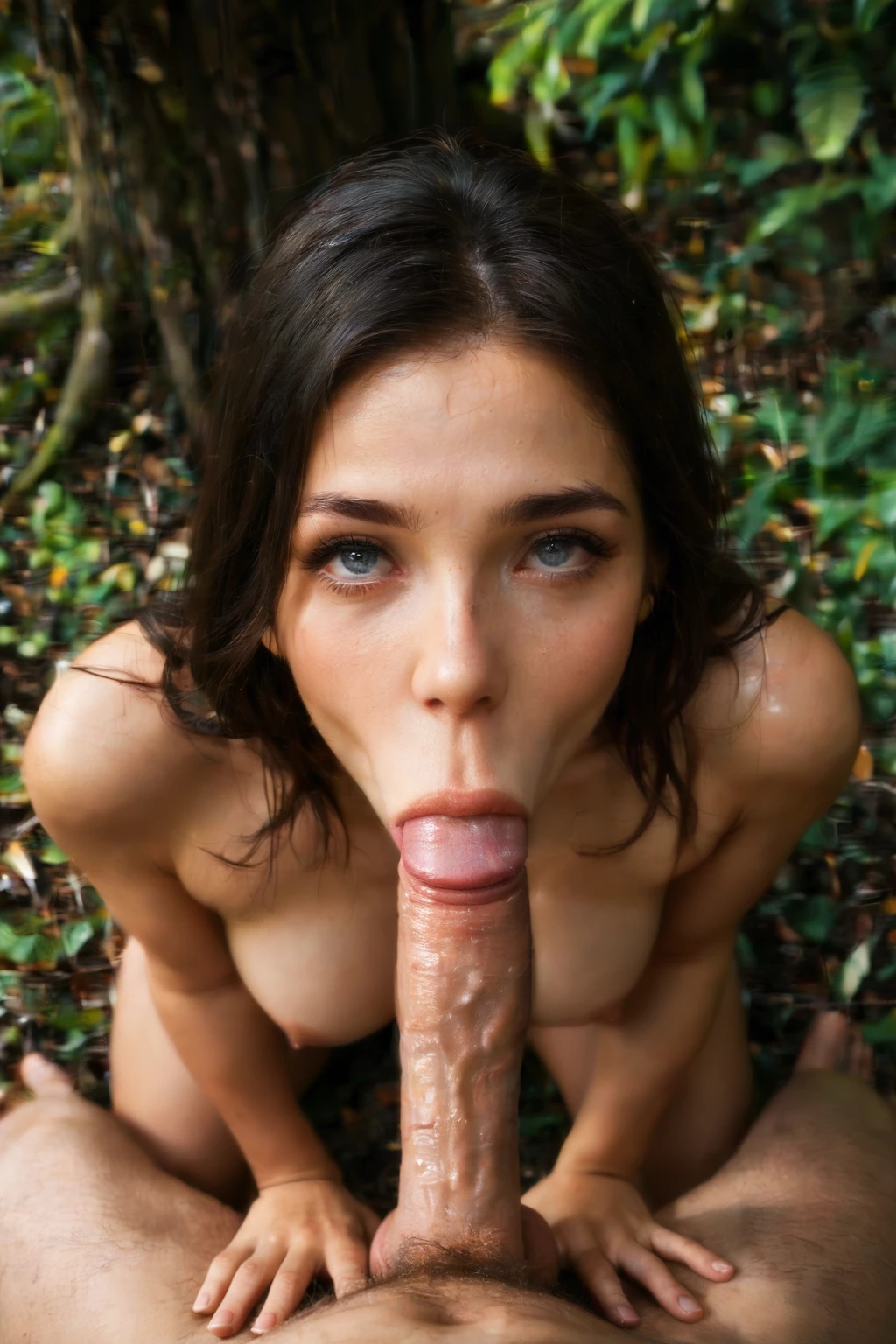

How to Generate Blowjob AI Images — Complete Guide
Everything in a blowjob image lives in one relationship: her lips wrapped around a cock, actively sucking. Get that reading right and the rest is composition. Where does the camera sit? Is she looking up at you, or are you looking down at her? Is she on her knees, or framed tight on her face? This guide walks you through the choices that turn a flat pose into a scene that actually reads.
Want to skip ahead and experiment? Open the AI generator and start, or browse the blowjob category page to see the range first.
What the blowjob category delivers
The defining moment is active motion, not a frozen pose. A correct image puts the cock inside her mouth with the sucking visibly in progress. That motion is what separates this from the plain oral category, which covers oral on a cock without the same emphasis. If your result looks static or the mouth isn't clearly engaged, you've drifted toward general oral territory and the scene loses its charge.
Generating your first one
1. Choose "blowjob" as your category on the Generate page.
2. Layer in one or two other categories if you want to set a location, outfit, or body type.
3. Run it. Your finished image, a WebP at 1312x1968, drops straight into your gallery.
Example prompts to try
Each prompt ships in two flavors. The prose version reads like a director's note, a full-body shot of a young woman kneeling in a submissive pose under bright, soft, low-angle light. The tag version compresses the same idea into keywords, kneeling, open mouth, tongue out, completely nude. Reach for prose with prose-driven models; reach for tags with Pony and booru-style encoders.
Prose form:
```text
POV full-body shot of a young woman alone on her knees looking up at the camera, her mouth slightly open with glistening parted lips, hands resting on her own thighs, eyes locked on the camera with a seductive submissive expression, full body visible, bright soft low-angle lighting, female alone in frame, no other people
```
Tag form (Pony/booru):
```text
(kneeling, open mouth, tongue out, looking up:1.2), glistening lips, saliva, hands on own thighs, realistic skin texture, completely nude
```
The generator also rotates through alternate takes on the same setup so a batch doesn't come back looking cloned. Two of those variants:
```text
POV first-person view of a young woman alone kneeling on a soft bedroom carpet looking up at the camera, her glistening wet lips parted in a perfect O shape, eyes locked submissively on the camera, her tongue extended slightly past her lower lip, her bare breasts fully visible at the bottom of the frame, hands resting on her own thighs, intimate low-angle close-up framing her face, warm bedroom lighting, female alone in frame, no other people
```
```text
POV first-person view of a young woman alone kneeling on grass in a sunlit garden looking up at the camera, glistening wet lips parted and tongue extended, eyes locked on the camera with a hungry submissive expression, her bare breasts on display, hands on her own thighs, intimate close-up framing her face from low angle, warm golden hour light, female alone in frame, no other people
```
Dialing in sharper results
- Anchor the scene with precise keywords: blowjob, oral sex, POV oral, on knees looking up, kneeling oral. Each one nudges the pose and angle a specific way.
- Leave scene variant rotation on when you want every image in a batch to arrive with its own framing. Prefer one locked composition instead? Pick a single scene and the whole batch stays consistent.
- Load your negative prompt with deformed mouth, teeth artifacts, merged face, and crooked jaw. These are the failures the model stumbles into around fine facial anatomy, and naming them keeps the mouth, teeth, and jawline cleanly separated.
- Pick an AI model to keep the face specific and repeatable.
- Generate a handful, then keep the strongest frames.
How the keywords shift the shot
The five scene keywords all hold the same core action but move the camera and body around it. Plain "blowjob" gives you the baseline. "Oral sex" reads the same but tends to pull the framing tighter into the intimacy of the moment. "POV oral" flips to first person, so you're looking down at the action from above. "On knees looking up" pins the pose, she kneels and raises her eyes to the lens, which reshapes the whole composition. "Kneeling oral" leans harder on that same kneeling posture. Same act throughout; only the angle and stance change.
Blowjob vs related categories
People most often confuse this scene with the ones below, so here's the quick contrast:
Category What it actually is
--- ---
blowjob (this guide) her lips around a cock actively sucking
ahegao exaggerated orgasm face: eyes rolled up, tongue out, blissed-out expression
cum on face semen covering her face
cunnilingus oral performed ON a pussy, a tongue licking her vulva
From the gallery
blowjob example 1
blowjob example 2
blowjob example 3
blowjob example 4
blowjob example 5
blowjob example 6
blowjob example 7
blowjob example 8
blowjob example 9
blowjob example 10
blowjob example 11
blowjob example 12
blowjob example 13
blowjob example 14
blowjob example 15
blowjob example 16
Sixteen frames here, and all 74 sit in the full gallery. For strictly photoreal output, jump to the realistic blowjob style.
Combining with other categories
Blowjob is a scene, and only one scene runs per generation. Pick a second scene and it simply won't show, your first choice takes the frame. So layer blowjob with categories that describe something else entirely (a setting, a look, a body type) rather than a competing act, and it stays the clear focus of the image.
Frequently Asked Questions
Q: My result looks like plain oral, not an active blowjob. What went wrong?
The scene reads as generic oral when the sucking motion isn't visible. Lean on keywords like "open mouth" and "tongue out," and make sure the cock is clearly inside her mouth rather than just near it.
Q: Why do I keep getting teeth and a distorted mouth?
Fine facial anatomy is where these models slip. Add deformed mouth, teeth artifacts, merged face, and crooked jaw to your negative prompt to push those failures out.
Q: Do I have to add a male partner myself?
No. The act needs one, so every generation includes him automatically, even in multi-person scenes.
Q: How do I stop each image in a batch from looking different?
Turn off scene variant rotation and lock a single scene. Rotation exists to vary framing across a batch; a fixed scene keeps every frame consistent.
Related guides
Closest neighbors to this one:
- How to generate ahegao AI images
- How to generate cum on face AI images
- How to generate cunnilingus AI images
Browse the full set on the blog index, or head straight to the generator and start dialing in your own.