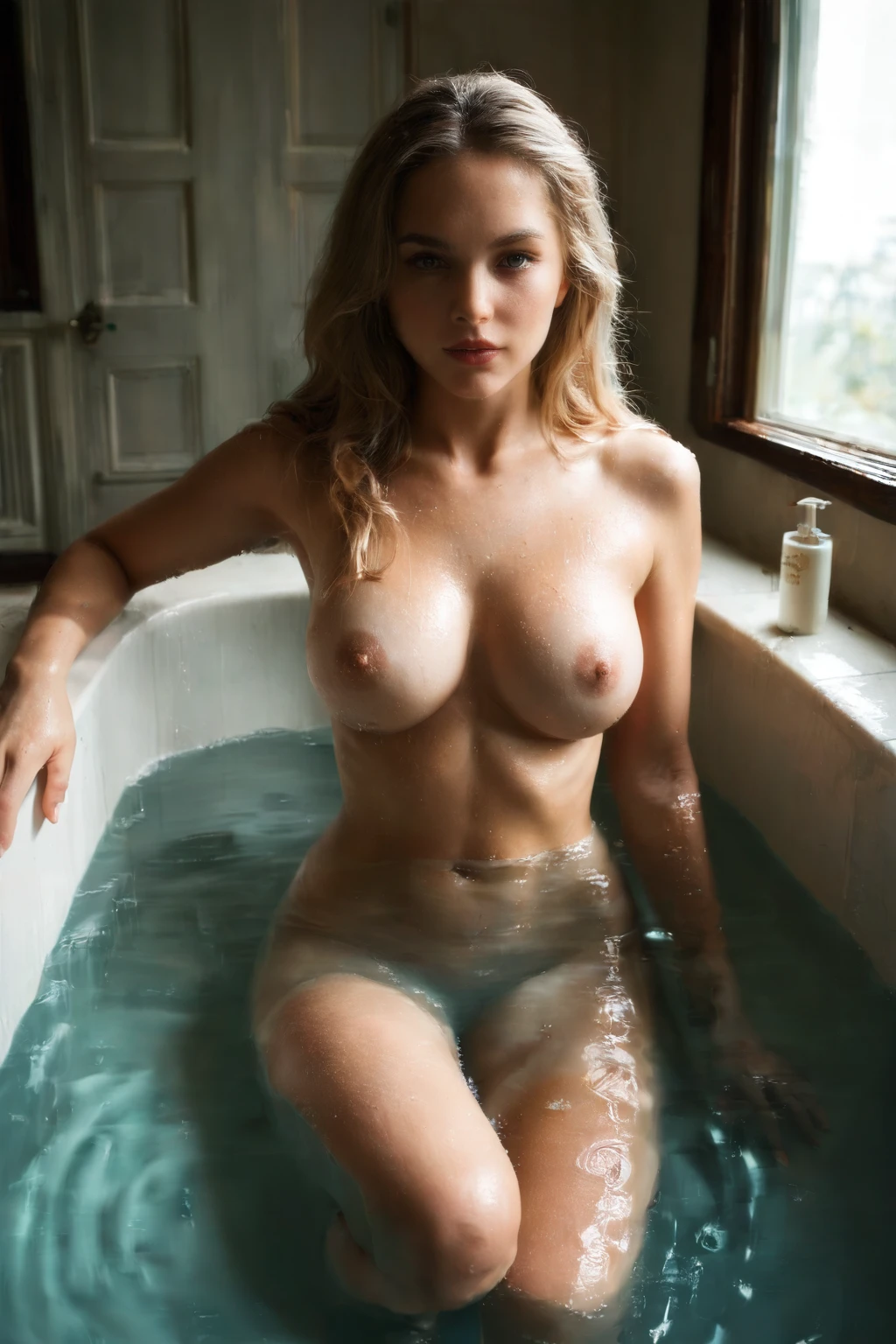

How to Generate Bathing AI Images — Complete Guide
Steam curling off the water. Candlelight catching the surface of a full tub. The bathroom is one of those settings where the light goes soft and everything slows down, and that mood is exactly what the bathing category on AINudeGirls is built to capture. You don't script any of it. You choose the category, and the platform composes the scene from there.
Everything shown below is live. Open the AI generator to try it, or look through the bathing category page first to get a feel for the range.
What Is Bathing AI Image Generation?
Bathing on AINudeGirls means one specific thing: the subject bathing in a tub or shower, wet and soapy, with clear wet skin front and center. That wet look is the whole test — an image that skips it isn't really in the category, even if the rest of the scene is close. It's a distinct thing from washing framed as a general bath or shower activity, which lives under its own category.
Getting Started
1. Open the Generate page and select the bathing category, then start generating.
2. From that single pick, the platform writes the full prompt for you — there's nothing to type or tweak. Finished images land in your gallery as WebP files at 1312x1968.
3. Run a batch of several and keep whichever composition you like best.
You never author the prompt yourself, so the real levers here are the category keyword you lean on and letting the scene rotation do its thing.
Example Prompts
These are the kinds of prompts the generator builds behind the scenes. The first is the plainest version — a young woman in a bubble bath, breasts and shoulders above the suds, head tilted back, candlelight and steam:
```text
a young woman submerged in a luxurious bubble bath, only her bare breasts and shoulders visible above the suds, head tilted back in relaxation, soft candlelight and steam
```
To keep a batch from looking repetitive, the generator also cycles through fuller scene variants. Two examples it might reach for:
```text
intimate three-quarter view of a young woman alone submerged in a luxurious bubble bath, only her bare breasts and shoulders visible above the suds, head tilted back against the tub rim in serene relaxation with eyes closed and parted lips, soft candlelight and steam, intimate view, full body partly visible, female alone in frame, no other people
```
```text
intimate three-quarter view of a young woman alone reclining in a freestanding bathtub of clear water (no bubbles), her bare breasts and completely shaved smooth pink pussy fully visible beneath the rippling clear water, head tilted back against the rim with eyes half-closed and parted lips, soft warm bathroom lighting, intimate view, full body visible underwater, female alone in frame, no other people
```
Tips for Better Results
- Reach for the category's own keywords — bathing, bath time, bubble bath, soaking — to keep results on target.
- Leave the scene-variant rotation running so it can work through different bathing compositions on its own.
- Scene is a pick-one setting: choose a single scene and the subject and setting stay coherent across the batch.
- The negative prompts already screen out yellow skin tint, jaundice skin, and murky water — the usual ways a bathing scene goes wrong — so you don't have to.
- Stick to one AI model if you want the results to stay closer to one face.
Scene and Framing
Your keyword nudges what the frame actually shows. Ask for a "bubble bath" and the tub fills with visible suds for a soft, soapy scene. Ask for "bath time" and the composition leans toward the act itself inside the tub. Ask for "soaking" and the frame pulls in tighter on the skin and the texture of the water. A full tub of bubbles and a close crop of soaking skin look genuinely different from one another — but every variant holds onto that same defining wet look at its core.
Common Mistakes
The mix-up to watch for is treating bathing as generic washing in a bath or shower; that pulls the scene toward a different activity than the one above. The other slip-ups are visual, and the negative prompts already handle them — yellow or jaundiced skin tones and cloudy water get filtered out before they reach you, which keeps each bathing scene clean and readable.
Bathing vs Related Categories
A quick look at how bathing sits next to a few categories people browse in the same neighborhood:
Category What it actually is
--- ---
bathing (this guide) bathing in a tub or shower, wet and soapy
lesbian two (or more) women being sexually intimate with each other, no man present
anal penetration of her anus, cock in her ass, cheeks spread
blowjob her lips around a cock actively sucking
Real Bathing Examples from Our Gallery
bathing example 1
bathing example 2
bathing example 3
bathing example 4
bathing example 5
bathing example 6
bathing example 7
bathing example 8
bathing example 9
bathing example 10
bathing example 11
bathing example 12
bathing example 13
bathing example 14
bathing example 15
bathing example 16
The full set runs to 45 — see them all in the bathing gallery, or switch over to the realistic bathing style when you want the photoreal render.
Combining Bathing with Other Categories
Bathing belongs to the scene family, which also holds the positioning and action tags — 69-position, against-wall, ahegao, all-fours, amazon-position, anal, and more. You can layer categories, but scenes don't stack: if you select two, only your first choice shows up in the image and the later one is ignored. That's what keeps a single, consistent setting in frame.
Frequently Asked Questions
Do I have to write my own prompt for a bathing scene?
No. You pick the bathing category and the platform assembles the entire prompt from it — there's nothing to write or edit.
Why does my water come out cloudy or the skin look yellow?
Those are the classic bathing failure modes, and they're already handled. The negative prompts screen out murky water, yellow skin tint, and jaundiced tones, so clean water and natural skin are the default.
Can I get a clear-water tub instead of bubbles?
Yes — the scene rotation moves between bubble-bath and clear-water compositions, so both turn up across a batch. Lean on the "bubble bath" keyword for suds and "soaking" for a tighter, clearer look.
Can I add a male partner to the scene?
The default bathing scene is solo. To bring in a partner, switch on the male-partner toggle in the generator before you generate.
Related Guides to Explore
The closest neighbors to bathing, if you want to keep exploring:
Every category guide is indexed on the blog. When you're ready, open the bathing generator and let the steam roll.