
How to Generate Chubby AI Images — Complete Guide
Some figures ask to be drawn in long, unhurried lines. There is a generosity to a fuller silhouette — weight that settles, volume that catches the light and holds it, a shape that reads as warm before you've even registered a detail. That's the register the chubby category works in on AINudeGirls, and the whole point is that you don't have to describe any of it. Pick the category, and the platform assembles the prompt on its own. You never type a word.
Everything here applies both on the chubby category page and in the generator.
What the Chubby Category Captures
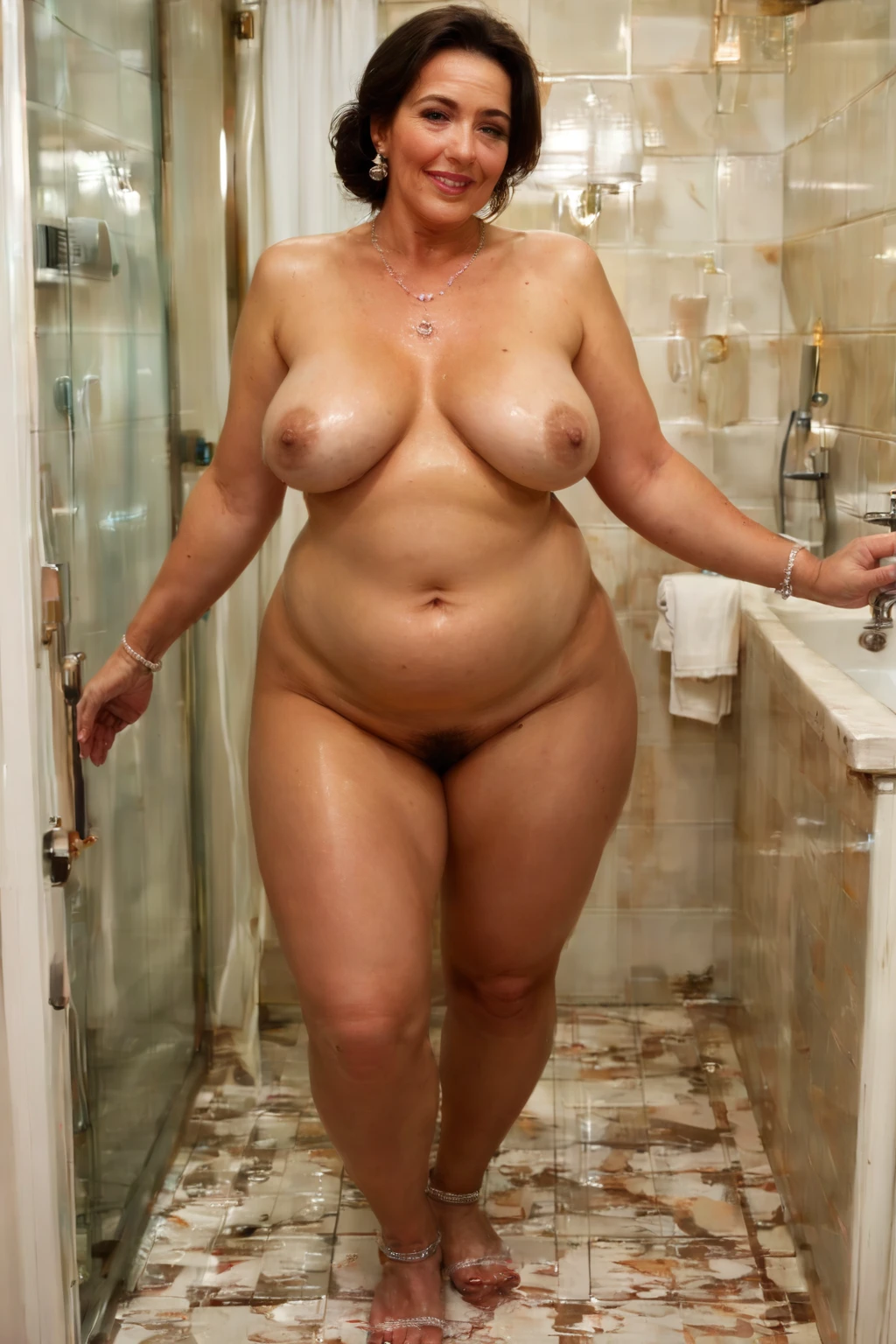
Chubby, on AINudeGirls, means a plump body with soft curves and a full belly. That's the whole definition, and it's the bar every image has to clear. A result that reads as thin, or that loses the full belly, simply isn't a match for the category — the plump, rounded shape is the thing being generated, so when it's absent the image doesn't belong here.
Real Outputs First: Chubby Examples
chubby example 1
chubby example 2
chubby example 3
chubby example 4
chubby example 5
chubby example 6
chubby example 7
chubby example 8
chubby example 9
chubby example 10
chubby example 11
chubby example 12
chubby example 13
chubby example 14
chubby example 15
chubby example 16
There are 30 in total over in the chubby gallery. If you'd rather stay strictly photographic, the realistic chubby style narrows things to that look.
How to Generate Chubby Images, Step by Step
1. Open the Generate page, choose the chubby category, and start the generation.
2. Sit back — the platform writes the image prompt for you, so there's nothing to type.
3. Your finished image lands in your gallery as a WebP at 1312x1968.
That's the entire loop. Run it a few times and let the variations stack up.
Example Prompts to Try
You don't build prompts by hand, but it's worth seeing what the platform hands the model. Here's the modifier clause behind a chubby generation:
Modifier clause:
```text
chubby plump body with soft curves and full belly
```
The Visual Range
Within that defining look there's plenty of room to move. Wardrobe tends toward loose, draping fabrics rather than anything tight. Lighting on these scenes usually runs soft and diffused. The overall mood is warm and relaxed — an easy posture, nothing braced or tense. You'll see the same character read across close shots and wider settings, different angles and backgrounds, while the core shape stays put.
Stacking Chubby with Other Picks
Chubby lives in the body_size group, alongside athletic, bbw, bimbo, curvy, hourglass, and muscular. These are alternatives to one another, so if you happen to select two, only the first one you chose shows up — the rest of that group is ignored. Scenes here are single-subject; the category won't build a multi-person image.
How Chubby Differs from Its Neighbors
It's easy to reach for a neighboring body type by mistake, so here's chubby set against the ones it sits closest to:
Category What it actually is
--- ---
chubby (this guide) chubby plump body with soft curves and full belly
athletic athletic toned fit body with defined muscles
bbw BBW plus-size figure with full curves, voluptuous heavy body
hourglass perfect hourglass figure with narrow waist and full hips
Practical Chubby Tips
- Sticking to one AI model keeps the face steady from one generation to the next, while the category keeps the body size.
- Batch a handful of images in one go — more attempts means a better shot at the frame you had in mind.
- Selecting chubby from the body_size options is what pins the character's shape, so make that pick deliberately.
Pitfalls to Avoid
The one thing to watch is that the defining look actually lands in frame — a plump figure that reads clearly as chubby. Where people slip up is with a build that comes out too lean or too muscular, which is the opposite of what this category is for. If that shape doesn't come through, the image won't count as a match, so it's worth a quick glance at each result before you move on.
Your Chubby Questions Answered
Why does my figure sometimes come out slimmer than I wanted?
That's the most common miss with this category — a build that reads too thin or too toned drifts away from the plump shape chubby is built around. Generate another batch; across several attempts the defining look comes through more reliably.
Can I include a male partner in the scene?
By default the scene has just one subject and no male partner. Flip on the male-partner toggle in the generator and a male figure gets added to the image.
Do I need to write my own prompt to get the right body type?
No. Choosing the chubby category is the whole step — the platform assembles the prompt and produces the plump, soft-curved figure for you.
How is this different from bbw?
They're separate picks in the same body_size group, and the bbw guide lays out that fuller, plus-size look if you want to compare the two side by side.
Keep Reading
If you're weighing chubby against the body types nearest to it:
- How to generate athletic AI images
- How to generate bbw AI images
- How to generate hourglass AI images
The full set of category guides is on the blog index. When you're ready, the generator is one click away.