
How to Generate High Heels AI Images — Complete Guide
Patent gloss, a needle-thin stiletto, the line a raised heel pulls through the calf: footwear does a lot of quiet work in a picture. Most image sets waste it. The high heels category on AINudeGirls exists so the shoes stop being an accident of the render and start being the point.
For background on the subject itself, see High-heeled shoe on Wikipedia.
It is a small pick with a large effect. The high heels category page shows what it produces, and the same option is sitting in the generator whenever you want to use it.
The High Heels Look
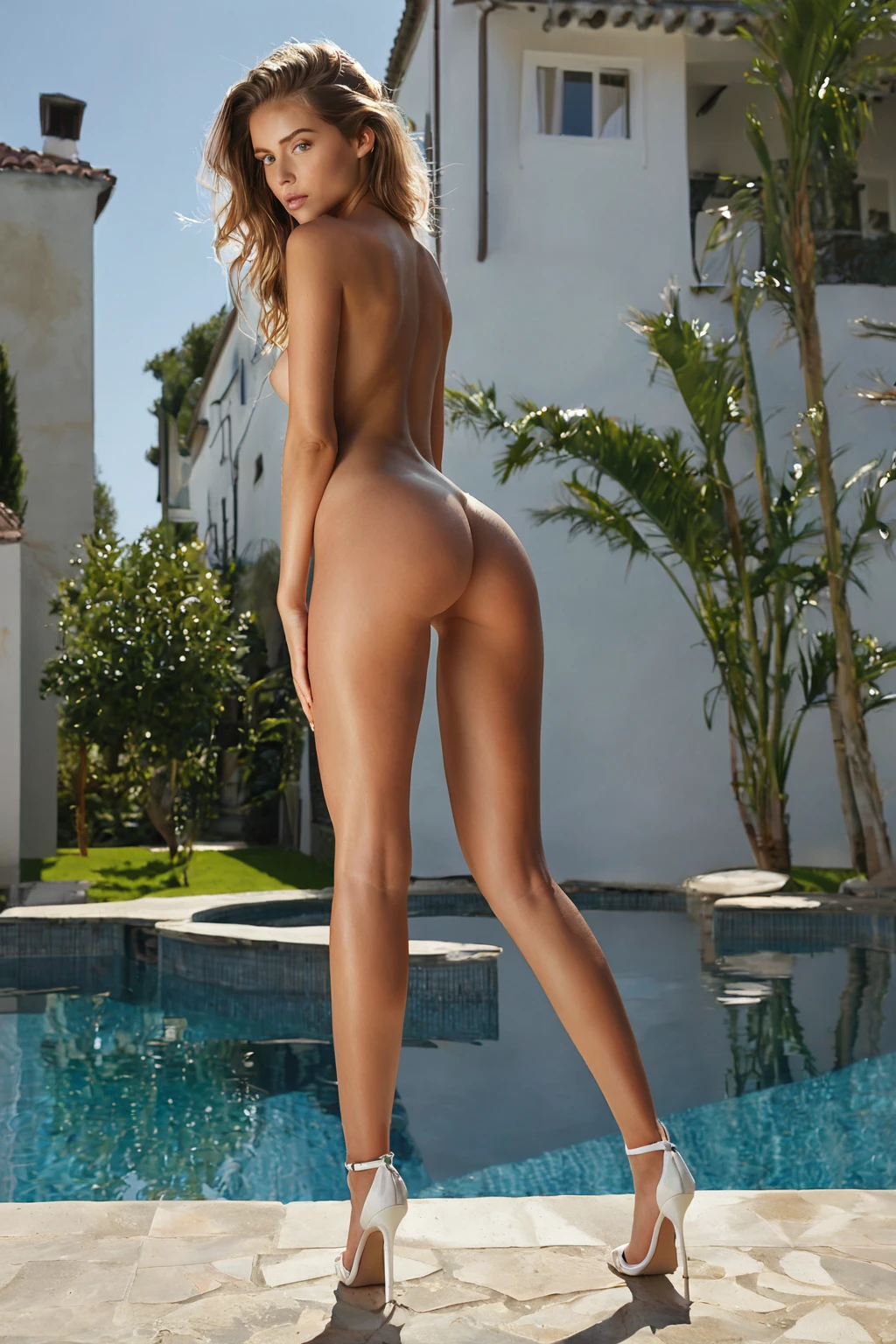
One rule defines this category, and everything else is styling on top of it: the model is wearing high heels, and the heels are clearly visible as the main focus of the image. Shoes half-lost in shadow, cropped at the ankle, or implied rather than shown do not clear that bar.
Within that, the range is wide. Stilettos run sharp and thin, and they stretch the leg line more than anything else in the category. Pumps sit heavier — thicker heel, closed toe — and that changes the stance, the weight distribution, the way the foot reads against the floor. Both are high heels. Pick the silhouette you actually want.
Lighting decides how much of the shoe you get. Dramatic side light carves the arch and the heel shaft into a hard outline, which is why it works so well against dark backgrounds. Flatter, brighter light does the opposite job: it shows material and colour, the grain of suede versus the mirror of patent.
Framing is the other lever. Come in tight on feet and legs and the footwear carries the whole frame. Pull back to a full standing or walking shot and the heels become posture instead of subject — the arch, the raised gait, the balance. Either works, as long as that defining look survives the crop.
high heels example 1
high heels example 2
high heels example 3
high heels example 4
high heels example 5
high heels example 6
high heels example 7
high heels example 8
high heels example 9
high heels example 10
high heels example 11
high heels example 12
high heels example 13
high heels example 14
high heels example 15
high heels example 16
That is 16 of the 30 sitting in the full high heels gallery. If you only want the photoreal end of the range, the realistic high heels style filters to those.
Generating Your First High Heels Image
1. Open the Generate page and pick high heels. You can pick more than one category in the same run.
2. Start the generation. The writing of the prompt is handled for you; there is no text box to fill in.
3. Results land in your gallery as WebP at 1312x1968.
On credits, a single image costs 15. Buying in sets brings the per-image cost down: 68 credits for five, 120 for ten. For a category like this one, where the payoff is in shoe shape and camera distance, a set is usually the better spend — you get variations of the same idea instead of one roll of the dice.
The Prompt Behind the Picture
High heels is a modifier. It does not describe a whole scene; it contributes one clause that gets folded into whatever scene you have built with your other picks. That clause is this:
```text
wearing high stiletto heels accentuating her legs
```
Read it as two instructions. *High stiletto heels* fixes the footwear itself — the height and the thin heel. *Accentuating her legs* is the framing hint: it pushes the composition toward showing the leg line the heels create, which is why so many results run long rather than tightly cropped.
You never type any of that. The clause is added for you, and it lands on top of the scene you chose. Pick high heels alongside on-knees, for example, and the scene it joins is:
```text
a fully nude young woman kneeling upright on the hardwood floor of a warmly-lit bedroom, sitting back on her heels with her thighs slightly parted, her bare breasts and shaved pussy fully exposed, hands resting softly on the tops of her thighs, she gazes up directly at the camera with a seductive submissive expression and parted lips, shot from a low hero angle that makes her tower in the frame, dramatic warm side lighting carves soft even light across her smooth skin, intimate charged atmosphere, female alone in frame, no other people
```
Or pair it with on-table, which brings a very different camera:
```text
POV from above a young woman alone lying back on a wooden table with her legs spread and one knee raised, looking up at the camera with parted lips, full body visible, bright soft side lighting, female alone in frame, no other people
```
Same footwear clause, two entirely different pictures. That is the whole method: choose the scene with one category, choose the shoes with this one.
Neighbouring Categories
Three categories get mistaken for this one or picked next to it. Here is what each actually asks for:
Category What it actually is
--- ---
high heels (this guide) wearing high heels
stockings thigh-high stockings with garter belt
boots wearing tall boots, often thigh-high
professional in professional business attire, office-worker styling
Playing Well With Others
High heels belongs to the Footwear family, and it combines freely with categories outside that family — poses, settings, framing, all fair game.
The one combination to watch is Footwear plus Clothing. Pick a clothing category at the same time and the clothing pick is the one that lands in the image, so the heels can quietly go missing. If the shoes are the reason you are generating, leave the clothing slot alone.
Worth knowing before you plan a scene: this category puts one woman in frame. It brings no male partner with it, and the default result has none.
Getting It Wrong
Most disappointing results here come down to the heels not surviving the frame.
- Cropped out. A composition that stops at the thigh cannot show footwear. If you have paired high heels with a tightly framed pose, the shoes lose.
- Buried in shadow. Heavy low-key lighting flatters the shoe outline right up until the point where the shoe disappears into the background. Dark shoe, dark floor, no contrast — nothing to see.
- Overridden by a clothing pick. Covered above, and it is the single most common way people end up wondering where the heels went.
- One-shot judging. Shoe shape and stance vary a lot between generations. Run a set and choose, rather than deciding the category does not work from a single image.
Questions People Actually Ask
Do stilettos and pumps both count as high heels here?
Yes. The category covers stilettos, pumps and other heeled styles. The only requirement is that the model is wearing them and they are clearly visible.
Can I combine high heels with stockings?
Stockings is its own category with its own definition — thigh-high stockings with a garter belt — and it is a common neighbour rather than a conflict. The pairing to avoid is a clothing category, which takes the image somewhere else.
What file do I actually get?
WebP, 1312x1968. That is the output for every image the platform generates.
Why do some of my results look nothing like the gallery?
The gallery is a selection. The realistic high heels style narrows to the photoreal picks if that is the look you are chasing, and generating a set gives you the same room to choose.
The categories closest to this one, each with its own guide:
- How to generate stockings AI images
- How to generate boots AI images
- How to generate professional AI images
Every category guide is indexed on the blog.