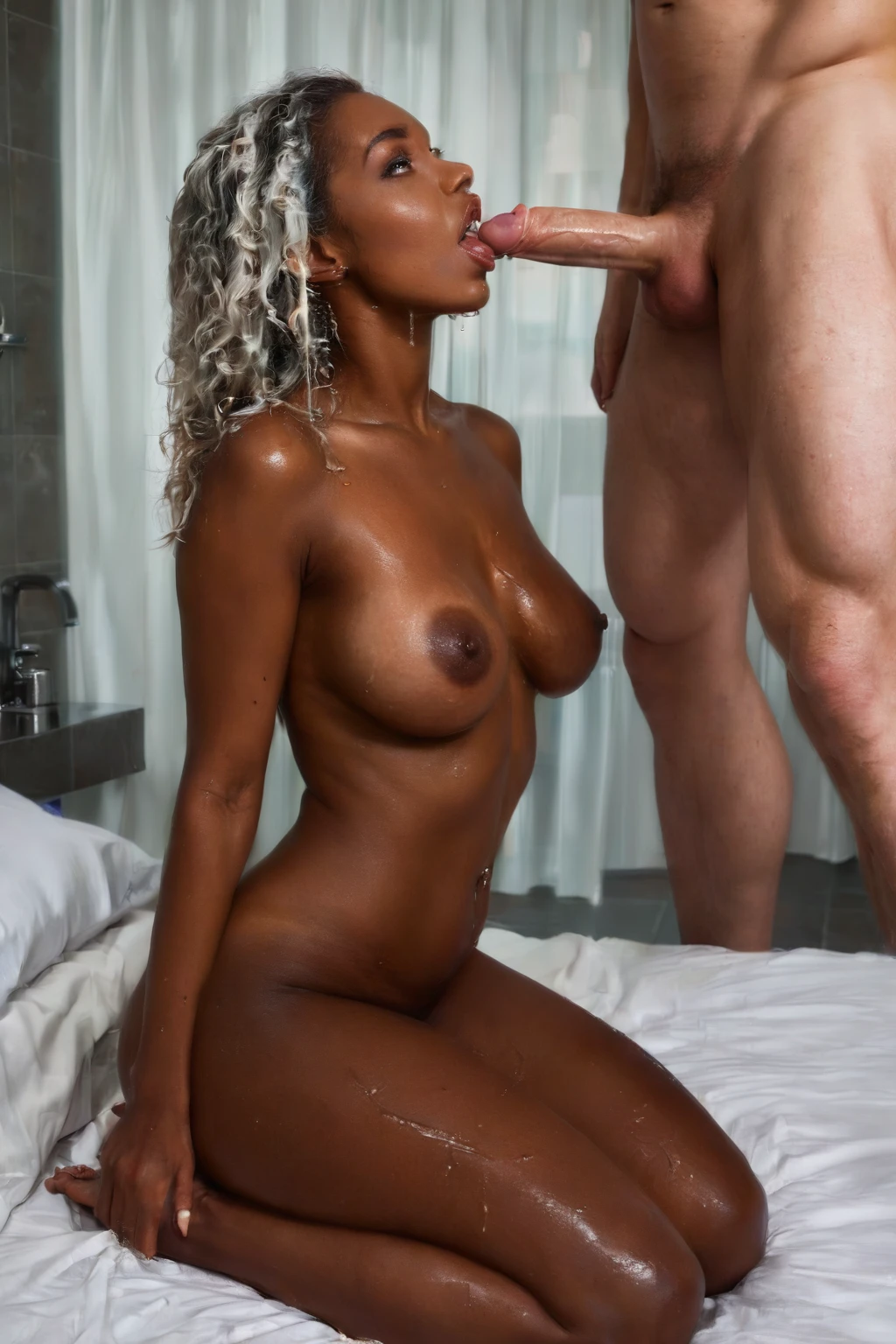

How to Generate Interracial AI Images — Complete Guide
Warm, directional light across bare skin does something specific in this category: it separates. One body catches the highlight, the other holds the shadow, and the difference between them becomes the subject of the picture rather than a detail inside it. That is the atmosphere the interracial category is built to produce at AINudeGirls. You never open a prompt box to get there. You pick the category, you generate, and the image arrives already obeying the rules the category sets.
Start in the AI generator, or look through finished work on the interracial category page before you spend anything.
Defining Interracial
One requirement carries this category: two partners whose skin tones read as clearly different from one another, with both bodies fully in frame. Not subtly different. Different at a glance, from across the room, without anyone having to look twice.
That is a stranger kind of definition than most of the site uses. Cowgirl and missionary are defined by a position — you can describe them with a diagram. Interracial is defined by who is in the shot and how they sit next to each other visually. The pose can be anything. The room can be anything. The mood can swing from unhurried to urgent without touching the category at all. What cannot move is the contrast, and the fact that both people are still there to carry it.
That is why lighting matters more here than in almost any other category. Flat, even light flattens tone along with everything else. Warm light with a direction to it brings out texture and depth in skin, which is exactly what keeps that defining look legible in the finished file. It shows up consistently across generated scenes for that reason, not as decoration.
interracial example 1
interracial example 2
interracial example 3
interracial example 4
interracial example 5
interracial example 6
interracial example 7
interracial example 8
interracial example 9
interracial example 10
interracial example 11
interracial example 12
interracial example 13
interracial example 14
interracial example 15
interracial example 16
There are 29 of these in the interracial gallery. If you only want the photoreal ones, the realistic cut is a separate view of the same category.
Generating Your First Interracial Image
1. Open the Generate page and select interracial. Add whatever else you want on top — a setting, a mood, a pose.
2. Skip the prompt box. There isn't one to fill in. The generator reads your selected categories and assembles the rest itself.
3. Hit generate. What lands in your gallery is a WebP file at 1312x1968, ready to view or download.
Costs are the same here as anywhere else on the site: 15 credits for a single image, 68 for a set of five, 120 for a set of ten. The sets are worth knowing about in this category specifically, since framing and pose shift between runs and a batch gives you something to choose between.
Prompt and Setup Reference
You do not write any of this. It is still worth seeing, because knowing what the generator is working with tells you why results land the way they do.
Two shapes of instruction get built. The first is prose — flowing sentences, the way you would describe a photograph to someone over the phone:
```text
intimate full-body shot of a young woman alone with rich dark skin, her hands resting on her own hips, sensual expression looking toward the camera, full body visible, bright soft lighting, female alone in frame, no other people
```
Read it in pieces and the logic is obvious. `intimate full-body shot` fixes the framing. `rich dark skin` is the tone description doing the category's work. `hands resting on her own hips` is pose. `bright soft lighting` is the light. And `full body visible` plus `no other people` are guardrails — instructions about what must be true of the finished frame, not about what to draw.
The second shape is tags: comma-separated descriptors, weighted, in the style booru-trained tools expect.
```text
(dark skin, ebony:1.2), kneeling on bed, presenting, looking at viewer, bedroom, realistic skin texture, completely nude
```
Same content, denser packaging. The parentheses and `:1.2` push the skin-tone terms harder than the rest of the line, so tone stays dominant even when other descriptors pile up around it.
The generator also rotates the scene between runs, which is why you rarely get the same composition twice. Here is one variation, built on a standing three-quarter pose rather than the kneeling shot:
```text
intimate three-quarter view of a young woman alone with rich beautiful dark ebony skin standing in a softly-lit bedroom, hands resting on her own hips, sensual expression looking toward the camera with parted lips, bare breasts firm and prominent, completely shaved smooth dark pink pussy fully exposed, warm bedroom lighting glowing on her dark glistening skin, intimate three-quarter view, full body visible, female alone in frame, no other people
```
And another, reclining, where the lighting carries more of the load:
```text
intimate three-quarter view of a young woman alone with rich beautiful dark ebony skin reclining on white satin sheets, bare breasts and completely shaved smooth dark pink pussy fully exposed, head tilted back with parted lips in serene relaxation, warm bedroom lighting glowing on her dark glistening skin, intimate view, full body visible, female alone in frame, no other people
```
Look at what survives every rewrite: full body visible, skin tone described in concrete physical language rather than vague adjectives, and light named explicitly. Pose and setting are free to move. Those three are not.
Interracial Compared
The categories interracial gets confused with, or deliberately stacked against:
Category What it actually is
--- ---
interracial (this guide) partners with clearly contrasting skin tones. Both are clearly visible in frame
cowgirl she straddles and rides the man. He lies on his back. She is on top and upright
doggy style penetration from behind. She is on all fours or bent forward. Penetrator kneels behind her
missionary she on her back. Legs spread or around him. Penetrated from on top face-to-face
The three below it all answer the question "what are they doing?" Interracial answers "who is in the shot?" That is why they stack rather than compete.
Combination Notes
Interracial is a scene pick, and only one scene pick makes it into an image. Select two and you get the one you chose first — so decide on your scenario before you generate rather than ticking several and hoping they blend.
The keyword you lean on shifts the framing. bbc pulls the camera in tighter and puts physical closeness between the two partners in the foreground, where a wide establishing shot would dilute it. Mixed race sex is the broader thematic term; it reads as an encounter rather than a framing instruction, and gets expressed through pose, proximity and how the light falls.
Wardrobe can go two ways and both work. Fusion styling that borrows from both partners' backgrounds, or deliberately distinct looks that keep each person visually separate. The only rule is that clothing frames the contrast instead of burying it — anything that covers or crops a partner is working against the category.
Scene rotation is your friend here. Leaving it on gets you different angles, settings and moods across a batch while the pairing itself holds steady, which is the simplest way to see how wide this category actually runs.
Failure Modes
The recurring misunderstanding is treating interracial as a loose "different skin tones somewhere in the picture" label. It isn't. The pairing is the category — contrast floating around in the background of a solo shot does not qualify.
Then there is anatomy. Two overlapping figures give the generator far more to keep straight than one, and it shows: merged bodies, extra limbs, extra legs, extra feet, floating genitals. These are the specific errors that recur in two-person compositions, and they are what to scan for first when you review a batch rather than a general sense that something looks off.
The other failure is quieter and easier to miss. One partner gets cropped at the edge, or turned away, or sunk far enough into shadow that the tones stop reading as distinct. Nothing looks broken. The image just isn't in the category any more. Hold the finished frame against that defining look before you commit to it and near-misses are easy to catch.
Reader Questions
Is interracial a pose or a setting?
Neither. Positions and locations describe an action or a place; this one describes who is in the frame and how they read against each other. That is why it sits comfortably underneath a pose category rather than replacing one.
Does a man always appear in the shot?
By default, yes — choosing interracial pairs the woman with a male partner automatically. There is a control in your generation settings that switches this off, and it's worth knowing where it lives before you generate, since he shows up unless you say otherwise.
Why do the skin tones sometimes come out looking too close together?
Almost always lighting or framing. Flat light flattens tonal difference, and a partner angled away or half-lost in shadow stops contributing contrast at all. Warm, directional light and both bodies squarely in frame are what keep the difference visible.
Can I run this with a position category?
Yes, and that is the usual way to use it. Pick interracial alongside a pose like doggy style or cowgirl and you get both. Just keep to one scenario per generation.
Other Guides Worth a Look
- How to generate cowgirl AI images
- How to generate doggy style AI images
- How to generate missionary AI images
Everything else is on the blog index.