
How to Generate Oiled AI Images — Complete Guide
Oil behaves nothing like water on skin. It clings. It pools in the hollow of a collarbone, thins out across the flat of a shoulder, and throws back a hard little disc of light wherever the source hits square on. That specular behaviour is the whole reason the oiled category exists on AINudeGirls: pick it and the scene gets assembled around a slicked, light-catching skin surface instead of a vague overall shine.
Finished work lives on the oiled category page. To start something of your own, open the generator with oiled already selected.
Reading an Oiled Image
The category is one specific thing: skin coated in a visible layer of oil that catches and bounces light. Not sweat-damp skin. Not a wet-from-water look. Not a matte render with the highlights pushed up until it happens to look polished.
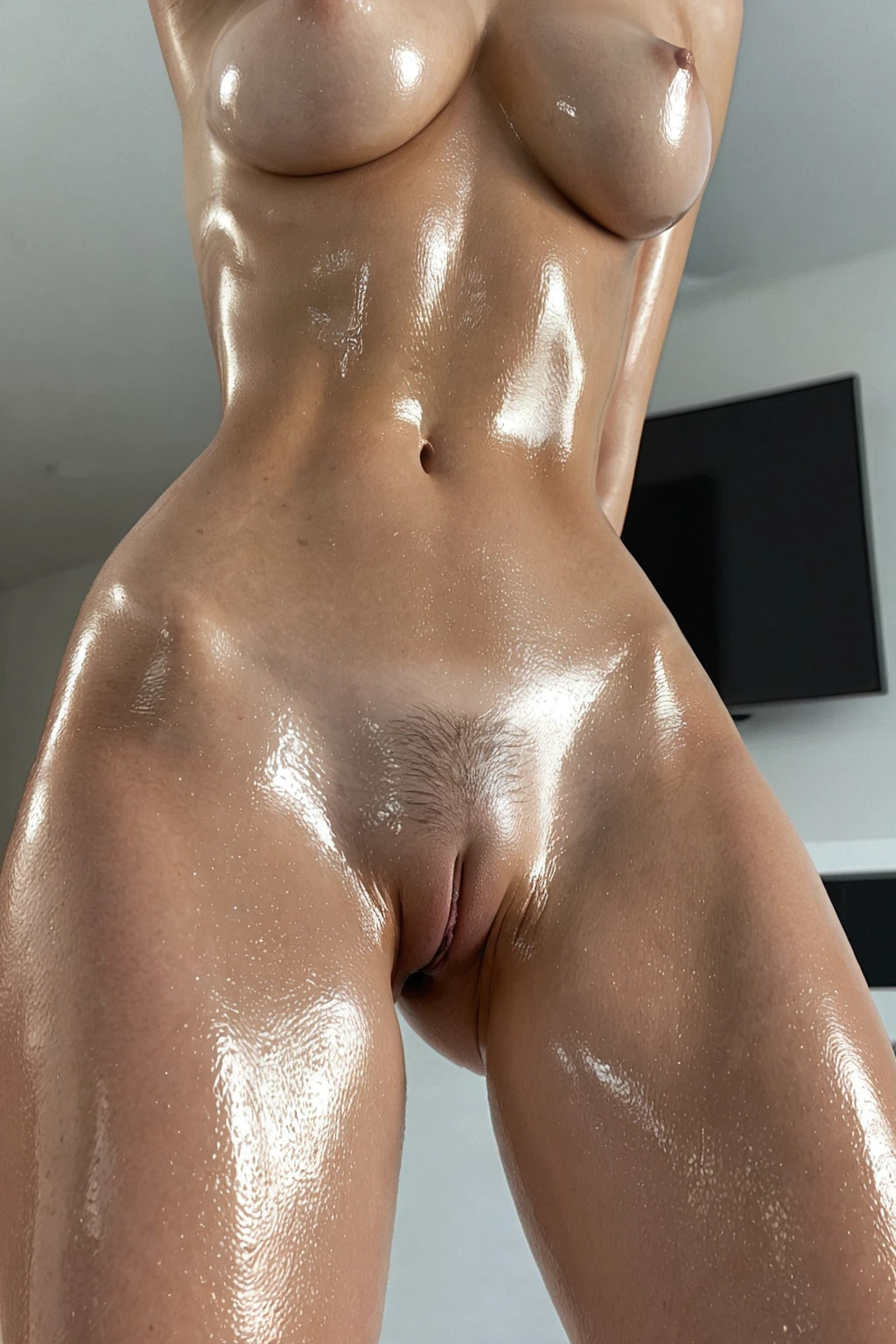
What actually sells it is unevenness. Oil never shines uniformly — it gathers where the body dips, runs thin where it stretches, and produces hard specular hits only where the angle is right. A shoulder catching a studio light. A stomach carrying a soft gradient of sheen. Thighs with a brighter gleam along the edge that curves toward the camera. When the shine is flat and equal everywhere, the eye reads it as a filter laid over the picture rather than a substance sitting on a body.
Different areas do different work, too. Collarbones and shoulders give you small, sharp reflections. The curve of the stomach and the small of the back give you long, soft gradients. Thighs sit somewhere between the two, depending on how they're angled. That mix of highlight sizes across one body is the tell that separates a convincing oiled frame from a shiny one.
Sixteen frames from the set, exactly as the platform delivered them:
oiled example 1
oiled example 2
oiled example 3
oiled example 4
oiled example 5
oiled example 6
oiled example 7
oiled example 8
oiled example 9
oiled example 10
oiled example 11
oiled example 12
oiled example 13
oiled example 14
oiled example 15
oiled example 16
There are 30 in the full oiled gallery, and a photoreal-only cut of the same category sits under realistic oiled.
Getting an Oiled Image Out
1. Open the Generate page and select oiled. You can pick more than one category — oiled contributes the skin finish, and whatever else you select brings the pose, the setting or the act. Nothing about the sheen needs describing on your side.
2. Set the scene around it. Framing, wardrobe and mood are the levers that change how the oil reads, and all of them come from your other picks rather than from anything you type.
3. Start the generation. A single image costs 15 credits; a five-image set is 68 and a ten-image set is 120, which makes batching the cheaper way to compare highlight patterns. Results land in your gallery as WebP at 1312x1968, ready to download or share from there.
By default an oiled scene has one subject in frame. If you want a second figure, switch on the male-partner toggle before you generate — left alone, it stays off and nobody appears uninvited.
If the first frame isn't the angle or the light you had in mind, run it again. Highlight placement shifts noticeably between generations, so two or three passes usually land closer than any amount of fussing over one result.
Prompt and Setup Reference
You never write a prompt by hand here. The platform assembles one from the categories you select, and each category hands over its own piece. Oiled's piece is a single clause:
Modifier clause:
```text
skin glistening with shiny oil
```
Short, and deliberately so. It names the substance rather than the effect, which is what keeps results away from sweat and water. The vocabulary the category is anchored on — *oiled*, *oil body*, *shiny skin*, *glistening* — all points at the same thing. Looser words like "shiny" or "wet" describe a dozen surfaces, only one of which is oil.
That clause is a finish, not a picture. It gets attached to whatever scene your other picks describe. Choose oiled alongside cowgirl, for instance, and the scene half of the composition looks like this:
```text
a young woman alone kneeling upright astride on a bed, thighs straddling the mattress in a riding pose, leaning back slightly with her hands resting on her own thighs, head tilted back, breasts free, sensual expression, full body visible, shot from a low front angle showing only her and the bed, nothing beneath her but the bed, warm bright bedroom lighting from a window, female alone in frame, no other people
```
Note what that scene already carries: a low front angle, warm window light, a full-body crop. Those three decisions are what determine whether the oil reads as a soft all-over gradient or as tight, bright hits — the finish clause never has to mention light at all.
Pick oiled with creampie instead and you get a different frame doing the same job:
```text
intimate rear full-body shot of a young woman alone with her legs spread and back arched, (thick white cum leaking and dripping from her pussy, creampie, cum drip:1.3), looking back over her shoulder with a satisfied expression, full body visible, bright soft lighting, female alone in frame, no other people
```
Rear framing, an arched back, bright soft lighting: the sheen now runs along the spine and the small of the back as one long gradient instead of breaking into small speculars.
So the practical setup advice is about what you select, not what you write:
- Crop. Tight crops show the oil as texture — highlight breakup, a little pooling, pores still readable underneath. Wider crops turn it into an overall gloss that tracks the body's curves.
- Light. Soft, diffused light spreads the reflections and gives a gentler, more intimate glisten. Hard, directional light tightens them into bright points with real contrast around them, which is the editorial version of the look.
- Wardrobe. Bare skin, or something sheer and close-fitting, keeps the finish as the visual anchor. Bulky matte fabric competes with it and chops the highlight into disconnected patches.
- Setting. Poolside, gym, massage table, studio shoot — settings that give the oil a reason to be there tend to hold together better than ones that don't.
- Regenerate. If the lighting isn't landing, run another pass rather than rewording — the gloss depends on the light, and it shifts between runs.
Oiled vs Its Neighbours
Three categories sit close enough to oiled to get confused with it. Here is what each one is actually describing:
Category What it actually is
--- ---
oiled (this guide) skin glistening with shiny oil
wam messy wet-and-messy, body covered in messy substances (food, slime, oil)
body oil skin slick with body oil, glistening sheen
athletic athletic toned fit body with defined muscles
Body oil is the one people reach for by accident. Both categories put oil on skin, but oiled leans dramatic — high contrast, pronounced highlights, magazine-shoot gloss — while body oil stays closer to a naturalistic slick. Wam messy is a different proposition altogether: it is about substance and mess on the body, food and slime included, not a clean reflective finish. Athletic shares nothing with the group except that muscle definition happens to catch light well, which is why it pairs with oiled rather than substituting for it.
Quick sort: glossy editorial shoot, choose oiled. Just stepped out of the shower with a light sheen, choose body oil.
Stacking Oiled With Other Picks
Oiled, body oil and wam messy all answer the same question — what is on the skin — so the platform only honours one of them. Pick two and only the first one you chose shows up in the image. Worth choosing on purpose rather than stacking finishes and hoping they blend.
Everything that answers a *different* question stacks cleanly. Pose, act, setting and body-type picks all combine with oiled without argument, which is how the two examples above are put together. Athletic is a natural companion for exactly the reason it sits in the table: defined muscle gives the light more edges to catch, so that defining look gets more to do.
Failure Modes
Aiming at glow instead of oil. Radiant, dewy and glowing all describe how light behaves in the air around a subject. Oil is a substance sitting on top of skin. Categories built on the first idea produce a soft, polished result with no visible layer anywhere.
Two finishes at once. Selecting oiled and another skin finish doesn't blend them; the second pick is quietly dropped. If the result looks like body oil when you wanted the dramatic version, check what else you selected.
Wardrobe that swallows the sheen. Heavy matte fabric covers the surfaces that were supposed to be doing the reflecting. The oil is still there in the render, just nowhere the camera can see it.
Judging the category on one frame. Lighting and highlight placement vary run to run more than almost anything else in an image. One flat result tells you almost nothing on its own — that is what the five- and ten-image sets are for.
Things Worth Knowing
Is oiled just body oil with a different name?
No. They describe the same substance at different intensities: oiled is the high-contrast, pronounced-highlight version, body oil the subtler, more natural slick. They are separate categories, and only one of them will apply per image.
Why does the sheen look so different between two generations of the same thing?
Because the light and the framing move. Oil only shows where a reflection can form, so a shift in angle redistributes every highlight on the body. Regenerating is the intended way to explore that, not a workaround.
Can I combine oiled with wam messy for an oily, messy look?
Not usefully — they are competing skin finishes, so whichever you selected first is the one that renders. If you want mess and substance rather than a clean reflective coat, choose wam messy on its own.
What do I actually get back?
A WebP file at 1312x1968, delivered into your gallery, where you can download or share it. A single image is 15 credits, with sets of five and ten at 68 and 120.
The closest neighbouring categories, each with its own guide:
- How to generate wam messy AI images
- How to generate body oil AI images
- How to generate athletic AI images
Every category guide is indexed on the blog index.