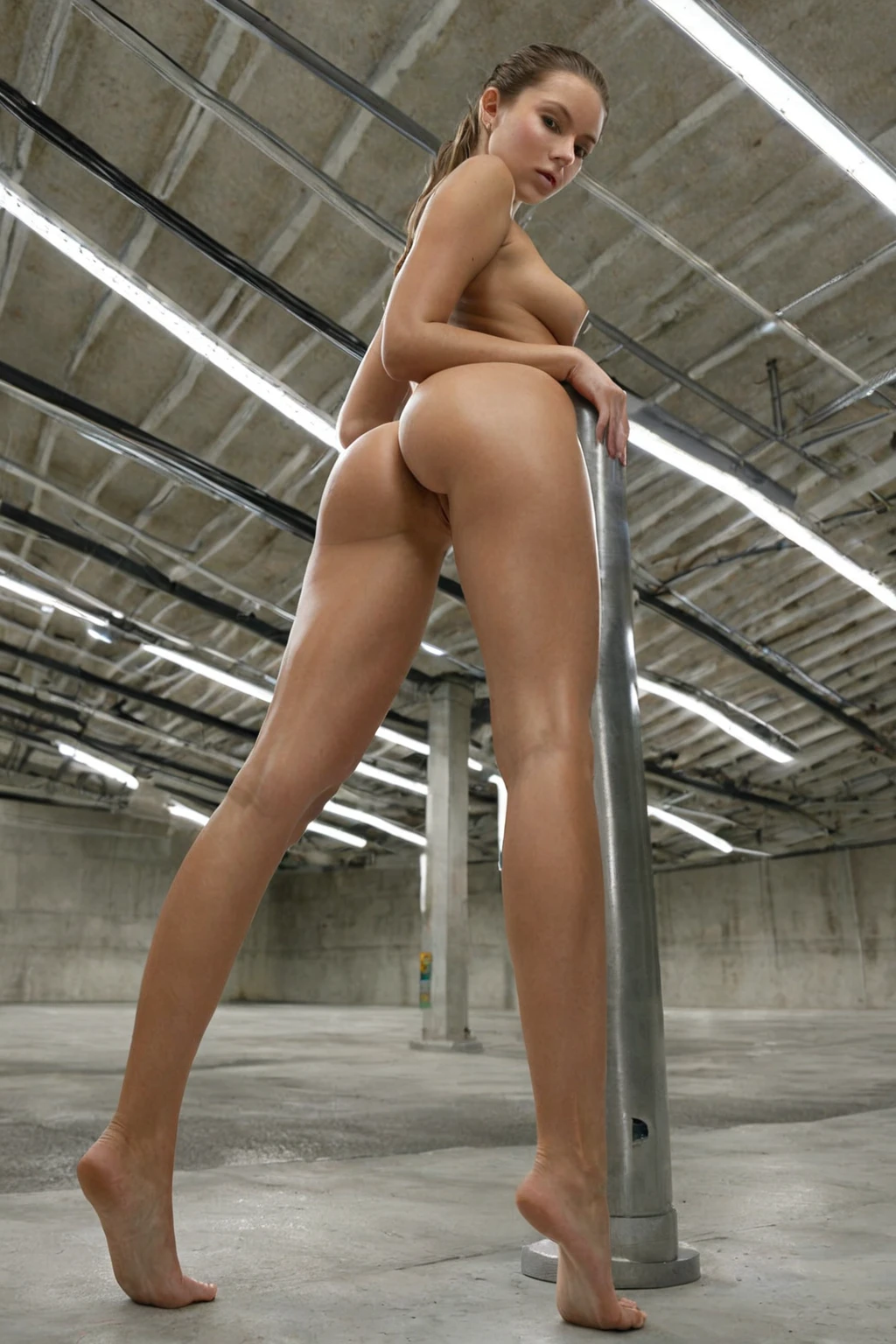

How to Generate Parking Lot AI Images — Complete Guide
Bare concrete, painted bay lines, a low ceiling and a row of fixtures throwing light that lands flat and even on everything under it. No pooled shadow, no flicker, no dead corner. That is the surface texture the parking lot category is built on, and it is a surprisingly demanding one — cool grey, hard edges, and skin lit from above with nowhere to hide.
You don't have to describe any of it. Choosing the category on the Generate page is the whole instruction; the platform assembles the scene text and you steer the rest with your other picks. The category page shows what the setting does to a frame before you spend anything.
The Parking Lot Look
"Parking lot" is narrower here than the everyday phrase. The category is scoped to one environment: an underground parking garage with clean, even, well-distributed light. Nothing about it is left open.
What it rules out matters just as much. Above-ground lots, open-air surface parking, rooftop decks and street parking all sit outside the scope, and so does any dim, flickering or patchy lighting — the single-bulb-in-the-corner look of a neglected garage. Concrete pillars, painted parking lines, overhead fixtures washing the frame evenly: that is the visual language, and a result that could pass for an outdoor lot at dusk has missed it.
Practically, the payoff is consistency. An enclosed space with a fixed light source behaves the same way from one generation to the next, which means wardrobe and pose read cleanly instead of fighting a mood the room keeps changing.
Sixteen frames from the gallery, all in that same enclosed light:
parking lot example 1
parking lot example 2
parking lot example 3
parking lot example 4
parking lot example 5
parking lot example 6
parking lot example 7
parking lot example 8
parking lot example 9
parking lot example 10
parking lot example 11
parking lot example 12
parking lot example 13
parking lot example 14
parking lot example 15
parking lot example 16
There are 30 in total on the gallery page, and the photoreal-only cut sits here.
Prompts and Settings That Work
Nobody types prompts on this platform, so the useful thing to know is what your pick actually contributes. Parking lot adds exactly one clause to the scene text:
Modifier clause:
```text
in a well-lit underground parking garage with clean even light
```
Read it in three parts. "Well-lit underground" fixes both the location and the fact that the light is artificial and generous — that pairing is what stops the render from wandering outdoors. "Parking garage" supplies the structure: pillars, bays, a ceiling. "Clean even light" is the quality control clause, the one that keeps shadows soft and brightness consistent across the frame instead of grungy and patchy.
Because it is a clause and not a full scene, parking lot never works alone — you pick it alongside a category that brings a body, a pose and a camera. Here is the kind of scene text a pose category contributes, so you can see what the garage clause is being joined to. Pick parking lot together with on-knees:
```text
a fully nude young woman kneeling upright on the hardwood floor of a warmly-lit bedroom, sitting back on her heels with her thighs slightly parted, her bare breasts and shaved pussy fully exposed, hands resting softly on the tops of her thighs, she gazes up directly at the camera with a seductive submissive expression and parted lips, shot from a low hero angle that makes her tower in the frame, dramatic warm side lighting carves soft even light across her smooth skin, intimate charged atmosphere, female alone in frame, no other people
```
Or with on-table, which brings a high camera and a much sparser frame:
```text
POV from above a young woman alone lying back on a wooden table with her legs spread and one knee raised, looking up at the camera with parted lips, full body visible, bright soft side lighting, female alone in frame, no other people
```
Notice how much of each one is body, angle and expression, and how little is room. That gap is the slot parking lot fills. Low hero angles suit it especially well: pillars and ceiling fixtures give the frame vertical lines to climb.
As for settings, the output side is fixed — every image comes back as WebP at 1312x1968, straight into your gallery. A single image costs 15 credits; buying the work in bulk is cheaper per frame, at 68 credits for five and 120 for ten.
Your First Run
1. Open the Generate page and select parking lot. There is nothing to write.
2. Add at least one more category to give the scene a subject and a pose — the garage is a room, not a whole picture.
3. Start the generation. Results land in your gallery as WebP files at 1312x1968, ready to view or download.
4. Scenes come back solo. Nothing else appears in the frame unless you switch the male-partner toggle on before you generate.
5. If you want a set that hangs together, run five or ten at once and keep the strongest frames rather than settling for the first.
Getting It Wrong
The classic miss is a frame that never reads as a garage at all: no bays, no rows of vehicles, none of the structural cues — pillars, ceiling fixtures, painted lines — that tell a viewer where they are. Strip those out and there is nothing left to recognise.
Two habits cause most of them. The first is expecting the everyday sense of the words to survive. "Car park" and "parking lot" conjure open sky and daylight asphalt for most people, but this category deliberately overrides that; if you go into the run picturing a surface lot at golden hour, the result will feel wrong even though it is exactly right.
The second happens in the custom prompt field. Swap in a vague brightness word — "bright", "sunny" — and you have pointed the render outdoors, because that is what those words describe. Drop the evenness and you invite what the category exists to prevent: harsh shadow, patchy brightness, a grubbier garage. If you write anything there at all, write around that defining look rather than over it.
Neighbouring Categories
The settings people most often confuse with this one, and what each actually delivers:
Category What it actually is
--- ---
parking lot (this guide) in a well-lit underground parking garage with clean even light
bedroom in a sensual softly-lit bedroom with rumpled sheets and warm window light
beach secluded white-sand tropical beach, golden hour
bathroom luxurious modern bathroom, steam-fogged glass
Stacking Parking Lot With Other Picks
Parking lot sits in the setting family with balcony, bathroom, beach, bedroom, camping and car-sex. Settings don't stack: pick two of them and only the first one you chose shows up in the image, so the second is simply wasted. Choose your room on purpose.
Everything outside that family is fair game, and that is where the category earns its keep. Pose and act categories pair with it cleanly, since they describe the body while parking lot describes the space around it — no overlap, no argument. Wardrobe choices land well too: fabric texture reads sharply against bare concrete, and the flat overhead light is unforgiving about material in a way warm lamplight never is.
Parking Lot Questions
Q: Will I ever get an open-air lot or a rooftop deck?
No. The category is enclosed and underground by definition — an above-ground or open-air result is a failed generation, not a variation.
Q: Can I make the garage darker or moodier?
Not through the category itself. Clean, even light is the baseline every default generation in it starts from; a dim, shadowy garage is the exact thing the definition rules out.
Q: Do I need to write a prompt for this?
No. Selecting the category is the whole instruction — the platform builds the scene text from your picks. The custom prompt field is there if you want to push a detail, but the setting is already handled.
Q: What should I combine it with?
Anything that isn't another setting. A pose or act category gives you the subject and the camera angle, and parking lot supplies the room they sit in.
Other Guides Worth a Look
Three neighbouring settings, if you want to compare how a room changes a shot:
- How to generate bedroom AI images
- How to generate beach AI images
- How to generate bathroom AI images
Every category guide is indexed on the blog.