
How to Generate Shower AI Images — Complete Guide
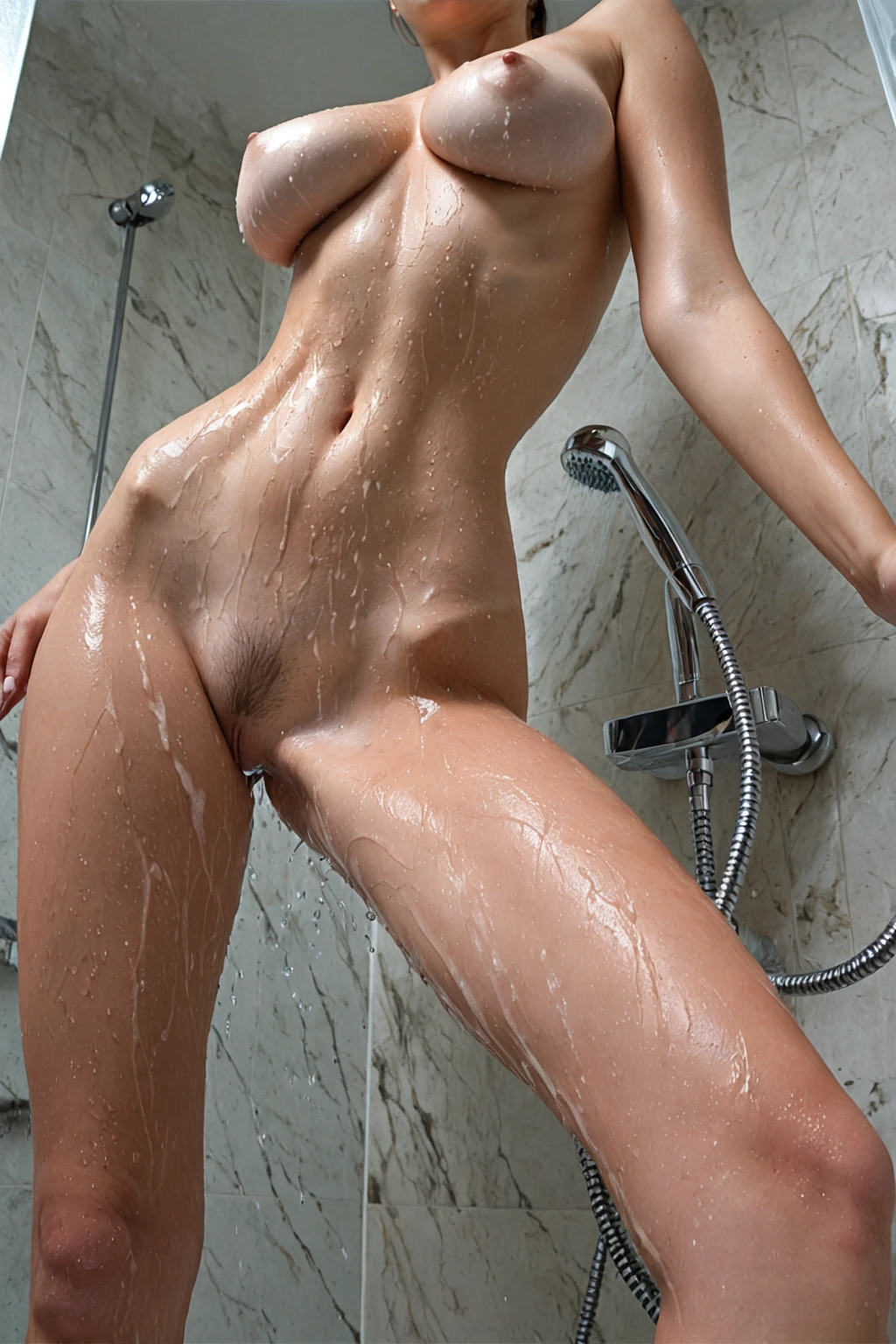
Wet glass, warm tile, water breaking over a shoulder and running off in threads. Shower is one of the few settings on AINudeGirls where the room itself does half the styling work: the enclosure frames the body, the spray gives the frame its motion, and the steam softens every hard edge in the background until the whole image goes hazy at the corners. There is no wardrobe to fuss over here. The materials are the wardrobe.
That makes it an unusually forgiving category to pick and an unusually easy one to get subtly wrong, which is what the rest of this guide is about. Open the shower category to see the finished work, or go straight to the generator if you already know what you want.
What You Get With Shower
Shower on this platform means one specific room, not a family of bathroom scenes: a modern walk-in shower, hot water cascading over the body, steam rising through the space. Three things, all of them visible. The enclosure has to read as an enclosure — glass, tile, the sense of a closed wet space. The water has to be moving, caught mid-fall against skin rather than implied by a damp surface. And the air has to carry steam, thick enough to haze the glass and lift the shadows.
Miss one and the image drifts into somebody else's territory. A tub and mood lighting is a bathroom shot. Wet skin with no enclosure is just wet skin. Hold those three and the rest — how tight you frame, where the light comes from, how much droplet detail survives — is entirely open.
Stills From the Shower Gallery
Same three anchors in every frame, wildly different results:
shower example 1
shower example 2
shower example 3
shower example 4
shower example 5
shower example 6
shower example 7
shower example 8
shower example 9
shower example 10
shower example 11
shower example 12
shower example 13
shower example 14
shower example 15
shower example 16
There are 30 in total on the category page. The photoreal cut narrows it to the ones with the most convincing skin and droplet detail.
Step by Step
1. Open the Generate page and tick shower in the category list. That is the whole input — there is no prompt box waiting for you, and nothing to phrase correctly.
2. Start the generation. The platform assembles the wording for you and the finished files land in your gallery, ready to view or download.
3. Run a set rather than a single image. Steam density, water angle and droplet detail swing more from frame to frame than they do in a dry setting, so having five to choose from beats regenerating one over and over. A single image is 15 credits; five together is 68, ten is 120.
4. Pick the same AI model if you want a particular face carried across the whole run. It gives the generator a fixed face instead of reinventing the subject each time.
Everything comes back as WebP at 1312x1968 — portrait, which suits a standing figure in a narrow enclosure, and light enough to load without a visible quality drop.
Where Shower Generations Go Wrong
Nearly every disappointing shower result traces back to a missing anchor rather than bad luck. The most common one: the enclosure never establishes itself. You get a tiled corner, a blurred wall, something that could be any wet room, and the image stops reading as shower content at all.
Second most common is subtler. The water is technically there but not visibly falling, or the air is clear enough that the steam might as well not exist. Both of those cues have to be legible in the finished frame, not merely suggested somewhere behind the subject. When a run keeps landing flat, the fix is almost never to fight the category — it is to reinforce that defining look with tighter framing or a few keywords of your own: shower, wet, steamy, water stream.
The last trap is over-stacking. Shower sits with the other location settings — balcony, bathroom, beach, bedroom, camping, car-sex — and picking two of them does not layer one on top of the other. They compete, and the scene ends up muddled. Pick shower plus at most one other, and lead with whichever location you actually care about.
Prompts and Settings That Work
You never type any of this. The platform writes it. But knowing what shower contributes to the finished wording explains a lot about why some combinations sing and others go grey.
Shower's entire contribution is one clause:
```text
in a modern walk-in shower with hot water cascading over her body and steam rising
```
Read it in three parts. `in a modern walk-in shower` is the room and the material palette — glass, tile, hard surfaces. `hot water cascading over her body` is the only source of motion in an otherwise still image, and it is what makes skin read as slick rather than merely shiny. `steam rising` is the atmosphere: it flattens contrast, hazes the background, and is the reason shower frames look soft in the corners even under hard light.
That clause gets attached to whatever pose and framing the other categories you picked bring with them. So the way to shape a shower image is to pick shower alongside a category that carries the body language you want. Pair it with anal and the framing you inherit is:
```text
POV rear full-body shot of a young woman alone with her back arched and ass raised, looking back at the camera over her shoulder with parted lips, hands on her own hips, full body visible, intimate rear framing with bright soft rim lighting, female alone in frame, no other people
```
Pair it with ass-slapping instead and you inherit a different one:
```text
a young woman alone bent over with her ass raised, one of her own hands resting on her cheek, a faint pink handprint visible, looking back over her shoulder with a playful expression, full body visible, bright soft lighting, female alone in frame, no other people
```
Same room, same water, completely different picture. The shower clause supplies the setting and the wet-surface texture; the partner category supplies the pose, the camera position and the lighting character. That is the real lever in this category.
If you take shower into video, the motion is the thing to steer — water sheeting down the body as she tilts her head back into the spray, a slow camera orbit through the steam, or a low-angle tilt up while she presses her palms to the tiled wall under the cascade. Video runs 250 credits.
Pairing Shower
Shower is a location, and locations do not stack. Combine it with one of balcony, bathroom, beach, bedroom, camping or car-sex and you get a blend rather than a layered scene, with the two rooms pulling in different directions — the one you picked first is the one that ends up leading. Two locations is the ceiling; three is just noise.
Pose and act categories are a different story, and that is where the pairing actually pays off, as the two examples above show. Note that shower scenes are built solo: multi-person shower images are not available in this category, whatever else you pair it with, and the male-partner toggle in the generator is off by default.
Close Calls
Three neighbours get confused with shower often enough to be worth a side-by-side:
Category What it actually is
--- ---
shower (this guide) modern walk-in shower, hot water cascading, steam
bedroom in a sensual softly-lit bedroom with rumpled sheets and warm window light
beach secluded white-sand tropical beach, golden hour
bathroom luxurious modern bathroom, steam-fogged glass
The one that catches people out is bathroom. It shares the steam and the fogged glass, so it looks adjacent — but it is a still room built around a soaking tub and mood lighting, with none of the falling water. If you want stillness and reflection rather than motion on skin, that is the category you actually want.
Things Worth Knowing
Do I need to write anything to generate a shower image?
No. Ticking the category is the complete input. Any keywords you add are optional reinforcement, not a requirement.
Why does my result look like a generic bathroom instead of a shower?
Because one of the three anchors did not make it into the frame — usually the enclosure, sometimes the falling water. A tighter frame and another pass both help pull it back.
Can I combine shower with bathroom to get more steam?
You can pick both, but you will not get the sum of the two. They are both locations, so they compete and the image tends to lose definition. Better to commit to one and let a pose category do the rest of the work.
What do the files come out as?
WebP at 1312x1968, portrait orientation, delivered to your gallery.
Continue Exploring
The nearest neighbours, if shower is not quite the room you had in mind:
- How to generate bedroom AI images
- How to generate beach AI images
- How to generate bathroom AI images
Every category guide is indexed on the blog.