
How to Generate Studio AI Images — Complete Guide
Seamless paper swept up the back wall so there is no floor line to find. A softbox wide enough to wrap light around a shoulder rather than cut it. Nothing else in the room, on purpose. That set-up is the entire proposition of the studio category on AINudeGirls, and it costs one click in the category list instead of an afternoon of rigging.
Browse the finished look on the studio category page, or go straight to the generator and pick it. What follows is what the category commits to, what it refuses, and the two or three places people lose the look without meaning to.
Defining Studio
Studio means a professional photography studio: a seamless white backdrop and softbox lighting. Two elements. Both required.
The backdrop is the load-bearing one. Seamless means continuous — white sweeping from behind the subject down into the floor with no visible join, no corner, no skirting board, nothing leaning into frame. Softbox lighting is the other half: broad, diffused, shadow-minimising, the opposite of a bare bulb or a hard on-camera flash. Skin tone stays even, shadow edges stay soft, and the subject ends up as the only thing in the picture carrying any information at all.
A definition that tight is also a long list of exclusions. No daylight, no furniture, no wall texture, no props, no hint of a location. If a frame reads as *somewhere*, it has stopped being studio.
Running a Studio Generation
1. Open the Generate page and select studio from the category list. On its own that is a complete setup — the platform assembles the scene description for you.
2. Add whatever else belongs in the same picture (pose, wardrobe, an act), then start the generation. Results land in your gallery.
3. A single image costs 15 credits. Sets work out cheaper per frame — five for 68, ten for 120 — which matters here, because the sane way to work this category is to make a handful and keep the one where the framing lands.
4. Everything comes back as a WebP at 1312x1968: enough resolution to inspect skin and fabric closely, small enough that a full gallery page does not crawl.
studio example 1
studio example 2
studio example 3
studio example 4
studio example 5
studio example 6
studio example 7
studio example 8
studio example 9
studio example 10
studio example 11
studio example 12
studio example 13
studio example 14
studio example 15
studio example 16
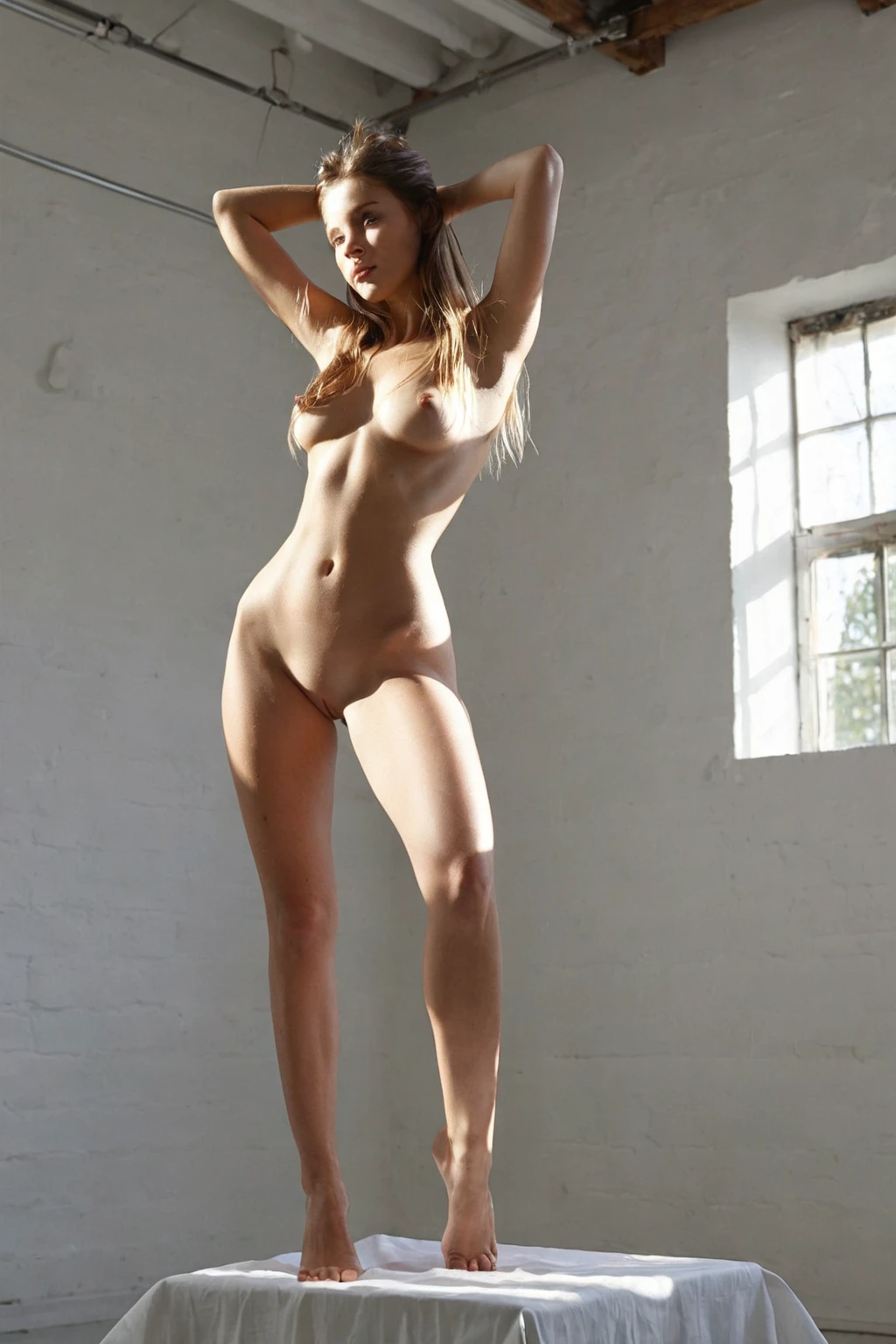
Sixteen frames out of the thirty in the gallery. Watch how much changes and how little does. The crop travels from head-and-shoulders to full length, poses and body types vary, wardrobe comes and goes — and behind every one of them the white stays unbroken and the light stays soft on every edge. That repeatability is the product.
The full set sits on the studio gallery. If you only want the photoreal frames, the realistic studio style narrows it down to those.
Where Studio Generations Go Wrong
Nearly every disappointing result fails the same way: the backdrop goes missing. You get a decent picture in a room, or outdoors, or against a wall with visible texture — competent light, wrong category. The seamless white is not scenery here. It is the thing being asked for.
Both halves are judged, not just the obvious one. A visible seamless backdrop, and light that reads as diffused rather than hard and directional. Miss either and the frame does not pass as studio, however polished everything else looks.
The fix is dull and it works. Generate again. Piling on extra description does not push the backdrop back into place, and the category hits that defining look reliably enough that the occasional miss is just an occasional miss.
The Prompt Behind the Picture
You never type any of this yourself — categories get composed for you — but it is worth seeing what studio actually contributes, because it explains why the results look the way they do.
Studio's entire contribution is one clause:
```text
in a professional photography studio with seamless white backdrop and softbox lighting
```
Three jobs in one line. *Professional photography studio* fixes the location. *Seamless white backdrop* clears everything out from behind the subject. *Softbox lighting* sets the quality of light: soft shadow edges, even tone, no hard contrast. The vocabulary the category is filed under runs the same way — photo studio, studio shoot, photography studio, backdrop.
That clause attaches to whatever scene sits underneath it. Pick studio alongside striptease, and the scene it lands on is:
> a young woman in mid-strip, slowly peeling off her lingerie with a sensual smile, one breast partially exposed, hip cocked invitingly, club lighting with dramatic shadows
Two lighting descriptions in one picture, then — club shadow underneath, softbox on top. Worth knowing before you pick it, because the softer, cleaner reading is the one studio is pushing for.
The other listed partner, sunbathing, shows the same mechanics louder:
> a young woman lying nude on a beach towel under brilliant sunshine, skin glistening with tanning oil, tan lines visible on her exposed body, full body in golden hour light
Towel, sunshine, golden hour: all of it describes a place, which is precisely what studio takes away. Pair the two and the backdrop is the part to keep an eye on, since studio only reads as studio while that white sweep is intact.
Playing Well With Others
Studio sits in the setting family with balcony, bathroom, beach, bedroom, camping and car-sex. They all answer the same question — where — so picking two of them does not blend them. Only the one you selected first shows up; the second is quietly dropped. If the white sweep is the point, choose studio before you choose anything else that names a place.
Everything that is not a setting stacks without argument. Poses, framing, acts and wardrobe all sit on top of the studio clause. Wardrobe is where a little judgement pays off: matte fabric drinks softbox light and keeps its weave visible, while high-shine and heavily sequined material throws hot, blown-out highlights that fight the even tone the category is built around. Busy prints read as noise against plain white. Solid colours and simple textures send the eye where the backdrop is already trying to send it.
Studio generations come out solo unless you decide otherwise — the male-partner control in the generator handles that, independently of whichever setting you picked.
Easily Confused With
The categories people reach for when they actually wanted studio, and the other way round:
Category What it actually is
--- ---
studio (this guide) professional photography studio, seamless white backdrop, softbox
bedroom in a sensual softly-lit bedroom with rumpled sheets and warm window light
beach secluded white-sand tropical beach, golden hour
bathroom luxurious modern bathroom, steam-fogged glass
Atmosphere is the dividing line. Bedroom, beach and bathroom each sell a place — warm light, natural texture, steam, weather. Studio takes the place away and leaves the subject. Want mood, pick one of those three. Want that defining look, nothing else on the platform is built for it.
Asked and Answered
My studio image came out looking like a room, not a studio. What happened?
The backdrop dropped out, which is the standard failure here. There is nothing to diagnose and nothing to reword — run it again and it usually comes back clean.
I picked studio and another location, and only one of them showed up. Why?
Two settings cannot both be true in one frame, so the one you chose first is the one that survives. Pick studio first when it is the one that matters.
Is what I see in this guide everything?
No — thirty studio images sit in the gallery, and the realistic style page trims that down to the photoreal selection.
What file do I get back?
A WebP at 1312x1968, delivered straight to your gallery.
Further Guides
Studio's nearest neighbours all do the opposite thing — they give you somewhere to be:
- How to generate bedroom AI images
- How to generate beach AI images
- How to generate bathroom AI images
Every category guide is listed on the blog index.