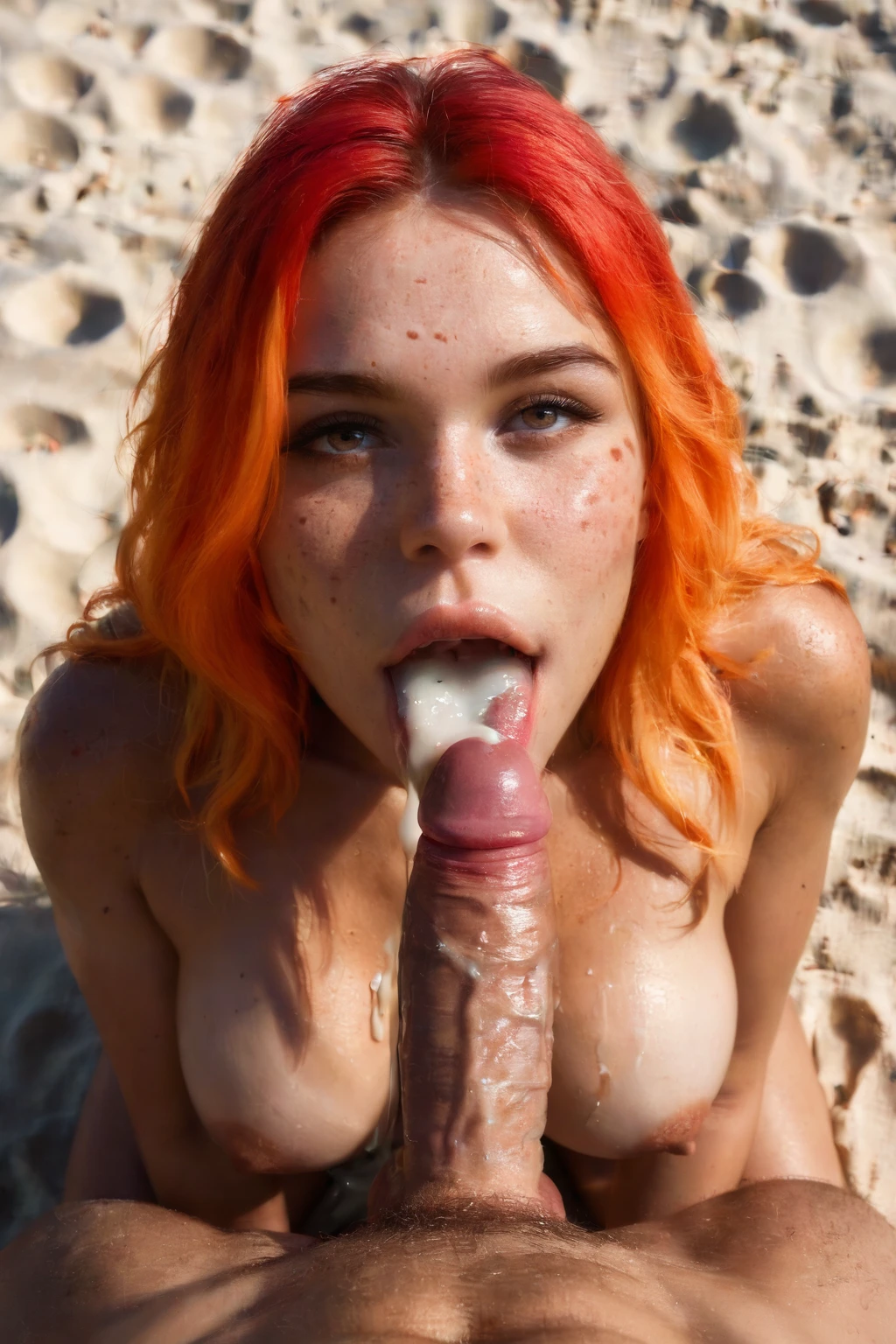

How to Generate Cum In Mouth AI Images — Complete Guide
Few finishes read as bluntly on camera as this one: chin tipped up, eyes on the lens, that split second of holding still before the swallow. It is a POV moment built entirely around the gaze and the pause. On AINudeGirls you never write the prompt for it yourself — you pick the category, the platform assembles the wording, and the finished adult image lands in your gallery.
Want to see it work? Fire up the AI generator, or scroll the cum in mouth category page first to get a feel for the look.
What Is Cum In Mouth AI Image Generation?
The category has a single, tightly-drawn focus: a woman's open mouth full of fresh semen, her tongue kept visible, the semen sitting *inside* the mouth rather than on the skin.
That last part is the whole distinction from "cum on face," where the substance lands on the face instead. Here the rule is absolute — it stays in the mouth, none of it reaches the face. Get that placement right and you have the category; miss it and you have something else.
Getting Started on AINudeGirls
1. Open the Generate page and choose the "cum in mouth" category.
2. Add any other categories you want in the same scene. The platform writes the prompt from your picks — you don't touch a word of it.
3. Run the generation. Your results drop into your gallery as WebP files at 1312x1968.
Example Prompts to Try
Here's what the platform hands the model behind the scenes, and you're free to run these exact examples yourself. Each shows a young woman with her mouth wide open, thick white cum filling it, looking up at the camera with a satisfied smile and her hands resting on her thighs. The prose form spells everything out in full sentences; the tag form compresses it to keywords and tends to land better with Pony and booru-style encoders.
Prose form:
```text
POV full-body shot of a young woman alone with her mouth wide open and full of thick white cum, (cum in mouth, cum pooled on her tongue, cum on lips:1.3), looking up at the camera with a satisfied smile, hands on her own thighs, full body visible, bright soft lighting, female alone in frame, no other people
```
Tag form (Pony/booru):
```text
(cum in mouth, mouth full of cum, cum pool on tongue, cum on lips:1.3), open mouth, tongue out, satisfied smile, looking at viewer, completely nude
```
To keep batches from looking cloned, the system cycles through different takes on that same idea. A couple of the variants it draws from:
```text
POV first-person view of a young woman alone kneeling on a bedroom carpet looking up at the camera with her mouth open wide, thick white cum visibly pooled on her extended tongue and dripping down her chin, eyes locked submissively on the camera with parted lips, bare breasts on display, intimate close-up low-angle view of her open mouth, warm bedroom lighting, female alone in frame, no other people
```
```text
POV first-person view of a young woman alone kneeling on grass in a sunlit garden looking up at the camera, mouth open wide with thick white cum pooled on her tongue glistening in sunlight, eyes locked on the camera, bare breasts on display, intimate close-up low-angle view, warm golden hour light, female alone in frame, no other people
```
Tips for Better Results
- Lean on the keywords "cum in mouth" and "mouth full of cum" to keep the scene on target.
- Switch on scene variant rotation for a spread of styles and compositions across a batch.
- Choose the "climax" family so your results stay thematically of a piece.
- Steer clear of these negative terms — "gray sludge cum," "deformed mouth," "teeth artifacts," and "mouthful of milk" — since they trigger the usual failure modes.
- Stick to one AI model to help the AI hold consistency.
- Run several at once, then keep the best of the batch.
Scene and Framing
That defining look stays locked no matter how you frame it — everything below is about the space around it.
You can pull in tight, cropping to the mouth, or pull back to a wider angle that sets casual wardrobe against the explicit act. Lighting shifts the register too: bright, clinical light reads stark and clear, while dim, warm light plays more intimate. The keywords fix the action and nothing else, so wardrobe and mood are yours to steer.
Common Mistakes and Failure Modes
The classic slip is drifting toward cum on face — the substance ending up on the skin instead of where the trait above requires it. Beyond placement, the material itself can misfire: "gray sludge cum" that turns metallic and unreal, a "deformed mouth" that warps the face, or a "mouthful of milk" where dairy stands in for semen. The negative prompts named earlier exist to catch exactly these, so the final render matches what you asked for.
Cum In Mouth vs Related Categories
A quick map of the categories most easily confused with this one:
Category What it actually is
--- ---
cum in mouth (this guide) her open mouth full of fresh semen, tongue out
blowjob her lips around a cock actively sucking
ahegao exaggerated orgasm face: eyes rolled up, tongue out, blissed-out expression
cum on face semen covering her face
Real Examples from Our Gallery
cum in mouth example 1
cum in mouth example 2
cum in mouth example 3
cum in mouth example 4
cum in mouth example 5
cum in mouth example 6
cum in mouth example 7
cum in mouth example 8
cum in mouth example 9
cum in mouth example 10
cum in mouth example 11
cum in mouth example 12
cum in mouth example 13
cum in mouth example 14
cum in mouth example 15
cum in mouth example 16
All 29 sit in the cum in mouth gallery, and if you want photoreal only, jump to the realistic cum in mouth style.
Combining With Other Categories
Cum in mouth lives in the "climax" group, which is a pick-one group — you can only run a single category from it per generation, and if another selection clashes, this one wins the slot. By default the act brings a male partner into the scene; he shows up unless you flip the toggle that turns him off. You can also push it into a multi-person generation when you want more than one figure in frame.
Frequently Asked Questions
Q: Why does the cum come out looking gray or metallic?
That's the "gray sludge cum" failure the negative prompts are meant to block. Keep that term (and "mouthful of milk") in your negatives so the material renders as fresh semen rather than sludge or dairy.
Q: Sometimes it lands on her face instead — how do I stop that?
That's the scene sliding into cum on face. Hold to the "cum in mouth" and "mouth full of cum" keywords so the placement stays inside the mouth, which is the one trait the category won't bend on.
Q: Can I customize how the scene looks?
There's no specific control documented for tuning the appearance of the generated result beyond your category picks.
Related Guides to Explore
Closest neighbors worth a read:
- How to generate blowjob AI images
- How to generate ahegao AI images
- How to generate cum on face AI images
The full set is on the blog index — and the AI Cum In Mouth Generator is one click away when you're ready to make your own.