
How to Generate Facefuck AI Images — Complete Guide
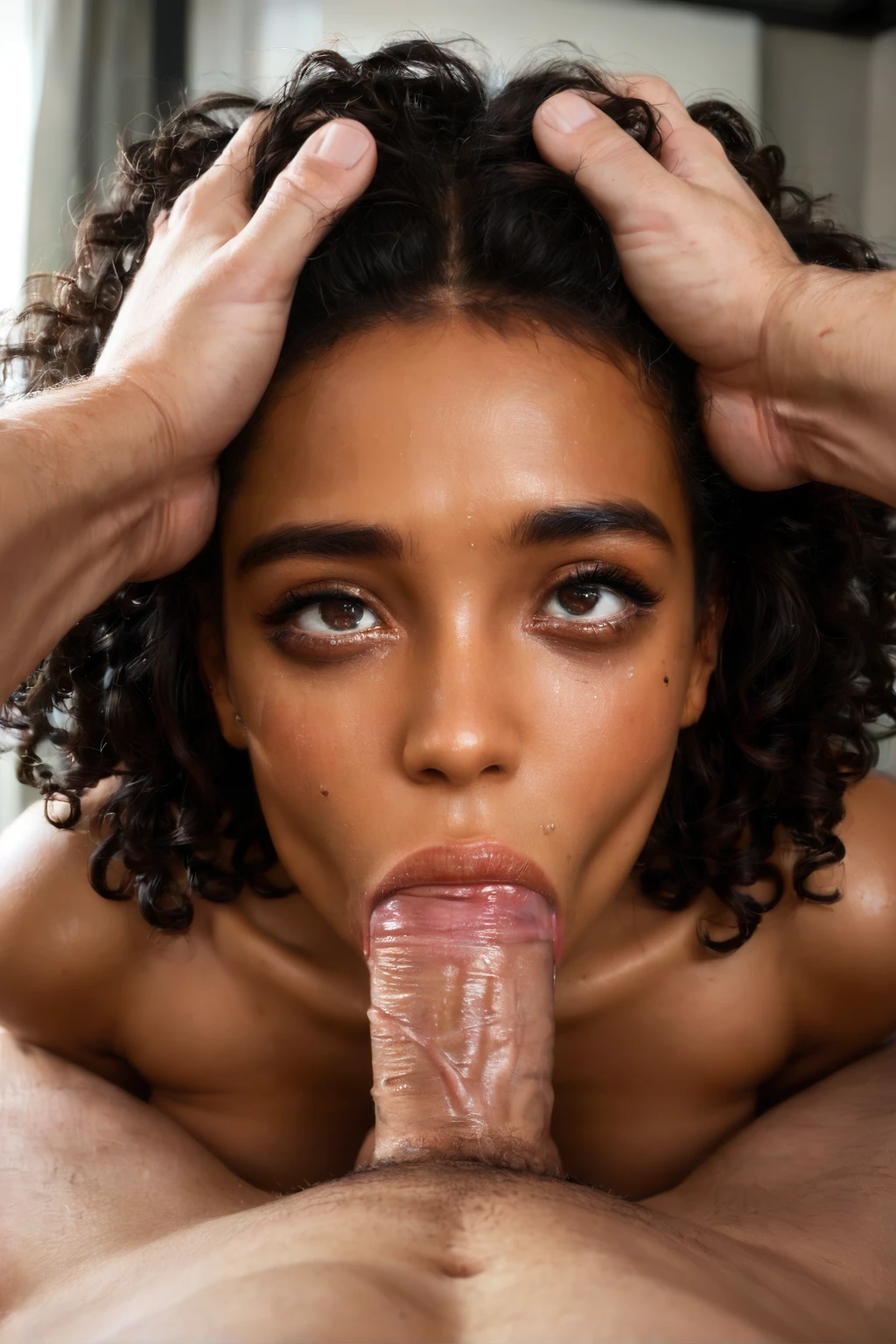
The camera sits where he stands. She looks straight up the lens, eyes wet, and the whole frame is built around that upward gaze and the tension of the moment. That first-person angle is the entire draw of the facefuck category, and on AINudeGirls you get there without touching a single prompt field. You pick the category; the platform composes the rest.
So this guide is less about what to type and more about what to expect, which variations you can steer, and how the act reads on screen. Want to jump straight in? Open the AI generator, or look through the facefuck category page first to see the range.
What Facefuck Captures
Facefuck depicts a man thrusting into a woman's mouth and throat while gripping her head, with her cast as the passive receiver. He is active and rough; he forces throat use, and it reads as anything but cooperative. The signature details are the watering eyes and the drool — those two cues carry the intensity of the scene. This is the line that separates it from a standard oral scene, where the woman is the one performing the action.
Getting Started
Head to the Generate page and select the facefuck category, then start the generation. That single choice tells the platform which scene to assemble — you never write or refine a prompt yourself. When the render finishes it lands in your gallery as a WebP file at 1312x1968.
Example Prompts Behind the Scenes
You don't type these, but it helps to see what the platform hands the model on your behalf. Each scene ships in two shapes: a flowing prose description for prose-driven models, and a comma-tag list for tag-based (booru-style) encoders. The prose version reads like a photographer's note — a POV full-body shot of a young woman alone, looking up into the lens with watery eyes, mouth open and lips glistening, hands behind her head, lit bright and soft.
Prose form:
```text
POV full-body shot of a young woman alone looking up at the camera with watery eyes, her mouth open and lips glistening, hands behind her head, full body visible, female alone in frame, no other people, bright soft lighting
```
The tag version boils the same scene down to keywords for encoders that prefer them:
Tag form (Pony/booru):
```text
open mouth, watery eyes, glistening lips, saliva, looking up at viewer, hands behind head, submissive expression, pov, completely nude
```
To keep a batch from looking repetitive, the generator also rotates alternate takes on the same idea. Here are two of them:
```text
POV first-person view of a young woman alone kneeling looking up at the camera, watery teary eyes locked on the camera with mascara starting to run, her mouth open extremely wide with tongue extended past her bottom lip, drool dripping down her chin onto her bare breasts, hands behind her head submissively, intimate close-up low-angle view, warm bedroom lighting, female alone in frame, no other people
```
```text
POV first-person view of a young woman alone kneeling looking up at the camera, watery teary eyes streaming, mouth open extremely wide with tongue extended fully, drool dripping in long strands onto her bare breasts, hands gripping her own thighs submissively, intimate close-up low-angle view, warm bedroom lighting, female alone in frame, no other people
```
Tips for Better Results
- The scene keys on terms like facefuck, face fuck, POV oral sex, and looking up at camera — good anchors for matching the category's intent.
- Leave scene variant rotation on when you want a batch with more range across it.
- If you'd rather your images hang together, stick to a single scene from the scene family instead.
- The platform already screens out common failure terms — deformed jaw, merged face, teeth artifacts, and crooked nose — so you don't have to.
Steering the Look
Within the category you've still got room to move, mostly through camera and wardrobe. Some renders lean into the straight-up-the-lens angle for that direct eye contact; others sit lower or closer. Wardrobe runs the full span from bare skin to specific outfits, provided the outfit still leaves room for close contact. Lighting shifts too, from a bright read on the wet eyes and drool to something darker and more shadowed. The "POV oral sex" keyword is what plants the camera in the viewer's own position across all of these.
Whatever you change, one thing holds steady: that defining act stays at the center of the frame. It's the fixed point the rest of the composition moves around.
Common Mistakes and Failure Modes
The usual mix-up is treating this like an ordinary oral scene — but the roles are reversed from that, which is the whole distinction covered above. On the render side, the model can struggle with forced throat use and tight physical contact, which is why the platform runs negative prompts against deformed jaws, merged faces, teeth artifacts and crooked noses. Screening those keeps the jaw and face intact even through the more intense poses.
Facefuck vs Related Categories
A quick map of the neighbors it sits closest to:
Category What it actually is
--- ---
facefuck (this guide) The man thrusts into her mouth and throat. He grips her head. She is the passive receiver.
blowjob Her lips wrap around a cock. She actively sucks.
ahegao An exaggerated orgasm face: eyes rolled up, tongue out, blissed-out expression.
cum on face Semen covers her face.
Real Facefuck Examples from Our Gallery
facefuck example 1
facefuck example 2
facefuck example 3
facefuck example 4
facefuck example 5
facefuck example 6
facefuck example 7
facefuck example 8
facefuck example 9
facefuck example 10
facefuck example 11
facefuck example 12
facefuck example 13
facefuck example 14
facefuck example 15
facefuck example 16
There are 30 in total — browse them all in the facefuck gallery, or switch over to the realistic facefuck style for a photoreal-only set.
Combining Facefuck with Other Categories
Facefuck lives in the scene group, and only one scene renders at a time. If you tick more than one scene, only the first one you picked actually shows up — so this act appears only when it's your first scene choice. Pair it with another scene tag and it simply won't come through.
Frequently Asked Questions
Why does the man barely appear in some of my results?
The scene keeps the woman alone in the frame with the camera in the viewer's position, so much of the action reads as first-person rather than showing a full second figure. A male partner is always part of this act — his role is required for it — but the POV framing is what puts you in his place rather than beside him.
My renders look more like a regular blowjob — what's different?
The two get confused constantly. In a blowjob she's the active partner; in facefuck those roles flip and he drives the action. If your results feel too soft or cooperative, that's the category boundary you're brushing against.
Can I change how the participants look?
Yes — appearance is customizable. What stays fixed is the dynamic: he remains the active partner and she stays the receiver, since that's what defines the category.
Why do the eyes and drool show up in almost every image?
Those aren't a stylistic accident — the watering eyes and drool are the signature cues the scene is built to produce, so they carry through most variations by design.
Related Guides to Explore
Guides for the closest neighboring categories:
- How to generate blowjob AI images
- How to generate ahegao AI images
- How to generate cum on face AI images
You'll find every category guide over on the blog index.
Conclusion
That's the whole loop: pick the category, let the platform build the shot, and steer the camera and wardrobe from there. Ready when you are — the AI Facefuck Generator is one click away.