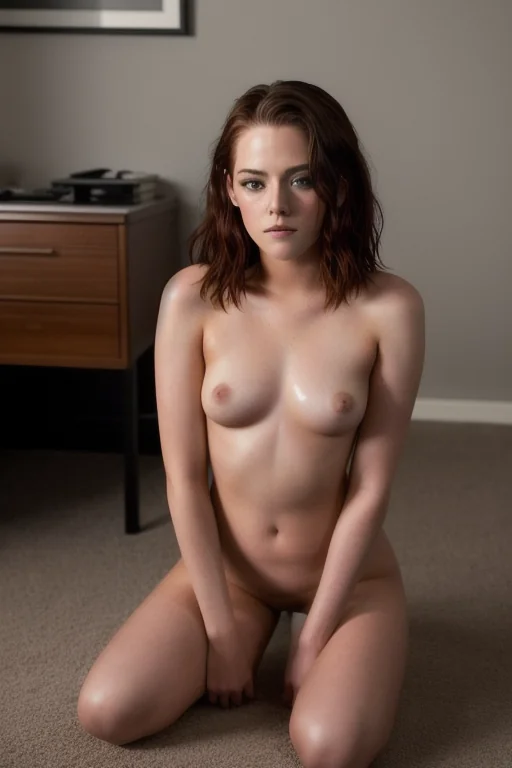

How to Generate Filipina AI Images — Complete Guide
Light is the whole trick here. Sun coming in low over a beach or filtering through a market awning, catching the sheen along a shoulder, a rim of it running down black hair, a loose linen shirt gone half-translucent at the seam. That is the register the filipina category was tuned for, and it is why diffused daylight flatters these renders in a way hard studio contrast never quite manages.
None of which you type. You pick the category in the generator and the platform assembles the prompt for you. The filipina gallery is the honest preview of what comes back.
Filipina at a Glance
The platform's definition of filipina is a beautiful Filipina woman with warm morena tan skin, long black hair and a bright playful smile. Three traits, all load-bearing. A render that drops one of them — paler skin, a lighter hair colour, a flat closed expression — is not a filipina render, it is a near miss from a neighbouring category.
That matters more than it sounds, because the look is what the category is. Everything below assumes it and refers back to it rather than restating it.
Your First Run
1. Open the Generate page and select filipina. Nothing else is required; the category is a complete instruction on its own.
2. The platform composes the prompt from your selection. You never touch the wording.
3. Start the run. Finished frames land in your gallery as WebP at 1312x1968 — a tall portrait crop, which is worth knowing before you plan a scene, since it favours standing and seated framing over wide horizontal setups.
On cost: a single image is 15 credits. Buying in sets is cheaper per frame — 68 credits for five, 120 for ten — and with a category this dependent on catching the right expression, a set is usually the smarter buy. Video runs 250 credits.
Sixteen frames from the live set, straight out of the pipeline:
filipina example 1
filipina example 2
filipina example 3
filipina example 4
filipina example 5
filipina example 6
filipina example 7
filipina example 8
filipina example 9
filipina example 10
filipina example 11
filipina example 12
filipina example 13
filipina example 14
filipina example 15
filipina example 16
All 30 sit on the category page, and the photoreal cut filters out everything stylised.
Avoidable Mistakes
Stacking ethnicities. Filipina shares a family with arab, asian, australian, brazilian, british and colombian, and you get one from that group per run. Pick two and only the first one shows up — the second is quietly dropped, which usually reads as "the category didn't work" when in fact it was never in play.
Fighting the defining look. Asking the scene for pale skin or a lighter hair colour pushes the render toward the acceptance edge. The traits are the category's pass/fail test, not a starting suggestion.
Hard, contrasty lighting. Deep shadow eats the golden tones this category depends on and closes down the smile. Diffused daylight, open shade, late afternoon — those keep the face readable.
Heavy, dark wardrobe. Linen and cotton in earthy tones sit against warm skin without competing with it. Structured black tailoring fights it.
Judging the category on one frame. Expression is the least predictable part of any run. Pull a set, then cut.
What Gets Fed In
Filipina is a modifier, not a scene. Its entire contribution to a prompt is one clause:
```text
beautiful Filipina woman with warm morena tan skin, long black hair and a bright playful smile
```
Read it as three jobs. *Beautiful Filipina woman* sets the subject and the ethnicity. *Warm morena tan skin* and *long black hair* fix the physical anchors — the parts that must survive whatever else is happening in the frame. *A bright playful smile* sets the expression, and it is the piece most easily overridden by a scene that calls for a different mood.
Because it is a modifier, it needs somewhere to live. You pick filipina alongside a category that supplies the actual scene, and the platform welds the two together. Choose split-position and the scene half looks like this:
```text
a completely nude young woman performing a full standing split in a professional photography studio against a seamless backdrop, one leg planted on the floor and the other raised straight up vertically beside her head, her extreme flexibility and toned dancer's body on full display, her bare breasts and shaved pussy fully exposed by the open pose, she looks toward the camera with a confident sultry smile, crisp dramatic studio lighting with a soft key light and rim light sculpting her smooth athletic skin, elegant erotic atmosphere, female alone in frame, no other people
```
Or spooning, which trades the studio for something warmer and closer:
```text
POV from behind a young woman alone lying on her side with one leg lifted, looking back over her shoulder at the camera with parted lips, full body visible, intimate side angle with soft warm lighting, female alone in frame, no other people
```
Notice what each scene already decides — lighting, camera position, framing — and where the filipina clause slots in on top of it. That is also the clearest argument for the second pairing over the first: soft warm lighting is exactly the condition this category was built to sit in.
Playing Well With Others
Filipina belongs to the ethnicity family, and that family is one-at-a-time. Everything outside it is fair game: pose, setting, wardrobe, framing all combine freely.
The keywords philippine and filipin pull on the background rather than the subject — woven texture, tropical planting, the visual furniture of the setting. Pair that with a scene built around daylight and you get the mood this category renders best: a relaxed hour at a local market, a resort terrace, somewhere unhurried and hospitable.
Framing-wise, the 1312x1968 crop rewards close and mid-close work. Portraits hold the skin detail and the hair texture against a soft, sun-drenched background; wide establishing shots throw both away.
Close Calls
Four categories that sit near filipina and get confused with it:
Category What it actually is
--- ---
filipina (this guide) beautiful Filipina woman with warm morena tan skin, long black hair and a bright playful smile
middle eastern Middle Eastern woman, olive skin, dark eyes
arab Arab woman, olive skin, dark features
persian Persian woman, olive skin, dramatic dark eyes
Common Questions
Can I put a man in the frame with her?
Not through this category. Filipina is registered as a solo, single-person modifier — the male-partner toggle belongs to categories built around two people. Every filipina scene is her alone.
What does a run cost me?
15 credits for one image, 68 for a set of five, 120 for a set of ten. Video is 250.
Can I get only the photoreal results?
Yes — the realistic filipina view narrows the category page down to that selection.
Do I need to write anything for this to work?
No. Selecting the category is the whole input; the platform builds the prompt around it. That is why the clause above is worth reading — not to retype, but to know what you have already asked for.
Further Guides
Neighbouring ethnicity categories, each with its own guide:
- How to generate middle eastern AI images
- How to generate arab AI images
- How to generate persian AI images
The full set lives on the blog index.