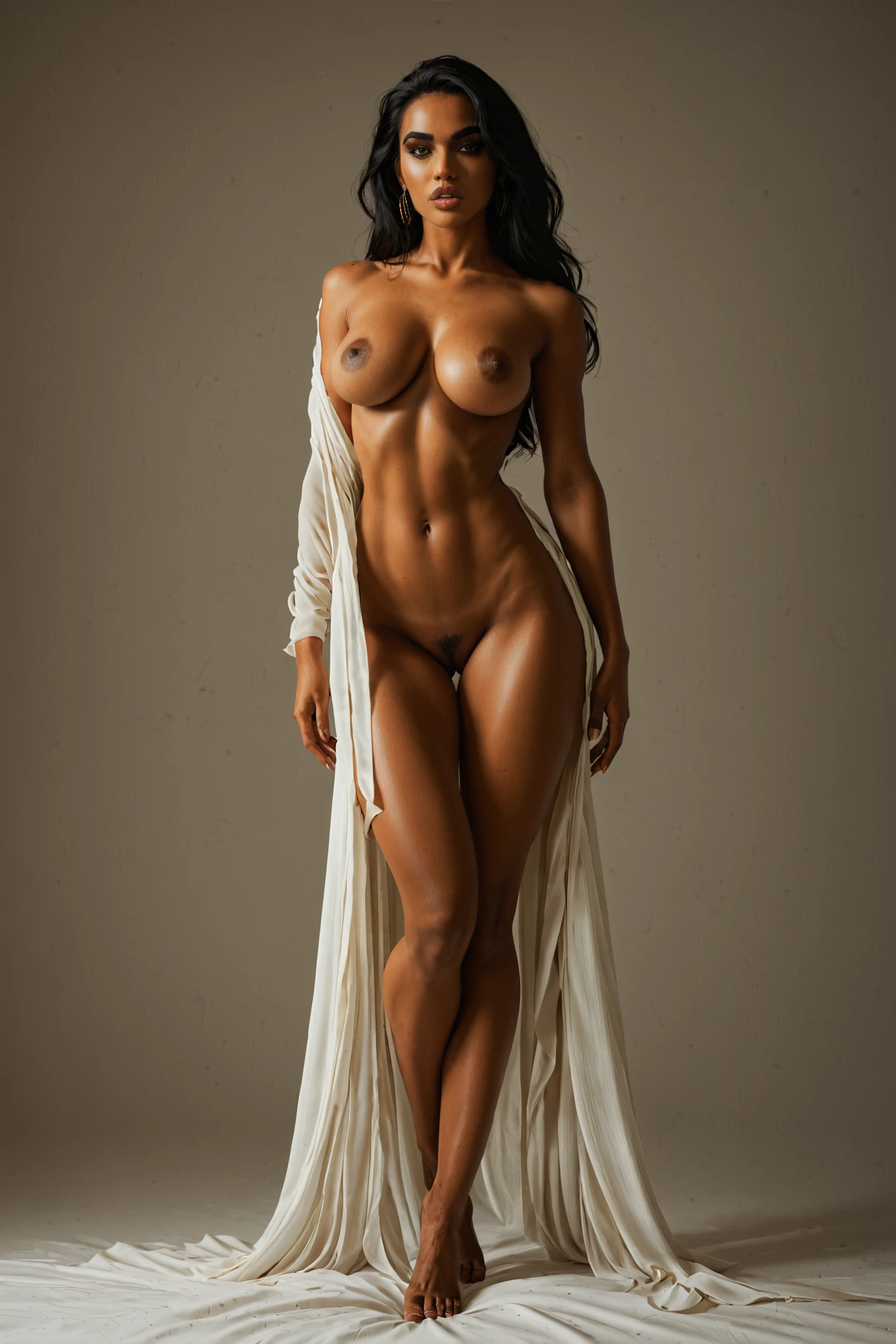

How to Generate Persian AI Images — Complete Guide
Contrast carries this category. Olive skin takes a hard key light beautifully — warm in the highlights, deep and cool along the shadow edge — and dark eyes set against that warmth read as depth instead of two flat dots. Light it evenly and the whole frame goes soft and generic. Light it from one side and you barely need anything else in the shot.
That is the practical brief for persian on AINudeGirls. This guide covers what the category actually contributes to a generation, how it behaves when you stack it with a scene, and the places results tend to drift. Sixty finished images already sit in the persian gallery, and the generator is one click from any of them.
Defining Persian
The platform holds a narrow definition here, not a loose regional label: a Persian woman, olive skin, dramatic dark eyes. The full phrase the category carries fills that out with thick dark eyebrows, full lips and long dark glossy hair. One thing is mandatory — a Persian woman as the subject, front and centre, with the olive undertone and the dark-eye contrast legible on her at a glance.
Narrow means narrow. The category does not stretch to neighbouring ethnicities, and it does not stretch to lighter or darker skin. A pale, low-contrast eye look or the wrong skin tone is not a near-miss persian result; it is a different image. If your outputs keep sliding away from that defining look, the problem is almost never that you gave the platform too little to work with.
persian example 1
persian example 2
persian example 3
persian example 4
persian example 5
persian example 6
persian example 7
persian example 8
persian example 9
persian example 10
persian example 11
persian example 12
persian example 13
persian example 14
persian example 15
persian example 16
Sixteen frames here, sixty in the full set. Want the photoreal cut only? The realistic filter strips out everything stylised.
The Prompt Behind the Picture
You never type any of this. Picking the category is the whole interaction — the text below is what persian hands to the prompt the platform assembles for you:
```text
beautiful Persian woman with olive skin and dramatic dark eyes, thick dark eyebrows, full lips, long dark glossy hair
```
Read the order, because the order is the design. Identity sits at the front, where descriptive weight is heaviest. Behind it comes a second tier of facial detail that reinforces the first rather than competing with it — brow, lip and hair notes that thicken the look without introducing a new subject. Nothing in there mentions wardrobe, setting or era. That silence is deliberate: it leaves the rest of the frame free for whatever you stack on top.
The category also answers to the terms "persian" and "iran". Treat "iran" as a naming anchor, not a set-dressing instruction — it does not commit you to Iranian clothing, architecture or landscape. The definition lives on the woman's face and skin.
Because a clause is not a picture, the platform composes categories: you pick persian alongside a scene category, and the two are merged into one prompt. Pick it with gloryhole and the scene half brings the staging, the framing and the light:
```text
a young woman alone kneeling beside a tiled wall, her mouth open expectantly with parted glistening lips, hands resting on her own thighs, looking toward the camera, full body visible, bright soft lighting, female alone in frame, no other people
```
Note what the scene owns and what persian owns. Tiled wall, kneeling pose, camera eyeline, full-body crop, bright soft light — all scene. The face is still yours to define, which is exactly why the ethnicity pick matters more here than in a tight portrait.
Pick it with group instead and the arithmetic changes:
```text
a group of several completely nude young women together in an intimate group scene, touching and embracing each other, ecstatic expressions, multiple women in frame, warm soft lighting, full bodies visible, women only, no men
```
Multiple subjects, warm diffuse light, no single hero face. That defining look has to survive across several women at once and at a smaller size in frame, so it reads as a family resemblance rather than a portrait statement. Both are valid; they are just different jobs.
From Pick to Picture
1. Open the Generate page and select persian, plus any scene, wardrobe or act category you want it merged with.
2. Start the generation. What lands in your gallery is a WebP at 1312x1968 — a tall portrait frame, which is the right shape for a single-subject shot and a tight one for a crowd.
3. A male figure never turns up on its own. The male-partner toggle sits in the generator, off until you set it.
Costs are flat and worth knowing before you experiment: 15 credits for a single image, 68 for a set of five, 120 for a set of ten. Video runs 250. Since variation between generations is normal, a set is usually the smarter buy — ten frames at 120 credits beats ten singles at 150, and you pick the strongest one rather than trying to talk a weak result into being good.
Where Persian Generations Go Wrong
The subject is not unmistakably a Persian woman. This is the one required element, and everything else is decoration if it goes missing. It usually goes missing when the scene half of the composition is doing a lot of work and the frame drifts toward a generic face.
The supporting detail washes out. Brow weight, lip fullness and hair sheen are the first things to thin out when a busy scene competes for attention. Once enough of them go, you have a decent portrait that is no longer this category.
The light kills the eyes. Flat, even illumination is the quiet failure mode. Dark eyes need a shadow side to look dramatic instead of merely dark, so scene picks with directional or high-contrast light flatter this category far more than soft, wraparound ones.
Someone reaches for a neighbour and hopes. Middle eastern and arab are adjacent, not interchangeable. Neither one is a close-enough substitute when you specifically want Persian features.
The fix in every case is subtraction. Strip back the competing picks and let the category's own clause carry the weight it was written to carry.
Persian Compared
Three of the platform's ethnicity categories share visual DNA — olive skin, dark eyes, similar regional framing — and each is drawn tightly enough that swapping one for another changes the output:
Category What it actually is
--- ---
persian (this guide) Persian woman, olive skin, dramatic dark eyes
middle eastern Middle Eastern woman, olive skin, dark eyes
arab Arab woman, olive skin, dark features
asian beautiful Asian woman with porcelain skin and dark almond eyes
The overlap between the first three is real. It is also not a licence to treat them as one bucket — each carries its own phrase, and only persian consistently lands on Persian features.
What Combines Cleanly
Persian is an ethnicity pick, and you get exactly one of those per image. Select persian and arab together and only the first one you clicked shows up in the result; the second is quietly ignored rather than blended, which is what keeps you from getting a muddled half-and-half face.
Everything outside that group stacks freely. Scene categories, wardrobe, acts, framing — persian holds its slot regardless of what else you add, contributing the face while the other picks handle the room, the clothes and the action. That is the combination worth building on: one firm identity, one strong scene, nothing else fighting for the same job.
Questions People Actually Ask
What does picking persian actually change?
It merges one phrase into the prompt the platform builds — the Persian woman, the olive skin, the dark-eye contrast, and the brow, lip and hair detail that back them up. Everything else in the frame comes from your other picks.
Can I combine persian with another ethnicity category?
Not usefully. Only one ethnicity descriptor makes it into the image, and it will be whichever you selected first.
Does this category put hijab, Iranian clothing or Middle Eastern scenery in the shot?
No. The definition is about the woman's features, not a themed backdrop. Wardrobe and setting are open, and come from the categories you stack alongside it — several gallery frames happen to include a hijab because of the styling used there, not because the category requires one.
What do I get back, and what does it cost?
A WebP at 1312x1968, in your gallery. A single image is 15 credits; a set of ten is 120.
Where to Go Next
The closest neighbours, each with its own guide:
- How to generate middle eastern AI images
- How to generate arab AI images
- How to generate asian AI images
Every category guide is indexed on the blog, and the persian generator is where the reading stops being useful.