
How to Generate Golden Hour AI Images — Complete Guide
Low sun does something a lamp never manages. It skims across skin instead of falling on it, turns loose hair into a lit edge, and warms every fabric it touches until plain cotton reads amber. That is the entire brief of the golden hour category on AINudeGirls: you select it, and the warm low-angle light gets written into the prompt on your behalf. No typing, no rewording, no second pass.
For background on the subject itself, see Golden hour) on Wikipedia.
Everything here is reproducible from the golden hour category page or directly in the generator.
What You Get With Golden Hour
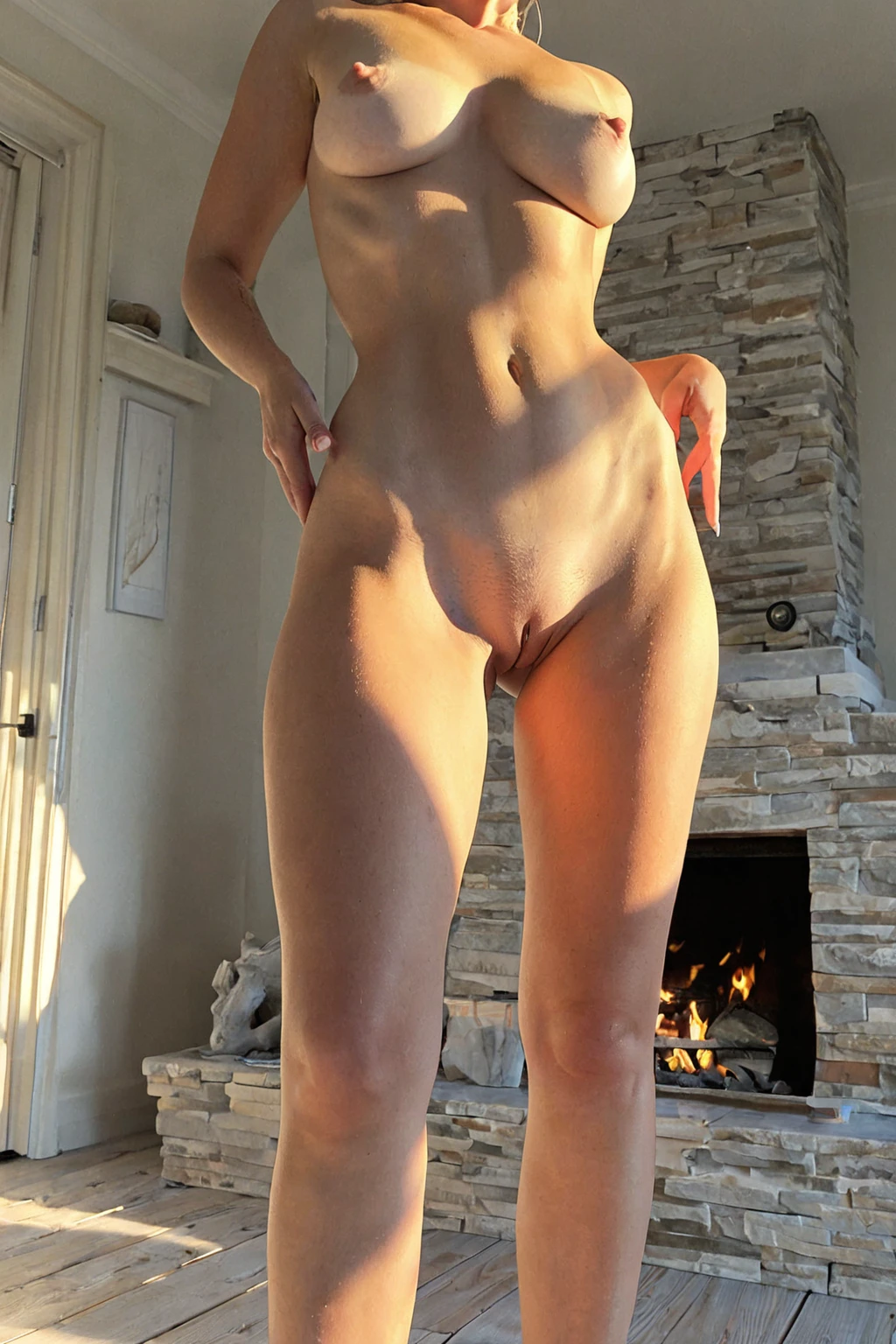
One thing, held precisely: warm golden-hour sunlight with a low sun glow. That is the definition, and it doubles as the pass mark — a frame that doesn't carry golden-hour light isn't a golden hour image, however handsome it is otherwise.
The consequences are mostly textural. Light arriving through that much atmosphere is diffused rather than hard, so the glow spreads across the whole scene instead of pooling in one bright spot. Shadows lengthen and soften. Earth tones and warm fabrics catch it best; anything reflective picks up the sunset rather than the sky. Framing has room to move — pull wide for the sky the light is coming from, or close in on the long shadows the setting sun throws. Every variation is still answering to that same defining look.
golden hour example 1
golden hour example 2
golden hour example 3
golden hour example 4
golden hour example 5
golden hour example 6
golden hour example 7
golden hour example 8
golden hour example 9
golden hour example 10
golden hour example 11
golden hour example 12
golden hour example 13
golden hour example 14
golden hour example 15
golden hour example 16
All 29 sit in the golden hour gallery, and a second entry point keeps things photoreal if you want the sunset with no stylisation on top.
Step by Step
1. Open the Generate page and pick golden hour — alone, or stacked with the categories that set your subject and scene.
2. Start the generation. The prompt is assembled from your picks; you never write one yourself.
3. Finished frames land in your gallery as WebP at 1312x1968.
A single image costs 15 credits. Sets are cheaper per frame: 68 credits for five, 120 for ten — worth taking, because sunset light varies a lot frame to frame and you'll want a spread to choose from.
Prompts and Settings That Work
Golden hour is a lighting modifier, so its entire contribution to any prompt is one clause:
```text
bathed in warm golden hour sunset light
```
Read it left to right and you can see what each piece is buying. *Bathed in* is the important verb — it asks for light that wraps the whole frame rather than a beam hitting one side. *Warm* fixes the colour temperature at the amber end. *Golden hour sunset* pins the time of day, which is what drags the sun low enough to give you the long shadows and the rim glow. Nothing in the clause mentions the subject, the pose, the wardrobe or the room. That's deliberate: those come from whatever else you picked.
Which is why this category is nearly always a second selection. Pick golden hour alongside bathing, for instance, and the scene half of the prompt is doing this work:
```text
a young woman submerged in a luxurious bubble bath, only her bare breasts and shoulders visible above the suds, head tilted back in relaxation, soft candlelight and steam
```
The bathing category supplies the subject, the framing and the props. Golden hour supplies the light falling on all of it. Peeing composes the same way — an outdoor scene already written in soft natural daylight, which the sunset clause then pushes several hours later into the evening.
The vocabulary this category is filed under — *golden hour*, *sunset light*, *warm glow*, *magic hour* — is worth knowing for browsing, not for typing.
Not to Be Mistaken For
Golden hour gets confused with the categories people most often stack it against:
Category What it actually is
--- ---
golden hour (this guide) warm golden-hour sunlight, low sun glow
neon neon-lit scene, colourful cyberpunk glow
blonde long platinum blonde hair
peeing urinating, a clear/yellow stream of urine spraying directly out of her pussy (urethra), visibly arcing from between her legs — never from anywhere else; NOT pouring liquid from any object, no cooking, no ladle, no bottle or glass
The useful distinction is which layer each one owns. Blonde changes hair and nothing else, so it stacks with golden hour cleanly — platinum hair is, in fact, one of the best things you can put in front of a low sun. Neon changes the light, which puts it in direct competition.
Mixing Golden Hour Into a Scene
Only one lighting look can win a frame, and the platform decides that for you rather than blending them. Golden hour shares that slot with butterfly-lighting, clamshell-beauty-light, high-key, low-key-lighting, neon and rembrandt-lighting. Pick two of them and you get one: butterfly-lighting is the one that comes out on top. So if the sunset is the point of the image, leave the other six alone and spend your other picks on subject, wardrobe and setting instead.
Everything outside the lighting slot is fair game. Hair, body, pose, location, wardrobe — stack as many as you like, and the warm low sun lands on all of it. These scenes ship without a male partner by default.
Common Misses
Two lighting picks, one survivor. This is the big one, and it's silent — nothing warns you that the neon you also selected has quietly taken the frame. If your results come back cool and cyberpunk, count your lighting categories.
Expecting it to change the woman. It won't. Golden hour touches light and only light; hair colour, body and wardrobe all come from other picks or from the scene default.
Judging it on one frame. Sunset light is the most variable thing on the platform — angle, haze and how much of the sky is in shot swing the mood hard. A set of five or ten costs less per image and gives you something to compare.
Wanting photoreal and not asking for it. The realistic style is a separate entry point; the main category will happily hand you stylised frames.
Asked and Answered
Does golden hour work indoors? Yes — the light arrives through whatever the scene gives it. The bathing example above is an interior, and the clause turns the room's light amber rather than inventing an outdoor setting.
Can I combine it with neon for a sunset-into-nightlife look? No. They compete for the same lighting slot, and neither the blend nor golden hour is what you get. Run them as two separate generations if you want both.
What do the files come out as? WebP at 1312x1968, delivered to your gallery.
Is there a version without any stylisation? Yes — the realistic cut narrows the selection to photoreal frames.
Continue Exploring
The three categories closest to this one, in the sense that you'll keep bumping into them:
- How to generate neon AI images — the other lighting category, and golden hour's direct rival
- How to generate blonde AI images — hair layer, stacks cleanly
- How to generate peeing AI images — a scene category that composes well with warm outdoor light
Every category guide is indexed on the blog index.