
How to Generate Neon AI Images — Complete Guide
Glossy fabric behaves differently under a neon sign than it does anywhere else. Vinyl and lacquered surfaces throw the colour straight back at the lens. Sequins scatter it into a hundred small points. Bare skin takes it as a soft wash along the shoulder and the line of the jaw, while matte black simply drinks it and gives nothing back. That single behaviour — material reacting to a coloured light source — is the whole reason the neon category exists on AINudeGirls, and it is also why you never write a word of prompt to get it. You pick the category. The lighting, the palette and the framing are assembled for you.
Ready to try it? Open the AI neon generator.
What You Get With Neon
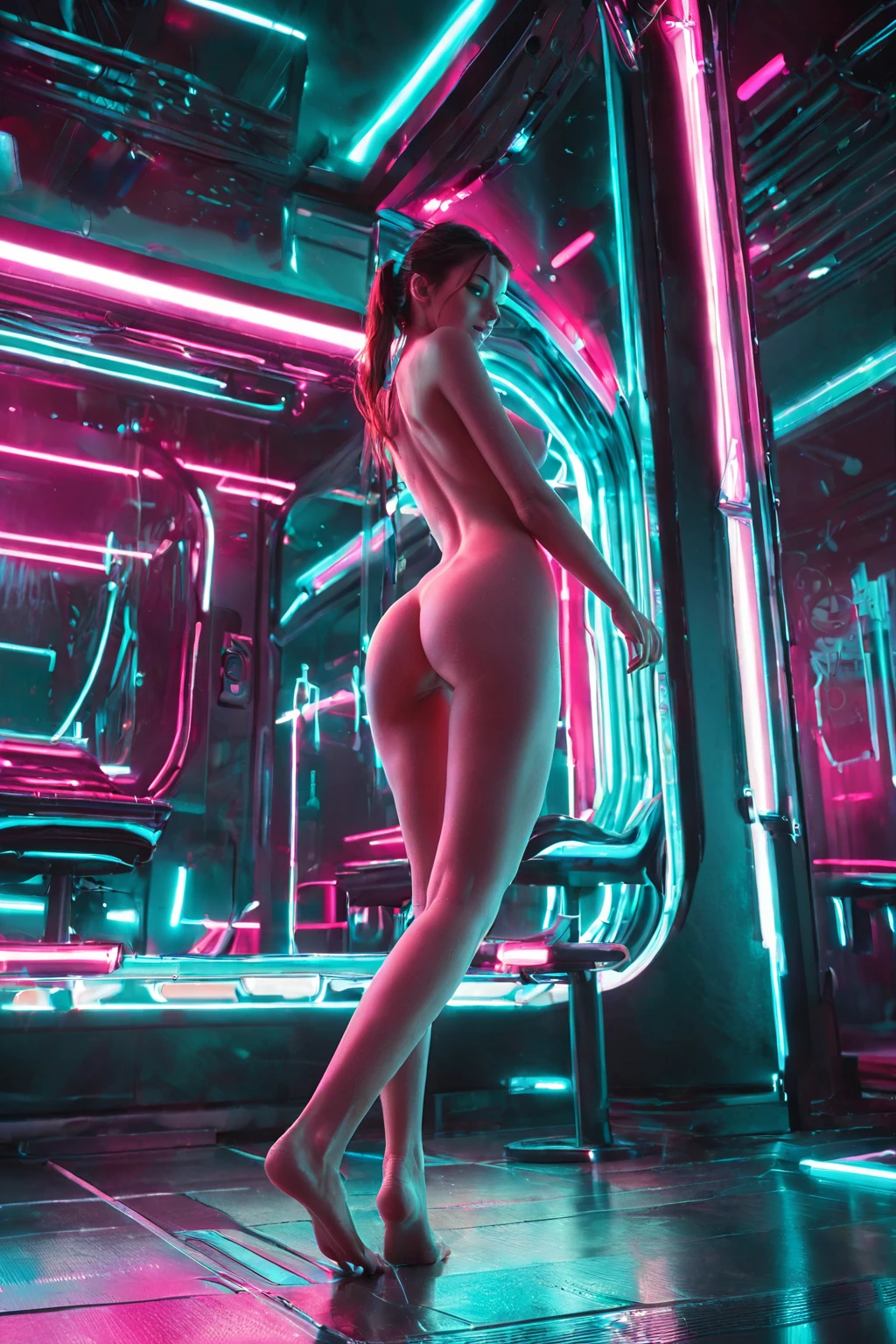
The definition is one line: a neon-lit scene with a colourful cyberpunk glow. Narrow, and deliberately so. Neon lighting has to be visibly present and doing the work, acting as the light source that shapes the frame rather than an accent parked in the background. A dark sci-fi corridor with nothing actually lit in it does not qualify, however close the mood gets.
Inside that constraint, framing travels a long way. Wide shots open onto futuristic cityscapes stitched together with signage running off into the distance. Close-ups collapse inward on the glow itself: how it catches on wet pavement, on glass, on the edge of a shoulder, and bleeds back as soft colour. Wardrobe follows the same rule the lighting does. Reflective and glossy materials pick the colour up and return it, so a shiny strap or a slick coat becomes a second light source. Matte, darker fabrics absorb it instead and leave the signage as the brightest thing in the picture.
neon example 1
neon example 2
neon example 3
neon example 4
neon example 5
neon example 6
neon example 7
neon example 8
neon example 9
neon example 10
neon example 11
neon example 12
neon example 13
neon example 14
neon example 15
neon example 16
There are 29 examples in total in the neon gallery. If you want the photoreal end of the range on its own, there is a realistic cut of the category.
Making One
1. Open the generator and select neon in the category picker, then start the generation.
2. Nothing else is required. The prompt is assembled from your category picks, so the glow, the colour scheme and the framing arrive without you describing any of them.
3. Results land in your gallery as WebP files at 1312x1968. One image costs 15 credits. A set of five costs 68 and a set of ten costs 120, which is worth knowing before you start, for reasons the next point makes clear.
4. Look at what came back, then run it again. Camera distance, framing and the exact colour balance shift from one generation to the next even though the category has not changed, so a second or third pass regularly turns up a composition the first one never suggested. Pulling a set of five rather than five singles is the cheaper way to do exactly that.
Working Prompt Examples
You are not going to type any of this yourself, but it helps to know what your pick contributes. Neon is a modifier: it adds one clause to the prompt the platform builds, and that clause is this.
Modifier clause:
```text
dramatic neon-lit cyberpunk atmosphere with pink and cyan glow
```
Read left to right, each piece has a job. *Dramatic* pushes the contrast between the lit and shadowed halves of the frame, which is what keeps the glow from flattening into an even wash. *Neon-lit* names the light source rather than the mood, so the sign or tube has to actually appear. *Cyberpunk atmosphere* supplies the setting. *Pink and cyan glow* fixes the palette, and it is the reason these images read cool-to-mixed instead of warm.
What that clause does not supply is a subject, a pose or a place to stand. It is a layer. To get a whole picture you select neon alongside a category that carries the scene, and the platform composes the two. Pick it with dancing, for instance, and the scene half of the prompt looks like this:
```text
a young woman in mid-sensual dance, body moving fluidly with arms raised overhead, hair flying, club lighting casting dramatic colored shadows on her exposed skin
```
Neon's clause then rides on top of that, replacing generic club colour with a specific pink-and-cyan light source and sharpening the shadow edges. Deepthroat is the other pairing this category composes with cleanly. The principle is the same either way: one category brings the body and the action, neon brings the light.
Neon vs Its Neighbours
Three categories sit close enough to neon to get picked by mistake. Here is what each one is actually defined by:
Category What it actually is
--- ---
neon (this guide) neon-lit scene, colourful cyberpunk glow
golden hour warm golden-hour sunlight, low sun glow
purple hair long deep purple hair
boudoir intimate boudoir setting, soft warm light
Golden hour causes the most confusion, because both categories are built on light rather than on wardrobe or setting. The difference is the source: golden hour is warm, low-angle daylight, and neon is artificial. Purple hair gets tangled up with neon on colour association alone. It is a hair category with no lighting requirement whatsoever, so a woman with deep purple hair standing in flat daylight satisfies it completely and satisfies neon not at all. Boudoir overlaps on mood — intimate, moody, coloured — but its defining traits are the room and the softness of the light, not signage.
Mixing Neon Into a Scene
Neon combines happily with subject, wardrobe and pose categories. Where it gets awkward is with other lighting looks, because an image only has one lighting scheme. Select neon and then add butterfly lighting and only the first of the two you chose shows up in the result. The same thing happens if you stack it with golden hour or low-key lighting: you will get one of them, not a blend, and it will be whichever one you picked first.
Scope is the other thing to know. This category is built around a single subject in the frame rather than a group, so it does not scale up into crowd scenes no matter what you pair it with.
If you are adding descriptive text of your own on top of the picks, terms like neon light, neon glow, neon sign and purple glow reinforce what the category is already asking for. Unrelated lighting vocabulary pulls against it and tends to produce a generic night shot instead.
Common Misses
There is really only one way this category disappoints, and it is always the same one. The image comes back dark, futuristic and moody, and the light source is missing. Everything reads cyberpunk except the neon.
That is worth checking before you blame anything else, because visible neon lighting is the one non-negotiable requirement — it is what makes an image belong here at all. If your results feel like they are missing something, look for the sign, the tube, the wash of colour on the wall, and ask whether any of it is actually in the frame rather than implied by the palette. A pink filter over a night scene is not the same thing, and the difference is obvious the moment you put the two side by side.
Quick Answers
What does choosing neon actually change?
It adds the lighting and the colour scheme, and it commits the image to a cyberpunk setting. It does not decide the pose, the wardrobe or what the subject is doing — that comes from whatever else you select.
Can there be a male partner in a neon image?
By default, no. The scene comes back with the primary subject alone. A second figure comes from the generator's own male-partner control rather than from this category, which is a lighting layer and adds nobody to the frame.
Why do two neon generations look so different?
Because framing and colour balance are free to move while the definition stays fixed. One run gives you a city block strung with signage, the next a tight shot of light breaking across skin. Both are correctly in-category. That variance is the reason batches are the sensible way to work here.
What do the files come out as?
WebP, at 1312x1968.
The categories closest to this one, each with its own guide:
- How to generate golden hour AI images
- How to generate purple hair AI images
- How to generate boudoir AI images
The full set of examples lives on the neon category page, and every other category guide is on the blog index.