
How to Generate Green Hair AI Images — Complete Guide
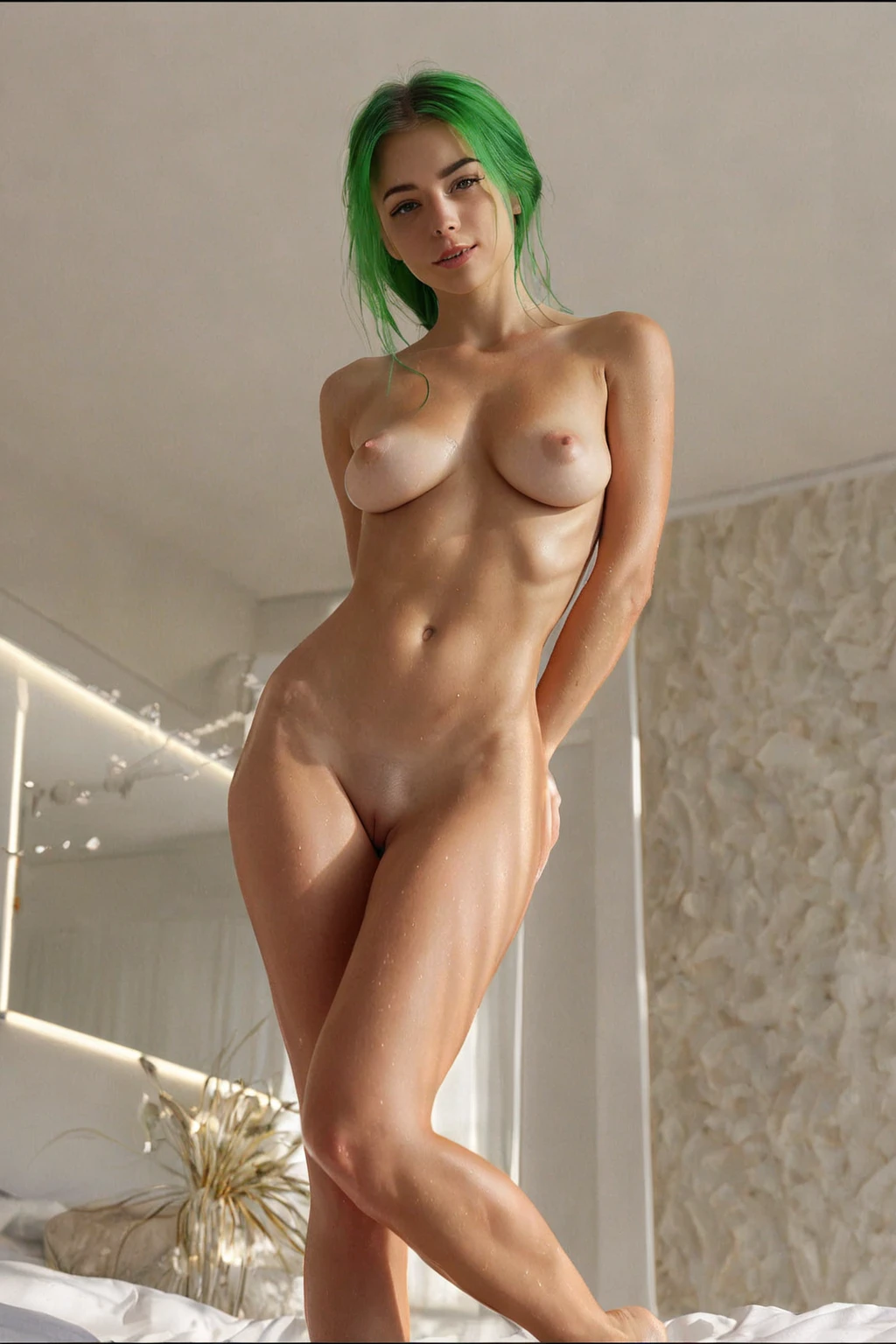
Green behaves differently from the other colours in this set. It never settles into a skin tone the way blonde or black does — it sits on top of the frame and takes the eye first. And because this category asks for length, that pull runs from the crown all the way down. Loose waves break the colour into bands; sleek straight strands turn it into one flat ribbon. Both are fair game.
You do not type any of it. You pick the tile in the generator and the platform assembles the wording. The green hair gallery is worth a scroll first, just to calibrate what "bright" means here.
Reading a Green Hair Image
The green hair category is one thing: long, bright green hair, held as the dominant element of the frame. Nothing else is negotiable inside it. It does not stretch to a bob, it does not drift toward teal or moss, and it does not share the frame with a second hair colour. If the hair is not obviously the first thing you notice, the image is not doing what the category asked for.
green hair example 1
green hair example 2
green hair example 3
green hair example 4
green hair example 5
green hair example 6
green hair example 7
green hair example 8
green hair example 9
green hair example 10
green hair example 11
green hair example 12
green hair example 13
green hair example 14
green hair example 15
green hair example 16
Thirty of these sit in the green hair gallery. If you want the photoreal end of the range and nothing else, the realistic cut of the category is filtered down to it.
Making One
Open the Generate page, tick green hair — on its own or with other categories — and start the run. Finished images land in your gallery.
A single image costs 15 credits. Sets are cheaper per frame: five for 68, ten for 120, which is the sensible way to shop a colour this dependent on lighting. Everything comes back as WebP at 1312x1968, portrait, which suits hair that runs the full height of the frame.
The subject is a woman alone. No man appears in the shot unless you switch on the male-partner toggle yourself, and doing so changes nothing about the hair.
Common Misses
Most disappointing results here fail on the same two axes.
Brightness. Dull, dark or brownish-green hair does not pass as this category. Deep shadow is the usual culprit — a dim, moody scene can look gorgeous and still swallow the colour into something closer to black. If you want the low-light version, leave the hair a light source of its own rather than burying it.
Length. Short hair fails, and so does long hair whose length you cannot see: a tight crop, a hood, a pose that tucks everything behind the shoulders. The length has to be legible in the frame, not merely implied.
There is a third, quieter one. Heavy makeup, elaborate costume, busy props — anything that competes for attention pulls the hair out of the lead role, and the image stops reading as a green hair image at all. Keep the wardrobe simple and let the colour do the work.
Working Prompt Examples
This category contributes exactly one clause to the wording:
```text
long bright green hair
```
That is the whole of it. Green hair does not set a pose, a room, a camera angle or a level of undress — it only guarantees the hair. Everything else in a finished image comes from the other tiles you select, and the platform stitches the pieces together for you.
So the real "prompt" is a pairing. Pick green hair alongside spooning, and the scene half of the wording is:
```text
POV from behind a young woman alone lying on her side with one leg lifted, looking back over her shoulder at the camera with parted lips, full body visible, intimate side angle with soft warm lighting, female alone in frame, no other people
```
Pick it alongside spread-eagle instead, and you get:
```text
a completely nude young woman lying on her back on rumpled white sheets in a softly-lit bedroom, her arms and legs stretched wide into a full spread-eagle pose, her entire body completely exposed and vulnerable, her shaved pussy and bare breasts fully visible to the camera, she looks up toward the lens with parted lips and a yielding seductive expression, soft warm window light pours across her smooth skin emphasizing every contour, intimate exposed atmosphere, female alone in frame, no other people
```
Both of those already carry soft warm light, which is friendly to the colour. Note also that the first is a shoulder-turned rear angle and the second is a full-body overhead-ish spread — the hair reads very differently across the two, and that is the lever you actually have.
What to Select Alongside
Anything that is not a hair colour combines cleanly. Poses, settings, wardrobe, framing — none of them argue with green hair, so you can build out a scene as far as you like.
Hair colours are the exception. Only one of them lands per image, so if you tick green hair and blonde together, one of the two simply does not show up: the first colour you picked is the one you get. Choose deliberately rather than hedging.
Close Calls
Three neighbours get confused with this one often enough to be worth a table. The differences are not subtle once you see them side by side.
Category What it actually is
--- ---
green hair (this guide) long bright green hair
blonde long platinum blonde hair
silver hair long DYED silver hair as a fashion color on a young adult woman (not natural grey, not elderly)
black hair glossy black hair, long black hair, jet black hair
Common Questions
My green came out almost black. What went wrong?
Almost always the lighting in whatever scene you paired it with. Dull, dark or brownish-green results do not satisfy the category, and the fix is a scene that keeps the hair lit rather than a different hair setting.
Can I combine green hair with another hair colour?
No. One colour survives per image, and it is the first one you selected — the second pick is quietly dropped.
Does this category control the pose or the setting?
It does not. It contributes the hair and nothing more; pose, room, framing and wardrobe all come from the other categories in your selection.
Is there a version restricted to photoreal output?
Yes — the realistic style filters the category down to photoreal images only.
Where to Go Next
The three colours in the table above have guides of their own:
- How to generate blonde AI images
- How to generate silver hair AI images
- How to generate black hair AI images
The full set lives on the blog index.