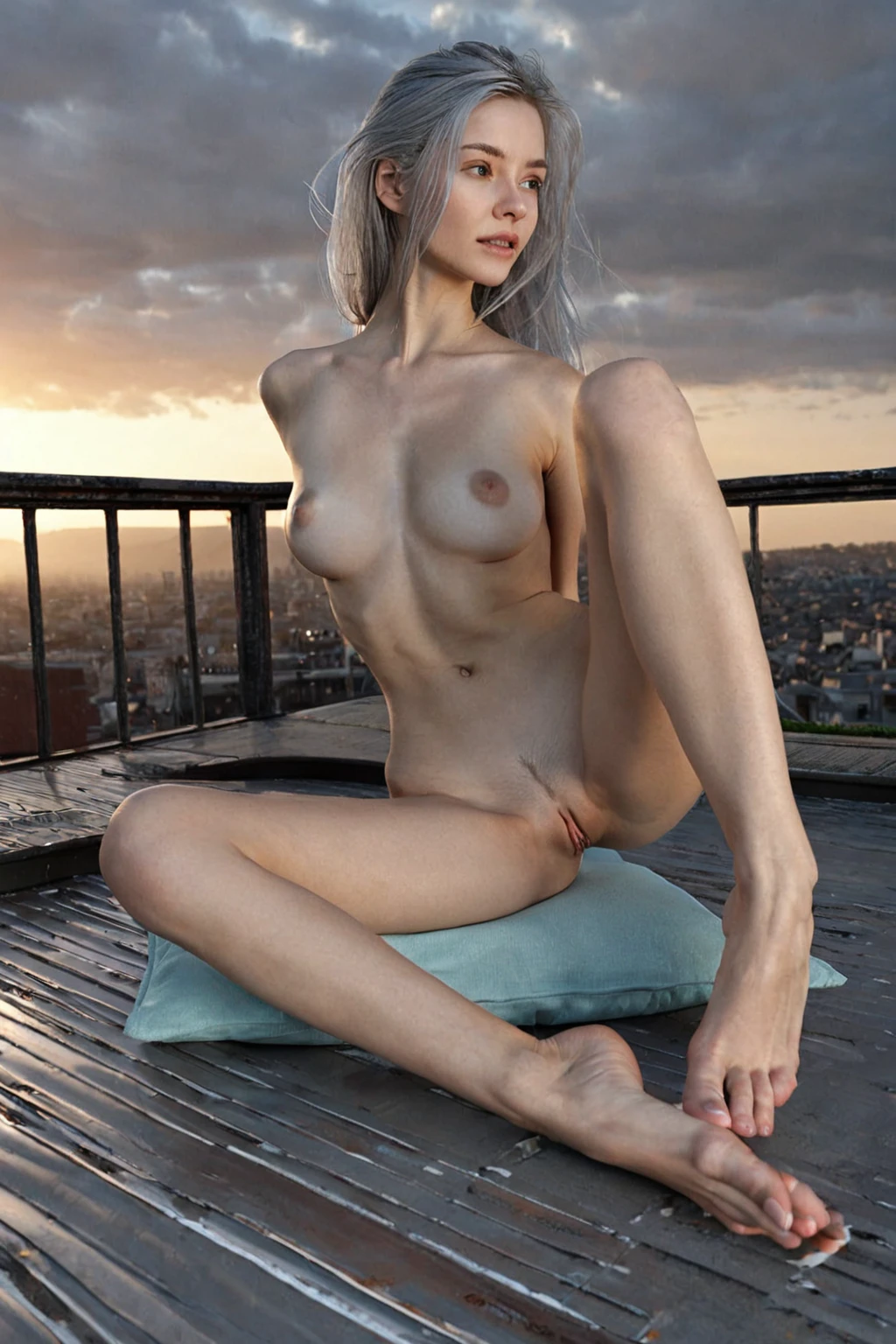

How to Generate Silver Hair AI Images — Complete Guide
Dyed silver behaves nothing like grey. It sits cool against the skin, catches light along the length of the strand, and reads closer to brushed metal than to anything that arrived with age. That is the exact version this category is built to produce: long, deliberately coloured silver on a young adult woman. Runway, street style, editorial — a decision, not a symptom. You never write the description or nudge the result toward it. Picking the category does that work.
The silver hair gallery shows the spread first, and the generator is where you make your own.
Silver Hair at a Glance
One definition governs everything below: long DYED silver hair as a fashion colour on a young adult woman — not natural grey, not an elderly subject. The two halves travel together and neither is optional. Ask for the colour and you get a youthful face with it; the platform will not swap in an older woman whose hair simply went grey, and it will not pass natural grey off as a dye job. Vivid, even, metallic. That is the whole brief.
If the picture in your head is a mature character with hair that grew in silver on its own, this category will never get you there. Worth knowing before you spend anything.
silver hair example 1
silver hair example 2
silver hair example 3
silver hair example 4
silver hair example 5
silver hair example 6
silver hair example 7
silver hair example 8
silver hair example 9
silver hair example 10
silver hair example 11
silver hair example 12
silver hair example 13
silver hair example 14
silver hair example 15
silver hair example 16
Thirty examples sit on the silver hair gallery page in total. The photoreal-only cut narrows that down to the realistic style if the editorial gloss isn't what you're after.
The Prompt Behind the Picture
Nobody types anything here — but there is a description doing the work, and it helps to see it. Every silver hair generation carries this clause into the scene:
```text
long dyed silver hair, fashion color on a young adult woman, smooth unlined face
```
Read it in three parts. *Long dyed silver hair* fixes the colour and the length together, so the metallic tone has enough hair to register on. *Fashion color on a young adult woman* is the clause that keeps the result on the runway side of the line rather than the ageing side. *Smooth unlined face* is the safety belt on the same idea — it holds the face young even when the colour would otherwise pull the whole image older.
That clause is this category's entire contribution. Everything else in the frame comes from whatever you pick alongside it. Choose silver hair together with blowjob, for instance, and the scene arrives already composed:
```text
POV full-body shot of a young woman alone on her knees looking up at the camera, her mouth slightly open with glistening parted lips, hands resting on her own thighs, eyes locked on the camera with a seductive submissive expression, full body visible, bright soft low-angle lighting, female alone in frame, no other people
```
Pick it alongside breeding instead and you get a different construction entirely:
```text
POV from above a young woman alone lying on her back with her legs spread wide, her hands above her head, mouth open in intense pleasure, looking up at the camera, full body visible, bright soft lighting, female alone in frame, no other people
```
Same hair clause, two different scenes built around it. Selecting categories is how you compose; the wording is assembled for you.
Running a Silver Hair Generation
1. Open the Generate page on AINudeGirls and pick silver hair, on its own or with other categories.
2. Start the generation. The scene is built for you, defaults and all — there's nothing to configure before you commit.
3. Results land in your gallery as WebP files at 1312x1968. Open one full size if you want to look at how the light is separating individual strands.
A single image costs 15 credits. Sets are cheaper per picture — 5 for 68 credits, 10 for 120 — and a colour category like this one genuinely benefits from the volume. Framing, lighting and pose shift across a set, and one of the ten will place the hair better than the others.
Frequent Problems
The subject comes back looking older than you wanted. This is the mix-up the category was designed around, and it usually starts in the reader's head rather than the output: "silver hair" loosely imagined drifts toward an aged, naturally grey woman. The platform pushes back on that deliberately. It holds the subject young while still rendering the colour faithfully, and it resists white or grey tones that would read as ageing rather than styling. Aged subjects with natural grey are simply outside what this category produces.
The crop eats the statement. Silver is a length effect. A tight head-and-shoulders shot leaves you with a pale halo and no sense that anyone chose this — frame wide enough for the hair to fall past the shoulders and the colour starts behaving like the fashion decision it is.
The colour goes flat and dull. Metallic dye depends on bright, even light. Push the scene into heavy shadow and the silver loses its sheen, sliding toward a muddy grey that reads exactly like the thing this category is trying not to be.
Easily Confused With
Four hair-colour categories sit close enough together to be worth laying side by side. The definitions are narrower than the names suggest:
Category What it actually is
--- ---
silver hair (this guide) long DYED silver hair as a fashion color on a young adult woman (not natural grey, not elderly)
blonde long platinum blonde hair
black hair glossy black hair, long black hair, jet black hair
brunette long dark brunette hair
Every one of them is a colour statement on long hair. None of them controls texture, cut or age — if you want something shorter or curlier, that lives in the body and styling options, not here.
Building a Bigger Scene
Only one hair colour runs per image. Choose silver and the other colours in that group go quiet for that generation; you cannot layer platinum blonde on top of it and get some hybrid. Most other conflicts on the platform are gentler than this one — hair colour is locked rather than merely prioritised.
That restriction stops at the hair, though. Silver hair places no limits on the rest of the scene, and it stacks freely with adult themes and scenario categories the same way any other category would.
Where it pays to think is wardrobe and setting, because that defining look is easy to strand in a frame that doesn't support it. Black, charcoal and deep jewel tones are the reliable partners: the strands catch light and lift away from the background instead of dissolving into it. Stripped-back casual works too, when you want the hair to be the only loud thing in the picture. For location, a clean studio backdrop or an urban street both reinforce the young, current, deliberately-styled identity the category is built on. Anything softer or more muted quietly works against it.
Quick Answers
Q: Is this the same as generating grey hair?
It routes to the same place — both silver hair and grey hair land on this category — but the output is always the dye job on a young woman, never a naturally grey older subject.
Q: Will there be a man in the picture?
Not by default; the scene comes back with the woman alone. The male-partner control in the generator is there if you want one added, and it operates separately from the hair colour you chose.
Q: What age range does the category cover?
Young adult women only. That is what keeps the silver reading as a deliberate fashion choice instead of a natural trait.
Q: How much of the hair can I change?
The colour and the long, dyed character of it stay put — that is the category. Body type, pose and the rest of the scene remain yours to set through the generator's normal controls.
Nearby Guides
The closest neighbouring categories each have their own guide:
- How to generate blonde AI images
- How to generate black hair AI images
- How to generate brunette AI images
Every category guide is indexed on the blog index.