
How to Generate Italian AI Images — Complete Guide
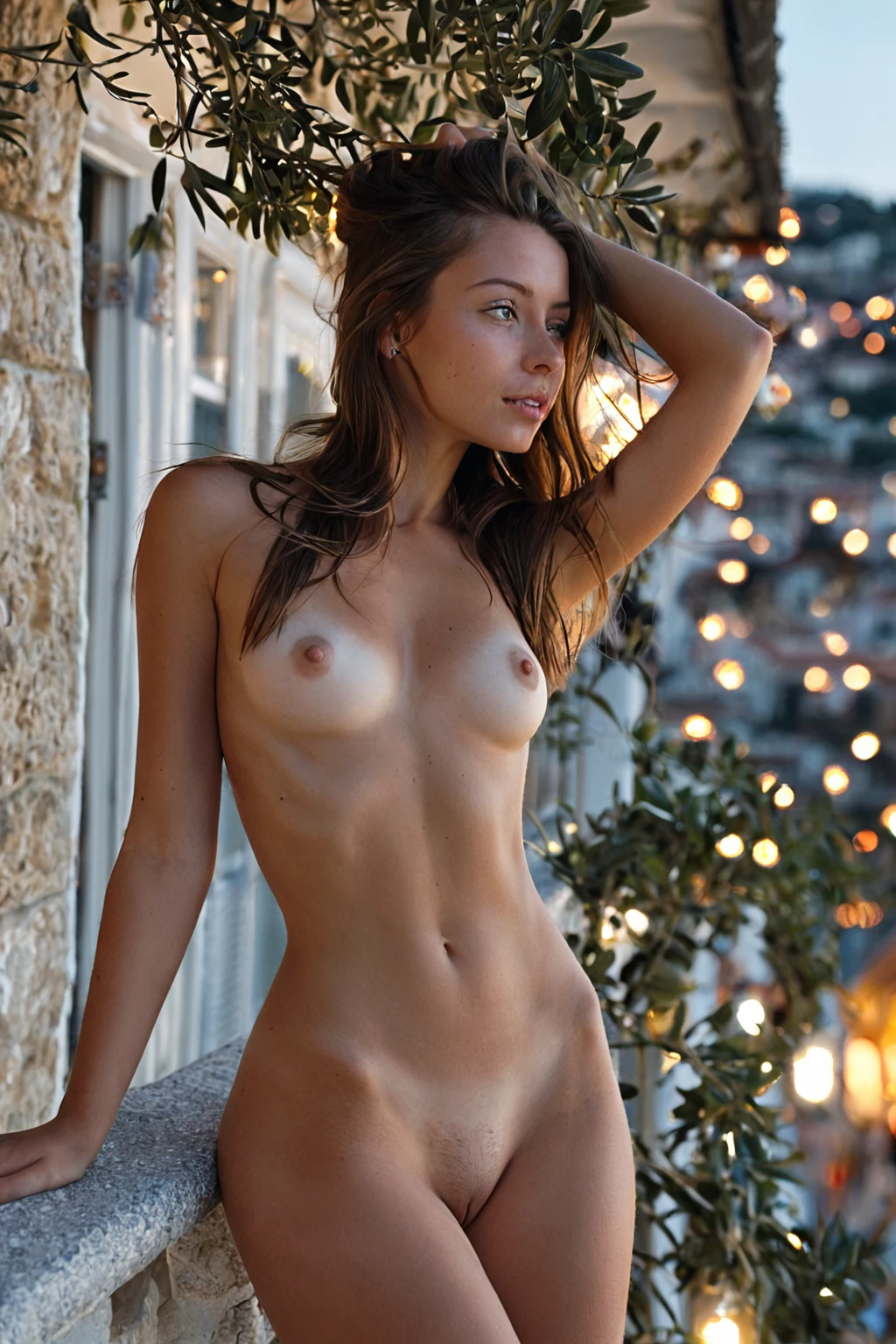
Silk that catches warm light. A linen dress gone slightly translucent on a terrace at six in the evening. Hair with enough weight in it that it moves when she turns her head, and skin that reads as sun-kept rather than sun-damaged. That is the material world the italian category is tuned for, and none of it is something you have to describe. You choose the category. The wardrobe logic, the skin rendering, the whole Mediterranean register comes with it.
If you want to see what that looks like before committing credits, the italian gallery is the place to look. The generator is where you make your own.
Italian, Precisely
The category is anchored to one description: a beautiful Italian woman with warm olive-tan skin, voluminous dark brown wavy hair, bold expressive dark eyes, and sensual glamorous Mediterranean styling. Four elements, held together.
They are not interchangeable. Take away the olive-tan warmth and the same face slides into half a dozen neighbouring categories. Straighten and flatten the hair and the Mediterranean read evaporates, because volume is doing more identifying work here than colour is. The eyes carry the expression. The styling — glamorous, elegant, never casual-neutral — is the thread that ties the other three into something coherent instead of a list of features.
That tightness is the point. It is what lets you run ten or fifty images in this category and get a recognisable character type across all of them, rather than an assortment of vaguely olive-skinned women who look like strangers to one another.
italian example 1
italian example 2
italian example 3
italian example 4
italian example 5
italian example 6
italian example 7
italian example 8
italian example 9
italian example 10
italian example 11
italian example 12
italian example 13
italian example 14
italian example 15
italian example 16
There are 29 in total on the category page. For the photoreal-only cut, there is a separate realistic italian style.
Your First Run
Open the Generate page, tick italian, and start the generation. Results land in your gallery.
That is genuinely the whole sequence — there is no description to write and no settings panel standing between you and the result. A single image costs 15 credits. If you would rather compare than commit, a set of five is 68 credits and a set of ten is 120, which is the cheaper way to see the range.
Everything comes back as WebP at 1312x1968: tall, portrait-shaped, and generous with full-body and three-quarter framing. One optional control is worth knowing about before you start — the male-partner toggle, which is off unless you switch it on, and which adds a second figure to the composition rather than changing the woman herself.
What the Prompt Looks Like
You never type this. It is worth reading anyway, because it explains why one result feels more on-category than another.
Each category contributes a clause, and Italian's is this:
```text
beautiful Italian woman with warm olive-tan skin, voluminous dark brown wavy hair, bold expressive dark eyes and sensual glamorous Mediterranean styling
```
Read left to right and you can see the ordering logic: skin tone first, then hair, then eyes, then the styling register that colours all three. Subject identity before surface detail, surface detail before mood.
That clause does not stand alone — it gets composed with whatever scene category you pick alongside it. Choose italian together with spooning, for instance, and the scene half of the description looks like this:
```text
POV from behind a young woman alone lying on her side with one leg lifted, looking back over her shoulder at the camera with parted lips, full body visible, intimate side angle with soft warm lighting, female alone in frame, no other people
```
Or pair it with spread-eagle for something far more explicit and far more staged:
```text
a completely nude young woman lying on her back on rumpled white sheets in a softly-lit bedroom, her arms and legs stretched wide into a full spread-eagle pose, her entire body completely exposed and vulnerable, her shaved pussy and bare breasts fully visible to the camera, she looks up toward the lens with parted lips and a yielding seductive expression, soft warm window light pours across her smooth skin emphasizing every contour, intimate exposed atmosphere, female alone in frame, no other people
```
Notice the division of labour. The scene category owns pose, camera position, bedding, light direction, how much is visible. Italian owns who she is. You get the combination by selecting both categories — the pairing is the interface, not the text.
Close Calls
Olive skin and dark eyes are common currency across several ethnicity categories, which is precisely why people pick the wrong one. Here is the short version of what distinguishes them:
Category What it actually is
--- ---
italian (this guide) beautiful Italian woman with warm olive-tan skin, voluminous dark brown wavy hair, bold expressive dark eyes and sensual glamorous Mediterranean styling
middle eastern Middle Eastern woman, olive skin, dark eyes
arab Arab woman, olive skin, dark features
persian Persian woman, olive skin, dramatic dark eyes
All four sit on the same olive-toned, dark-eyed foundation, so the overlap is not imaginary. What sets Italian apart is the hair volume and the explicitly glamorous styling brief; the other three are defined more narrowly, around skin and eyes. Generate a few side by side and you will find yourself sorting them by hair before you consciously notice anything else.
Mixing Italian Into a Scene
Italian sits in the ethnicity family, next to arab, asian, australian, brazilian, british, colombian and the rest. One per generation. Pick two ethnicities and only the first one you chose shows up in the result — there is no blending, and nothing warns you, so it is worth a glance at your selections before you generate.
Everything outside that family stacks cleanly. Scene, setting and style categories combine with Italian without argument, and that is where the actual creative decisions live.
Framing sets the register. A tight close-up hands the frame to skin texture and eyes and reads editorial; pull back and wardrobe, posture and setting start carrying the scene instead. Wardrobe deserves real thought rather than a default — an evening gown, structured and formal, produces a completely different image from a loose summer dress, and both are flattering against the warm skin tone. Lighting matters more here than in most categories: golden-hour warmth deepens the tan, finds the texture in wavy hair, and gives dark eyes contrast that flat neutral light simply will not. If a result feels lifeless, warm light is the first lever to reach for.
Setting closes the loop. Coastal promenades, terraces, marble and stucco make the Mediterranean read instantly legible. Stone walls and shuttered light give you the same look in a quieter, more intimate key. Either way, keep her the focal point — the surroundings are context, not competition.
Avoidable Mistakes
Treating the four traits as suggestions. An image can be attractive and still not be an Italian image. If one of the defining elements has gone missing, that result is not representative of the category, however good it looks in isolation.
Adding terms that fight the base. If you layer your own descriptors on top, keep them additive — mood, wardrobe, atmosphere. Anything that contradicts the skin, hair or eyes tends to muddy the result rather than complicate it interestingly.
Drifting out of the styling lane. The glamorous Mediterranean register is what binds the other traits together. Wander away from it and the image starts reading as though it came from a different category entirely.
Filtering with vague words. Stick to italian and italy when searching the category list. Generic phrases like "attractive woman" or "dark hair" will land you next door.
Judging the category on one image. Variation between generations is normal. Generate a set, then choose — comparing four or six beats trying to perfect a single result.
Ignoring face consistency across a batch. Since the four traits are meant to appear together, a face that reads noticeably off from that defining look is a regenerate, not a keeper.
Sticking to one AI model is also available, and it is a reasonable way to keep the face steady across a batch while staying inside the category's overall style.
Things Worth Knowing
Q: Can I change the hair or the eyes and stay in this category?
No. Voluminous dark brown wavy hair and bold expressive dark eyes are load-bearing parts of the definition, not adjustable options. If you want a different combination, another category or your own description is the right route.
Q: Is Italian just "olive skin and dark hair"?
It is more specific than that, which is the whole reason the category exists. The glamorous Mediterranean styling and the hair volume are what separate it from arab, persian and middle eastern, all of which share the olive-toned base.
Q: How many images should I generate to judge the category fairly?
More than one. Sets of five and ten exist for this reason and cost less per image than generating one at a time, and comparing a spread is how you find the framing and wardrobe that work for you.
Q: Will there be anyone else in the frame?
Not unless you ask for it. Every generation is a solo shot of the subject by default; the male-partner control is the only thing that changes that, and it adds a second figure without altering her.
Continue Exploring
The three categories closest to this one, each with its own guide:
- How to generate middle eastern AI images
- How to generate arab AI images
- How to generate persian AI images
Every category guide is indexed on the blog index. When you are ready to make your own, the generator is one click away — pick italian, pick a scene, and let AINudeGirls compose the rest.