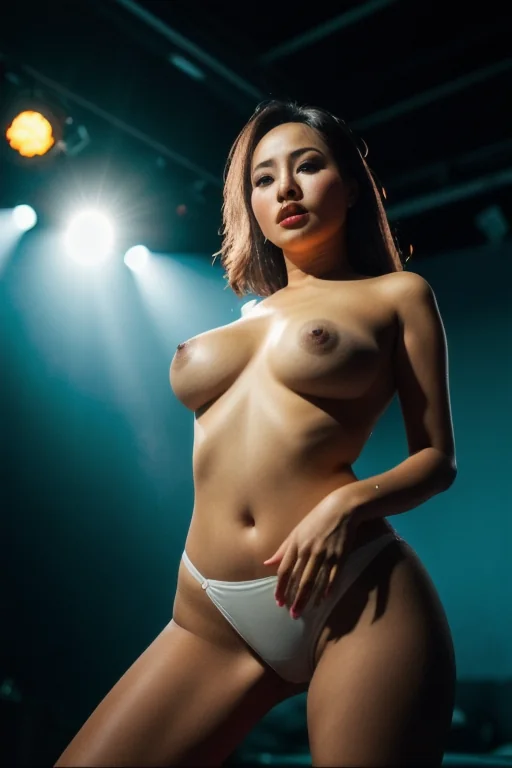

How to Generate Lingerie AI Images — Complete Guide
Lace is a texture test. It is fine, repeating, semi-transparent, and it sits directly against skin — the kind of detail that either resolves beautifully or collapses into grey mush. Lingerie is the category built around getting it right. Black lace, garter straps, stockings: three elements that give an image structure, contrast and a boudoir mood without needing an elaborate set to carry them.
For background on the subject itself, see Lingerie on Wikipedia.
Below: what the lingerie category actually produces, how it behaves once you stack it with other picks in the generator, and the places results tend to go sideways.
Lingerie at a Glance
Lingerie is not being used loosely here. It resolves to one wardrobe and one only: delicate black lace lingerie with garters. That definition is fixed on purpose, so the tag means the same thing on your fiftieth generation as it did on your first.
An image counts when the lingerie reads clearly in frame — lace whose pattern you can actually see, garter straps that survive the crop. A plain bra-and-panty set with no lacework is a different thing. So is lace with the garters missing. Everything beyond that defining look is open: pose, setting, framing, the light you put on it.
lingerie example 1
lingerie example 2
lingerie example 3
lingerie example 4
lingerie example 5
lingerie example 6
lingerie example 7
lingerie example 8
lingerie example 9
lingerie example 10
lingerie example 11
lingerie example 12
lingerie example 13
lingerie example 14
lingerie example 15
lingerie example 16
That is sixteen out of 74 in the lingerie gallery. If you only want the photoreal end of the range, the realistic lingerie style filters to that.
Running a Lingerie Generation
1. Open the Generate page and pick lingerie — on its own, or alongside other categories.
2. Start the generation. Results land in your gallery when they're finished.
3. Everything comes back as WebP at 1312x1968, a tall portrait crop that suits a standing or reclining subject and keeps files small enough to scroll through on a phone.
A single image costs 15 credits. Sets are cheaper per image — 68 for five, 120 for ten — which matters in a category like this one, where the difference between a good result and a great one is often just which frame caught the light on the lace best.
Scenes come back solo unless you deliberately switch on the male-partner toggle; nothing about this category assumes a second person.
Failure Modes
There is one hard requirement, and one way to miss it: the lingerie has to be legible. Not implied, not suggested by a shadow — visible.
Two things cause most misses. The first is a crop that takes out the garter straps, which is easy to do when you push in close for texture. The second is flat, even light, which can technically illuminate the outfit while washing the lace pattern down to a solid dark shape. Both produce images that contain lingerie and don't show it.
The fix is unglamorous. Generate a few, then look at each one for the lace pattern, the garters and the stockings specifically, and keep the frame where all three read. Judging finished images beats reasoning about a prompt you never wrote.
Prompts and Settings That Work
You don't write these prompts. The platform assembles them from the categories you pick, and lingerie's entire contribution to that assembly is one wardrobe clause:
```text
wearing delicate black lace lingerie with garters and stockings
```
That is the whole of it — which is exactly why the category is a modifier rather than a scene. It dresses the subject and leaves everything else to whatever you pick alongside it.
So pick something alongside it. Choose lingerie together with against-wall and the scene half of the prompt arrives fully formed:
```text
POV first-person view of a young woman alone, pressed against a textured wall, her back arched as she looks over her shoulder at the camera, hands flat against the wall above her head, hungry expression, full body visible, bright soft lighting casting soft even light, female alone in frame, no other people
```
The wardrobe clause slots into that: a tight POV frame, arms up, the garter straps and the lace across the back both sitting right in the centre of the composition. Pair it with ahegao instead and you get a very different construction:
```text
an intimate full-body shot portrait of a completely nude young woman on rumpled bed sheets in a bright warmly-lit bedroom, her face locked in an exaggerated ahegao expression with her tongue lolling out, eyes rolled back and crossed, cheeks flushed deep red, both hands gripping fistfuls of her own hair, caught at the peak of an overwhelming orgasm, her bare breasts visible at the bottom of the frame, sweat glistening on her skin, dramatic warm side lighting casting soft even light across her ecstatic face, raw intense atmosphere, female alone in frame, no other people
```
Read those two side by side and the lever becomes obvious: your scene pick sets the light, and light is what lace lives or dies by. Soft diffused light brings out the translucency and reads warm and intimate. Harder, more directional light throws crisp shadows through the lacework — moodier, more graphic, more contrast between fabric and skin. Same wardrobe, two completely different images.
Framing is the second lever. Closer crops reward this category more than most, because the detail is genuinely small and a wide shot spends its pixels on the room instead. Wider framing still works when the pose or the setting is the point; you're just trading texture for context.
What Combines Cleanly
Lingerie is an outfit, and it shares that lane with bikini, bodysuit, bride, bunny-girl and cat-girl. The practical consequence: pick two outfits and only the first one you selected will actually show up in the image. It isn't an error — the subject can only wear one thing — so put the look you want to see first and treat the rest as alternatives for another run.
Scene categories, poses and settings are a different story. Those layer on top without competing, which is why the composition pairings above work: one pick handles the wardrobe, the other handles everything around it.
Neighbouring Categories
The categories lingerie gets confused with, and what each one actually delivers:
Category What it actually is
--- ---
lingerie (this guide) delicate black lace lingerie with garters
see through transparent see-through fabric revealing her body
teacher as a sexy teacher, pencil skirt and blouse, glasses
cheerleader tiny cheerleader uniform with pleated skirt
The closest call is see through. Both play with visibility, but see through is about transparent fabric generally, while lingerie stays pinned to that defining look — black lace, garters, and the structure they give the silhouette.
Common Questions
Q: Can I choose a different colour or style of lingerie?
Not within this category. It resolves to delicate black lace lingerie with garters every time, which is the trade: you lose colour choice and gain a tag that behaves identically on every run.
Q: What do I get if I select lingerie and bikini together?
One outfit, not two. Whichever you picked first is what she wears.
Q: Why does my image look like lingerie but keep failing to feel like the category?
Usually the garters. They're the element most often lost to a tight crop or flattened by even lighting, and without them the image reads as generic underwear rather than this category.
Q: What file do I actually get?
A WebP at 1312x1968, saved to your gallery.
Continue Exploring
Nearest neighbours, if this one isn't quite the silhouette you're after:
- How to generate see through AI images
- How to generate teacher AI images
- How to generate cheerleader AI images
Every category guide is indexed on the blog index.