
How to Generate Mexican AI Images — Complete Guide
Embroidery thick enough to catch a shadow. Gold hoops throwing light back at a midday sun. Papel picado strung across a market lane, and the deep, saturated folds of a dress that was never designed to sit quietly in a frame. That is the material world the mexican category pulls from — and you don't have to describe a single thread of it. You pick the category. The generator writes the description.
Open the generator when you want to make your own, or scroll the mexican gallery first to see what the category actually produces.
Mexican at a Glance
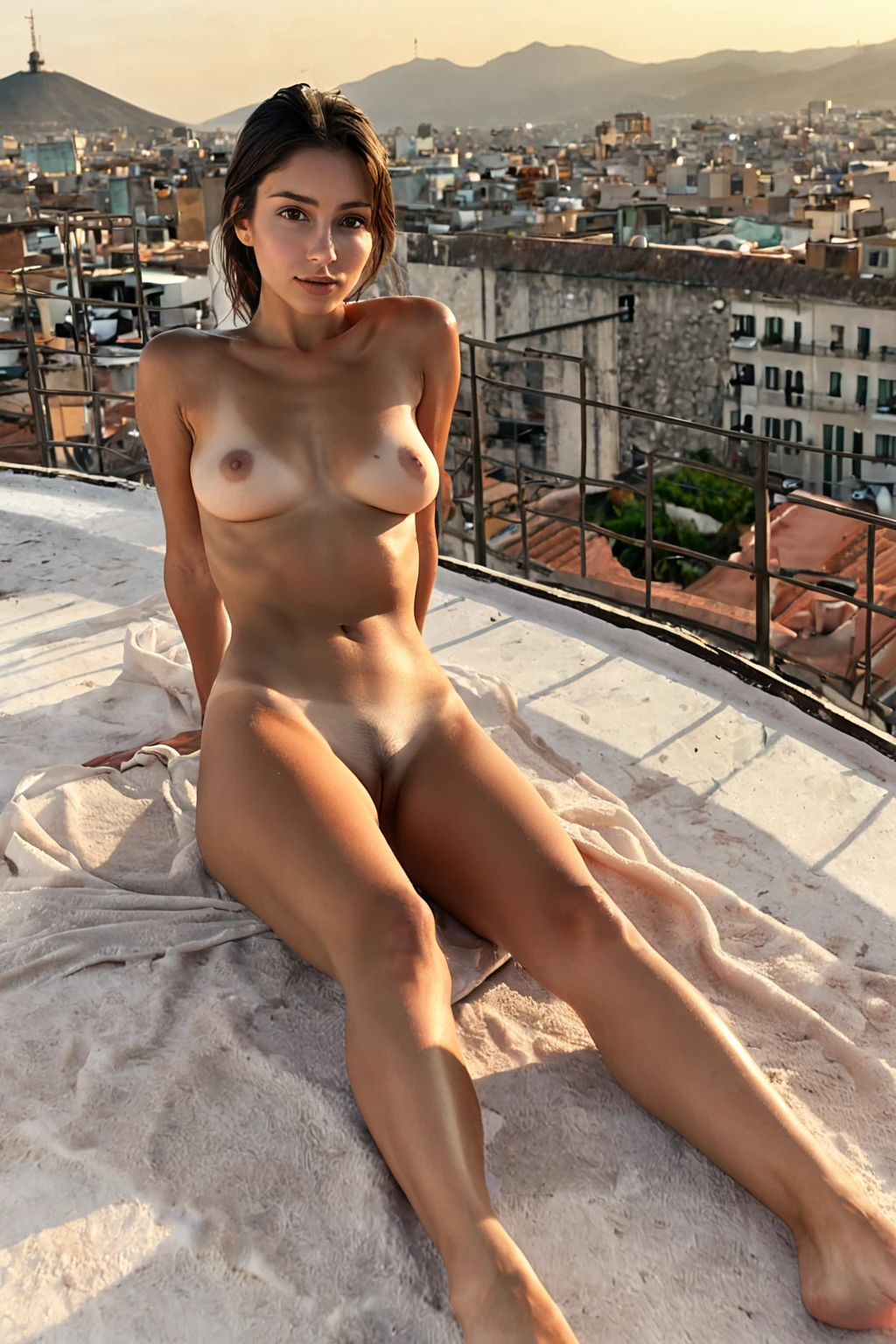
One visual anchor holds this category together: a beautiful Mexican woman with warm tan skin and dark eyes. Not a mood board, not a loose direction — the trait set the category exists to deliver, applied to every image it makes.
Why so tight? Because skin tone and eye colour are the two features doing almost all the work of separating one ethnicity category from its neighbours. Left loose, they drift. Held firm, the category stays legible: run it ten times and you get ten women who plainly belong to the same look, while hair, expression, wardrobe and setting move freely underneath.
Everything else is variety, and there is a lot of it. Wardrobe swings from traditional — a vibrant embroidered dress, an off-shoulder blouse carrying folk-art patterning — to the streetwear you'd actually see in Guadalajara or Mérida: cropped cotton, denim, layered gold. Lighting runs warm and high-contrast rather than flat: bright highlights sitting on skin, real shadow inside fabric folds, colour left saturated. Settings do the storytelling. A bustling market stall, sun-bleached plaza stone, a tiled courtyard fountain — place established without a word of text.
mexican example 1
mexican example 2
mexican example 3
mexican example 4
mexican example 5
mexican example 6
mexican example 7
mexican example 8
mexican example 9
mexican example 10
mexican example 11
mexican example 12
mexican example 13
mexican example 14
mexican example 15
mexican example 16
Thirty examples live on the mexican gallery page. The realistic mexican style view narrows the same set down to the photoreal cut.
What the Prompt Looks Like
Nobody types prompts into this product. The generator composes them, and each category you pick contributes its own clause to the description. The mexican clause is this one:
```text
beautiful Mexican woman with warm tan skin and dark eyes
```
Read it left to right and you can see what each piece is doing. *Beautiful Mexican woman* sets subject and regional identity together, so the face doesn't wander toward a neighbouring look. *Warm tan* pins the skin tone to a specific temperature — warm, not olive, not fair. *Dark eyes* fixes the one feature that survives every change of lighting and angle. Short, closed, non-negotiable.
That clause is only half a scene, though. It says who, never what's happening — which is exactly why the platform composes it with other categories. Pick mexican alongside a scene category and its clause gets folded into the scene's description. Two that combine cleanly:
Picked with cumshot:
```text
POV shot of a young woman with (thin glossy ropes of translucent cum across her face and chest, cum strings, realistic glistening semen texture:1.3), her mouth open in pleasure, looking up at the camera, bright soft lighting, female alone in frame, no other people
```
Picked with cunnilingus:
```text
POV from above a young woman alone lying back with her legs spread, hands gripping the sheets, her back arched and eyes closed in pleasure, full body visible, soft intimate bright bedroom lighting, female alone in frame, no other people
```
Notice the division of labour. The scene category owns framing, pose, lighting and action; mexican owns the woman. You are choosing which two things to combine, not writing either of them.
From Pick to Picture
1. Open the Generate page and select mexican. Add a scene category if you want one — that's the pairing described above.
2. Start the generation. Results land in your gallery.
3. Every file comes back as WebP at 1312x1968, portrait-oriented, which suits full-body and three-quarter framing. There's no export step and no format menu; that's simply what you're handed.
4. Judge the category on a spread, not on one image. A single image costs 15 credits, a five-image set 68, and a ten-image set 120 — the sets exist because output varies, and four or five results give you something to actually choose between.
Frequent Problems
Most disappointing results trace back to the same thing: added description that argues with the anchor.
If you're layering your own wording on top of the category pick, keep it off the two locked traits. Wording that pulls toward fair skin or light eyes puts your description in direct competition with the category clause, and the image ends up somewhere between the two. Steer wardrobe, setting, framing, mood — leave the face alone.
The opposite failure is subtler. Pile on wardrobe and backdrop with nothing reinforcing the subject, and the ethnic identity thins out under the weight of everything else. Short beats long here. Subject, setting, one style cue.
Leaning on the keywords mexican and mexico helps when you do add wording — but only as reinforcement, next to real subject and style cues. "Mexican woman, market plaza, embroidered dress" gives the generator something to build. The bare keyword does not. And if you want faces to hold steady across a whole set, stick to one AI model; that's what anchors recurring features from one generation to the next.
When something looks off, check your own text first. A description quietly contradicting the category is the most common reason an image drifts toward a different ethnicity than the one you selected.
Easily Confused With
The categories most often mistaken for this one, or reached for instead of it:
Category What it actually is
--- ---
mexican (this guide) beautiful Mexican woman with warm tan skin and dark eyes
middle eastern Middle Eastern woman, olive skin, dark eyes
arab Arab woman, olive skin, dark features
persian Persian woman, olive skin, dramatic dark eyes
Dark eyes are the shared thread, and that's precisely where the confusion starts. Skin tone is the split that matters: mexican is warm tan, while middle eastern, arab and persian all land on olive. Placed side by side the difference is obvious. Described in a sentence, it blurs. If you're building a set that spans several of these, generate a few from each and compare the images rather than trusting the labels.
What Combines Cleanly
Mexican belongs to the ethnicity family, sitting alongside arab, asian, australian, brazilian, british and colombian. One ethnicity per generation, and that's the whole rule — pick two and only the first one shows up in the image, so there's no accidental blending to worry about.
Scene and act categories are the pairing that pays off, as the composed examples above show. What this category won't do is populate the frame: multi-person scenes aren't available here and neither is the male-partner control, so every generation returns a single woman. The composed scene prompts say as much in their own wording — *female alone in frame, no other people*.
Quick Answers
Do I have to write anything to use this category?
No. Selecting mexican applies its clause automatically, and pairing it with a scene category is what builds the rest of the description. Any wording you add is optional on top.
Will the look stay consistent across a batch?
Yes — that's what the fixed anchor is for. Skin tone and eye colour hold from image to image while hair, wardrobe, pose and setting vary. For tighter consistency in face shape across a set, stick to one AI model.
Why did my image come out looking like a different ethnicity?
Almost always because added wording fought the category clause. Re-read your description for anything implying a different skin tone or eye colour, drop it, and generate again.
What file do I actually get?
A WebP at 1312x1968. Portrait orientation, no format choice to make, straight into your gallery.
Continue Exploring
The nearest neighbours, each with its own guide:
- How to generate middle eastern AI images
- How to generate arab AI images
- How to generate persian AI images
Every category guide is indexed on the blog index. When you're ready to make your own, the generator is one click away.