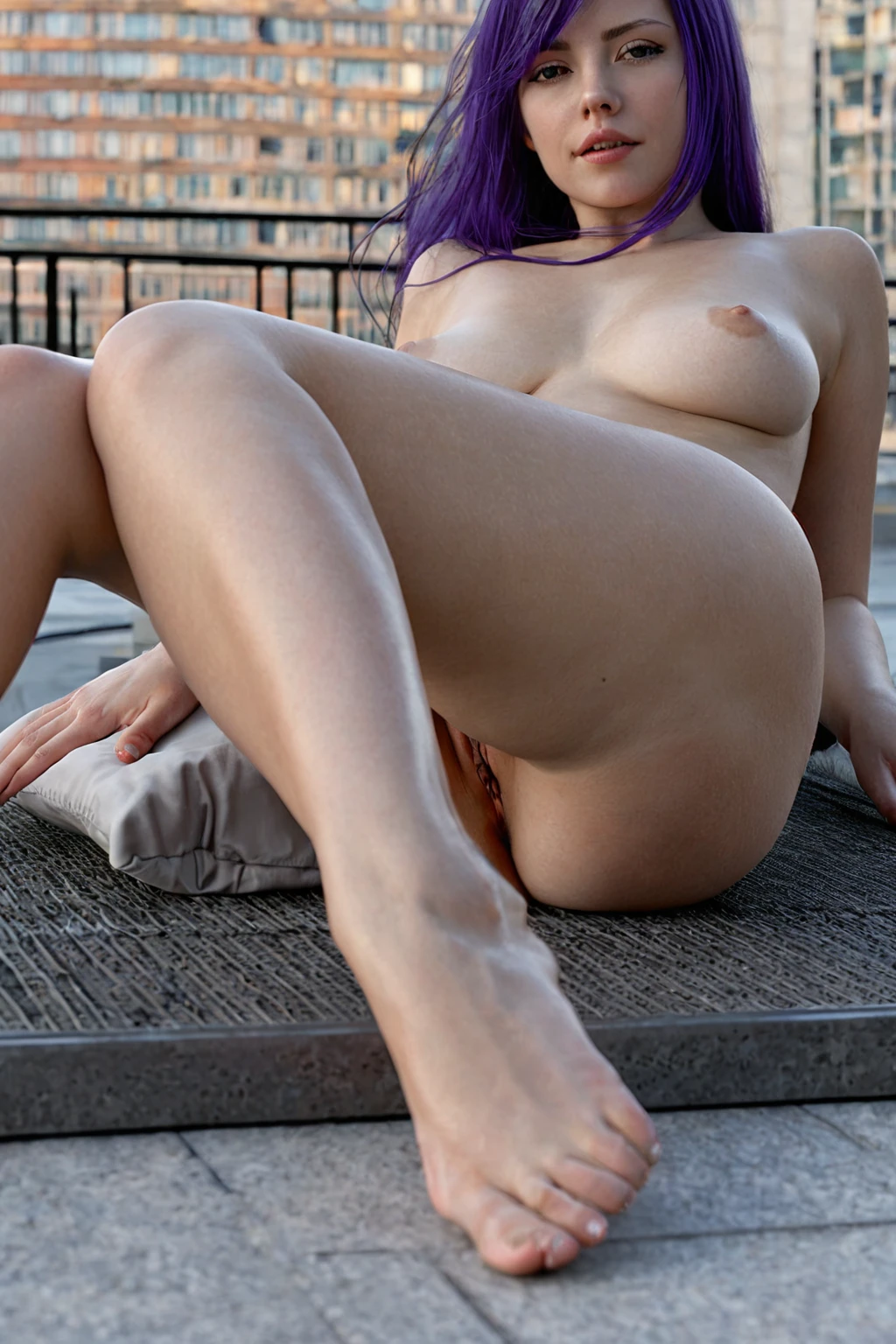

How to Generate Purple Hair AI Images — Complete Guide
Deep purple behaves differently under every light you put it in. Warm lamp light pulls it toward violet-red, almost wine-dark at the roots; cool or moonlit scenes push the same hair closer to a saturated indigo. That responsiveness is the appeal of the color, and it is also where most attempts fall apart — describe purple hair yourself and you usually end up with a muddy lavender-grey that reads as a filter rather than a color.
On AINudeGirls you never write that description. Pick purple hair as a category, and the generator assembles the wording for you. The purple hair gallery is the honest preview of what the category produces; the generator is where you build your own.
What Makes It Purple Hair
The category has one fixed definition: long hair in a deep, saturated purple. Not lavender. Not lilac, and not a purple-tinted grey pretending to be a color. Length carries equal weight with shade here — this is a long-hair category, not a category that occasionally happens to produce long hair. Every image generated under it holds both halves of that definition at once, which is what stops results from drifting between one generation and the next.
purple hair example 1
purple hair example 2
purple hair example 3
purple hair example 4
purple hair example 5
purple hair example 6
purple hair example 7
purple hair example 8
purple hair example 9
purple hair example 10
purple hair example 11
purple hair example 12
purple hair example 13
purple hair example 14
purple hair example 15
purple hair example 16
There are 30 examples in total on the purple hair gallery page. If the stylised end of the range isn't what you're after, the photoreal-only cut of the category narrows the selection down.
Example Prompt Material
You don't type prompts on this platform, so the useful thing to show you is the material the category itself contributes. That material is a single clause:
Modifier clause:
```text
long deep purple hair
```
Six words, and each one is load-bearing. "Long" holds the length requirement that half of all near-misses lose. "Deep" is what keeps the shade from washing out into lavender. "Purple hair" is the anchor term the category is built around — vaguer language like "purplish" or "violet-ish" has nothing to grab onto.
On its own, a clause isn't a picture. It becomes one when you select this category next to a scene category, and the generator composes the two. Pick purple hair alongside all fours, for instance, and the scene half of the image reads like this:
```text
a completely nude young woman on her hands and knees on rumpled white bed sheets in a softly-lit bedroom, her back deeply arched and her bare ass raised high toward the camera, she turns her head to look back over her shoulder with parted lips and a hungry inviting expression, her breasts hanging free beneath her, full body visible in a three-quarter rear view, warm golden window light rakes across her smooth skin highlighting every curve, intimate sensual atmosphere, female alone in frame, no other people
```
Pair it with amazon position instead and the same clause lands in a completely different frame — upright, front-on, brighter:
```text
a powerful young woman alone squatting upright on a bed in a confident riding pose, thighs apart, hands resting on her own thighs, intense focused expression with a confident smile, full body visible, shot from a low front angle showing only her and the bed, nothing beneath her but the bed, bright soft lighting, female alone in frame, no other people
```
Notice what changes and what doesn't. The scene supplies pose, camera angle and light; the hair clause rides along unchanged. That division is the whole logic of stacking categories.
Your First Run
1. Open the Generate page and select purple hair. Stack whatever else the scene needs on top of it — body type, setting, outfit, a pose category like the two above.
2. The generator turns your selections into the finished image prompt. Nothing to write, nothing to tune.
3. Start the generation. A single image costs 15 credits; if you'd rather compare options, a set of 5 runs 68 credits and a set of 10 runs 120.
Results land in your gallery as WebP files at 1312x1968 — a tall portrait frame that suits full-length hair without cropping the ends off. Each one carries the purple hair tag, so the collection stays sortable by color as it grows.
Generating a small set rather than a single frame is worth the credits here in particular. Color and lighting interact differently every run, so a batch of five gives you a real choice instead of a verdict.
Common Misses
The most frequent failure isn't the color at all — it's the length. A shorter cut in an otherwise flawless deep purple doesn't satisfy the category, because length is a hard requirement rather than a stylistic preference. If what you're picturing is a bob or a crop, this isn't the category that will give it to you.
Second most common is color drift. A shade that slides too far toward blue, or too far toward black, stops reading as purple and starts reading as a compromise between two other colors. That defining look has to be unmistakable in the frame, not merely present in it.
Then there's clutter. Every extra element you pile into the scene competes for attention with the hair, and the hair is what the category exists to showcase. Keep the composition simple enough that the hair is the first thing anyone notices about the subject.
Telling Purple Hair Apart
Hair-color categories look interchangeable in a menu. They aren't — each locks onto its own definition, and knowing where the boundaries sit saves you a wasted run.
Category What it actually is
--- ---
purple hair (this guide) long deep purple hair
blonde long platinum blonde hair
silver hair long DYED silver hair as a fashion color on a young adult woman (not natural grey, not elderly)
black hair glossy black hair, long black hair, jet black hair
Silver versus purple is the pair that catches people out. Both read as deliberately artificial, fashion-forward colors rather than anything that grew that way. But silver stays cool and metallic across every lighting setup, while purple carries real hue and shifts warm or cold with the light. If the picture in your head is nearer lavender-grey than true purple, silver hair is the category you actually want.
Combination Notes
Purple hair sits among the other hair colors — black hair, blonde, blue hair, brunette, green hair, pink hair — and only one of them can apply to a given image. Pick two and only the first one you selected shows up in the result. Easy to miss when you're stacking six categories at once, so scan your selections before you commit.
Everything else is open, and wardrobe is where you get the most leverage. White and pale outfits throw the purple into relief and make the hair the obvious focal point. Dark velvet and jewel tones do the opposite: they sit with the purple and build a moodier image where the hair is one element of an atmosphere rather than the headline. Framing pulls in a similar way — a tight crop shows the texture and the color gradient running through individual strands, while a wider shot lets the hair move with the pose.
One subject in frame is the default. If you want a partner in the shot, the male-partner toggle is what adds him.
Common Questions
Q: Does the category cover any purple shade, or one specific one?
One specific one: deep, saturated purple at long length. Lavender, lilac and purple-tinted greys fall outside it.
Q: Can I combine purple hair with another hair color for a two-tone look?
No. Hair colors are mutually exclusive, so a second one you select simply won't appear.
Q: Why does the purple look different from one image to the next?
Lighting. The same deep purple reads violet-red under warm lamps and closer to indigo under cool or moonlit scenes, which is why generating a set is more informative than generating one frame.
Q: Is there a version of this category limited to photoreal results?
Yes — the realistic purple hair style filters the category down to the photoreal selection.
Related Categories
The neighbouring hair-color guides, if you're comparing before you pick:
- How to generate blonde AI images
- How to generate silver hair AI images
- How to generate black hair AI images
Every category guide is listed on the blog index.