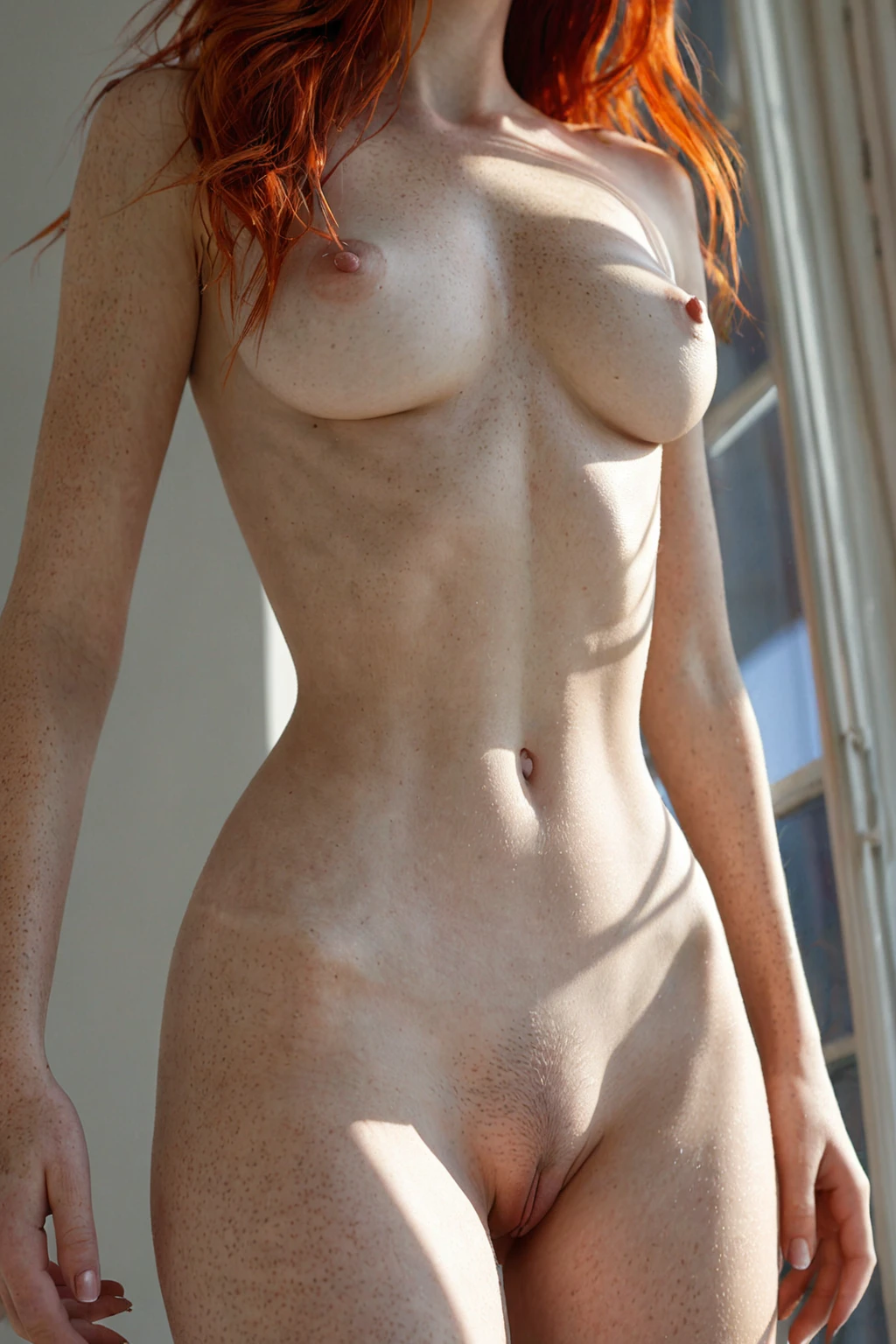

How to Generate Redhead AI Images — Complete Guide
The eye lands on the color before it reads anything else. A sweep of copper against pale skin sets the whole frame — it pulls focus the way a warm light source does, drawing attention to the line of a shoulder, the fall of hair down a back, the freckling scattered across a collarbone. That instant recognizability is exactly why red hair is one of the most requested looks on AINudeGirls. And you don't have to describe a single strand of it. Choose the redhead category, generate, and the composition is handled for you.
For background on the subject itself, see Red hair on Wikipedia.
Want to see the range first? The redhead gallery shows what the pipeline turns out. When you're ready to make your own, the generator is one click away.
What Counts as Redhead Here
On AINudeGirls, redhead is a precise, checkable look rather than a loose vibe. It means long, fiery red hair — saturated copper, ginger, or deep auburn, not a muted reddish-brown — paired with freckled skin. Both traits carry weight. The color defines the category, and the freckles are its natural companion; together they make an image read as genuinely redhead instead of hair simply recolored to red.
The narrowness is deliberate. Brown, black, platinum blonde, or any dyed fashion tone — silver, blue, pink — sits outside the category even when the pose and styling are otherwise identical. So if a result comes back auburn-brown or strawberry-blonde instead of unmistakable red, it doesn't represent the look, and it's worth another pass.
From Pick to Picture
1. Open the Generate page, choose the redhead category, and start. Your image drops straight into your gallery — no review step, nothing else to set for the look itself.
2. The full visual description is assembled from the category tiles you select. You never type anything by hand, so there's no phrasing to get wrong and no keyword to memorize beyond picking the right tiles.
Every image comes back as a WebP file at 1312x1968 — high quality but light enough to load fast in your gallery. Because it's a single click with no queue and no settings to tune, running several variations back to back is the natural way to work.
Gallery Proof
The examples below span different framings, lighting, and moods, but they share two constants: visibly red hair and freckled skin. Read them as a benchmark before you build your own.
redhead example 1
redhead example 2
redhead example 3
redhead example 4
redhead example 5
redhead example 6
redhead example 7
redhead example 8
redhead example 9
redhead example 10
redhead example 11
redhead example 12
redhead example 13
redhead example 14
redhead example 15
redhead example 16
There are 30 in total in the redhead gallery. For a tighter, photo-style cut, switch to the realistic redhead style.
Redhead and Its Neighbors
A few hair-color categories sit close enough to redhead that people mix them up. Here's how to tell them apart at a glance:
Category What it actually is
--- ---
redhead (this guide) long fiery red hair, often freckled skin
blonde long platinum blonde hair
silver hair long DYED silver hair as a fashion color on a young adult woman (not natural grey, not elderly)
black hair glossy black hair, long black hair, jet black hair
If you want a tone that runs warmer and more saturated than strawberry-blonde but stops short of true auburn-brown, redhead is the pick. When the color reads as dyed rather than natural — silver, blue, pink — one of the fashion-color categories will serve you better.
Working the Look
Freckling is the category's built-in second trait, so play to it. Freckles across the nose, cheeks, shoulders, and chest deepen the redhead read and give the skin a texture that flawless complexions can't. The color has range of its own: deep auburn feels moodier and more intimate, while bright ginger or copper reads vivid and editorial. Settling on which end of that spectrum you want is a good first move.
Framing carries a lot of the load. A close crop that fills the frame with hair and skin lets individual strands and freckles register sharply; a wider shot showing the full length of the hair does more to sell the sheer fiery red of it. Not sure which way to go? Generate one of each — they flatter different things, and neither is the "right" answer.
Wardrobe matters more here than in most categories, because red hair clashes so readily. Deep greens, warm browns, cream, and black all flatter auburn and ginger, while a competing warm — orange or red clothing — fights the hair for attention. Lighting is the other lever. Warm, golden light makes fiery hair glow and enriches the freckled skin; cooler, higher-contrast light sharpens the edges of both color and freckling into something more graphic. Mood can swing just as far, from a quiet portrait that lingers on skin and hair detail to a dynamic frame with hair caught mid-turn. All of it works, as long as the hair stays unmistakably red.
Combining Redhead With Other Options
Hair color is a pick-one choice. Redhead shares its group with black-hair, blonde, blue-hair, brunette, green-hair, and pink-hair, and only one can be active in an image — if you tap two, only your first color choice shows up in the result, so choose it on purpose.
By default the scene stays solo. No one else appears unless you deliberately add them through your category picks.
The Descriptive Clause Behind It
The category rests on a single compact clause that ties the hair and skin together. Here's the fragment, if you're curious how the look is described in plain words:
Modifier clause:
```text
long fiery red hair with freckled skin
```
Three things, one line: hair length, hair color, and the companion skin trait. Keeping it that lean is intentional — it locks the two defining traits while leaving pose, setting, lighting, and wardrobe free to vary.
Getting Cleaner Results
- Keep the color anchored to true red — copper, ginger, or auburn — not a strawberry or reddish-brown that drifts out of the category.
- Lean on the freckling; a redhead with flawless, freckle-free skin is only half the look.
- Pair the category with a concrete setting — studio, outdoors, bedroom — so the frame has context beyond the hair.
- When a result reads more strawberry-blonde or auburn-brown than red, regenerate rather than patch it; color is far easier to land on the next attempt than to fix afterward.
- Run a batch and pick the strongest variants instead of chasing one perfect pass.
FAQ
Q: Why do my results sometimes come out strawberry-blonde instead of red?
That tone falls just outside the category, which needs a clearly saturated red. Regenerate rather than trying to correct it — the color tends to land right on a fresh pass.
Q: My redhead has flawless skin with no freckles. Is that wrong?
It's only half the look. The category is defined by red hair and freckled skin together, so if the freckling is missing, generate again until both traits show up.
Q: Can I add a male partner to a redhead scene?
The default scene is solo — no male partner appears. You can add one by explicitly enabling the male-partner toggle in the generator.
Q: What's the difference between redhead and the realistic redhead style?
Both center on the same fiery-red-plus-freckles look; the realistic style narrows the gallery to the photo-style cut.
Further Reading
The closest neighboring categories each have their own guide:
- How to generate blonde AI images
- How to generate silver hair AI images
- How to generate black hair AI images
You'll find the full set on the blog index.
In Short
Pick the redhead category and you get detailed images built around long fiery red hair and freckled skin — one click, no prompt-writing, shaped entirely by the framing, lighting, and mood you choose. The generator is where you start.