
How to Generate Tattoos AI Images — Complete Guide
Ink is where most AI image generators quietly give up. You ask for a sleeve and get a grey smudge running down the arm; a chest piece arrives as a bruise-shaped blur with no design inside it. The tattoos category on AINudeGirls is built against that failure. Solid black fill, linework you can follow from shoulder to wrist, shading that still holds together at full size on bare skin. And you write none of it. You pick the category, the platform assembles the description, and a nude AI model comes back inked.
For background on the subject itself, see Tattoo on Wikipedia.
Everything below works from the tattoos category page and from the generator.
What Tattoos Actually Looks Like
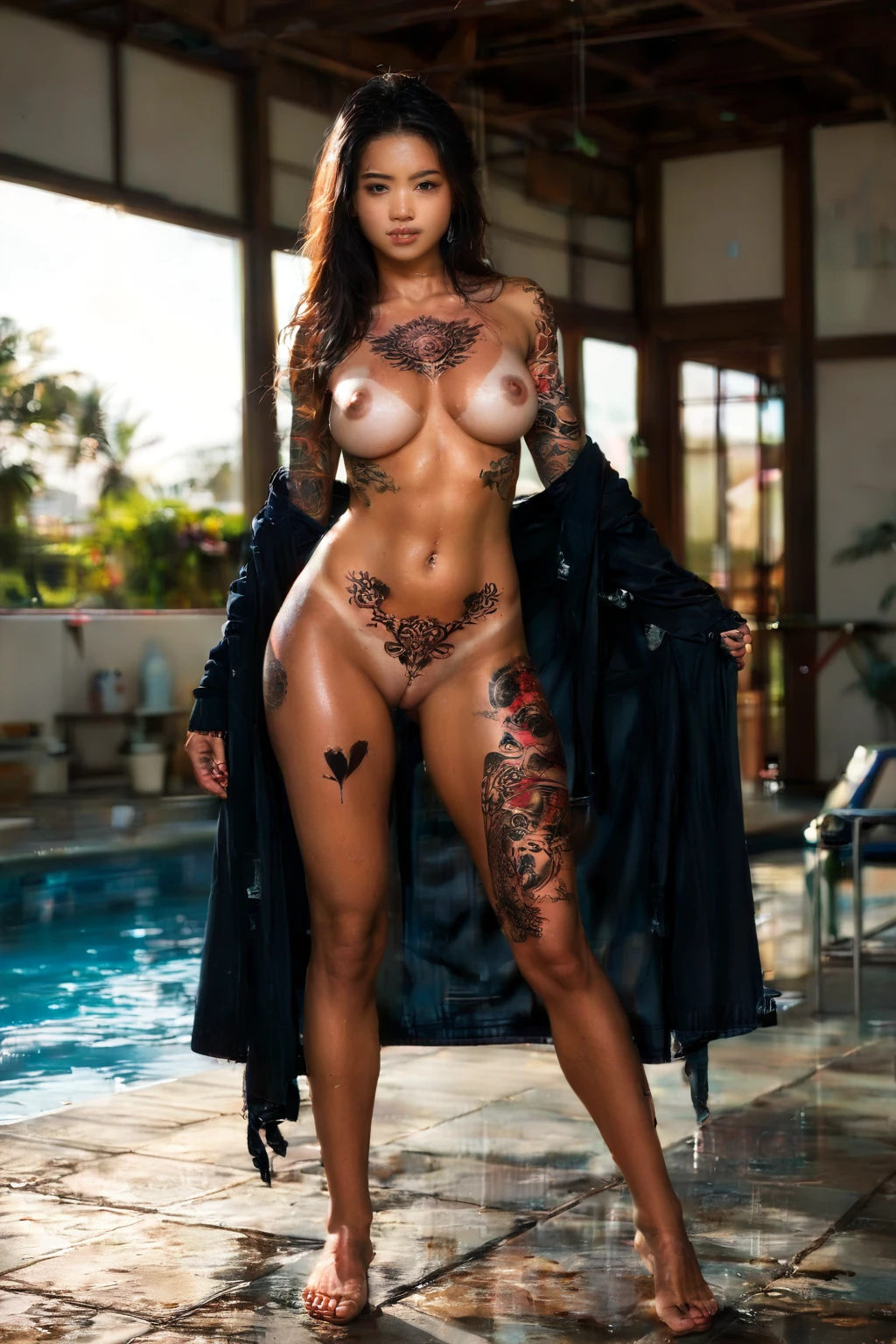
Here is the whole definition, stated once so the rest of this guide can simply point back at it: visible tattoos on her body. In practice that means bold linework, solid black fill and fine shading spread across several areas at once — a full sleeve on the arm, a large piece across the chest, work down the ribs, over the thighs and hips. Not one small mark tucked somewhere half-hidden. Coverage you can read across the frame.
That emphasis is the entire reason the category exists. Choosing it over a plain nude is a promise that the ink stays the visual anchor of the shot rather than set dressing. Bare skin is the canvas here, so the body-art coverage and the nudity are doing the same job.
tattoos example 1
tattoos example 2
tattoos example 3
tattoos example 4
tattoos example 5
tattoos example 6
tattoos example 7
tattoos example 8
tattoos example 9
tattoos example 10
tattoos example 11
tattoos example 12
tattoos example 13
tattoos example 14
tattoos example 15
tattoos example 16
Those sixteen are a slice. All 30 sit on the tattoos gallery, and if you want only the photoreal frames, the realistic tattoos style narrows it to those.
Your First Run
1. Open the Generate page and pick tattoos. Add other categories if you want them; one is enough.
2. Start the generation. There is nothing else to configure — no sliders, no prompt box to fill in.
3. Results land in your gallery. Each image comes back as WebP at 1312x1968, a tall portrait frame that happens to suit sleeve-to-thigh coverage better than any square would.
One image costs 15 credits. Because ink placement shifts from frame to frame, sets are usually the better buy here: five for 68 credits, ten for 120. Generate a handful, keep the one where the chest piece and the sleeve both landed.
What Gets Fed In
You never type a prompt on this platform, but it is worth seeing what your category pick turns into. Tattoos contributes one clause, and this is it, verbatim:
```text
(covered in prominent intricate tattoos, full sleeve tattoo on her arm, large chest tattoo, thigh tattoo, detailed dark ink on skin:1.3)
```
Read left to right and you can see the design decisions. *Covered in prominent intricate tattoos* sets overall coverage — the reason you get a heavily inked body rather than one wrist piece. Then three named placements, arm, chest and thigh, which is what spreads the work across the frame instead of concentrating it in one corner. *Detailed dark ink on skin* is the contrast instruction, the difference between crisp black and a washed-out grey hint. The `1.3` on the tail is emphasis: it tells the platform to push that whole clause harder than the words around it.
That clause is a passenger. It rides on top of whatever scene you select alongside it, which is how the platform composes every image. Pair tattoos with all fours, for instance, and the scene half of the description looks like this:
```text
a completely nude young woman on her hands and knees on rumpled white bed sheets in a softly-lit bedroom, her back deeply arched and her bare ass raised high toward the camera, she turns her head to look back over her shoulder with parted lips and a hungry inviting expression, her breasts hanging free beneath her, full body visible in a three-quarter rear view, warm golden window light rakes across her smooth skin highlighting every curve, intimate sensual atmosphere, female alone in frame, no other people
```
Warm raking window light across an arched back is close to ideal for body art — it catches shading and edges instead of flattening them. Pick amazon position instead and you get a different exposure of the same ink:
```text
a powerful young woman alone squatting upright on a bed in a confident riding pose, thighs apart, hands resting on her own thighs, intense focused expression with a confident smile, full body visible, shot from a low front angle showing only her and the bed, nothing beneath her but the bed, bright soft lighting, female alone in frame, no other people
```
Low front angle, thighs apart, bright even light: chest piece and thigh work both face the camera. Same clause, completely different read. Choosing the scene *is* how you direct the tattoos.
Not to Be Mistaken For
Three categories sit close enough to tattoos that people reach for the wrong one:
Category What it actually is
--- ---
tattoos (this guide) visible tattoos on her body
athletic athletic toned fit body with defined muscles
artistic nude tasteful artistic fine-art nude
oiled skin glistening with shiny oil
Oiled is the one worth a second look. Both categories are about what the skin is doing, and a wet sheen sitting on top of dark linework can either flatter it or blow out the highlights over it. Worth a test set before you commit a batch to the pairing.
Combination Notes
Tattoos is body art, not a body type and not a pose, which makes it unusually easy to stack. Ink layers over nearly any pose, setting or scene without fighting it — that is why the composition examples above work with two poses as different as all fours and amazon position.
Two things to hold onto. A second person only enters the frame if you ask: the male-partner toggle is yours to flip, and nothing flips it for you. And if you happen to select two categories that want the same thing — say, two competing wardrobes — only the first one you picked shows up in the image. When a combination comes back looking nothing like you imagined, that ordering is nearly always why. Deselect, then pick again in the order you want.
Frequent Problems
Expecting something subtle. This category is tuned for heavy, prominent coverage across multiple body zones. If what you actually want is one delicate piece on the shoulder, the built-in clause is going to overshoot you every time. That is the design, not a fault.
Burying the ink. Wardrobe and framing decide how much inked skin reaches the camera, and it is easy to undo the category with either. A closed top hides a chest piece. A long sleeve erases a sleeve. Pair tattoos with scenes that are fully nude or minimally covered, and prefer framing where the arms, chest, ribs and thighs face the lens.
Fighting the light. Soft, even light picks out linework and shading. Harsh side-shadow drops half a sleeve into black and blown-out highlights flatten the fill, so scenes described around hard raking shadow work against the thing you selected the category for.
Judging it on one frame. Placement varies shot to shot. A single generation is a sample, not a verdict.
Common Questions
Where does the ink end up?
Arms, chest, ribs, back, thighs and hips are all in play. The description the platform builds names the arm sleeve, the chest and the thigh outright, so those three are the placements that turn up most reliably.
Will clothing cover the tattoos?
It can, and that is the main way people accidentally lose the effect. Fully nude shows the most ink. If a scene brings clothing with it, minimal or open garments — pushed-down straps, an open top — frame the work instead of hiding it.
Can I keep one tattoo style consistent across a set?
Not reliably. Ink is exactly the kind of fine detail that drifts between frames, more here than in most categories, so generate a set and keep the frames where style and placement match. Sticking to one AI model at least keeps the face constant.
What is the realistic tattoos style page?
The same category, filtered to the photoreal results only. Use the realistic tattoos style when you want to browse without the stylised frames in the way.
Related Categories
The nearest neighbours, each with its own guide:
- How to generate athletic AI images
- How to generate artistic nude AI images
- How to generate oiled AI images
Every category guide is indexed on the blog index. When you are ready to make your own, start from the tattoos category page or go straight to the generator.