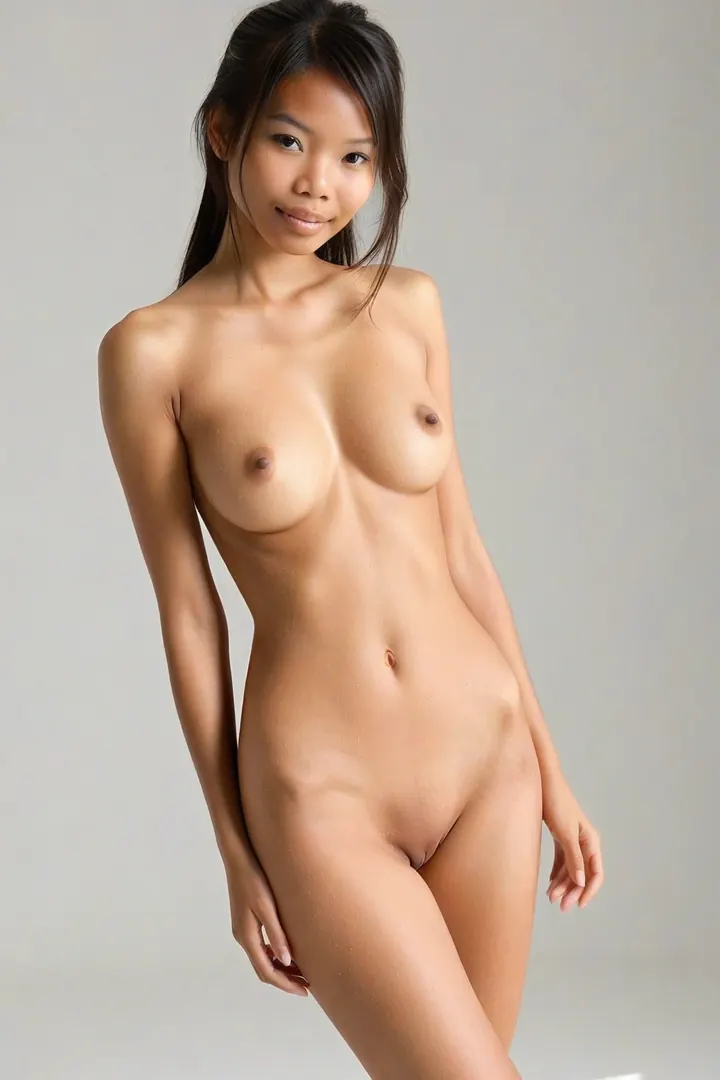

How to Generate Thai AI Images — Complete Guide
Jewel-tone silk against a temple wall. String lights over a night market, a linen sundress, skin that reads warm and tan rather than olive. That register — material, light, and a very specific complexion — is what the thai category is built to deliver, and you get there by selecting it, not by writing anything. Open the generator when you want to try it, or study the thai gallery first to see where the category lands.
Thai, Precisely
One line defines this category on AINudeGirls: a beautiful Thai woman with warm tan skin and delicate Southeast Asian features. Everything below is a consequence of it.
Take the skin first, because it is the trait that fails most visibly. Warm tan means gold sitting under the surface — not pale, not pushed deep into ochre, and not the olive base that the neighbouring categories are built on. The difference shows hardest in the mid-tones on a shoulder or a collarbone, where olive turns slightly green in soft light and warm tan stays honeyed.
Then the bone structure. Delicate Southeast Asian features means softer lines through the jaw and cheek, refined proportions, nothing heavy. It is a distinct thing from the South Asian, East Asian and Pacific Islander categories, each of which carries its own definition elsewhere on the platform. That separation is the point: a tight definition per category is what keeps thai from quietly becoming "Asian, broadly." Pick it and you should get Thai.
Sixteen of the thirty published examples, so you can judge the tone and the structure yourself rather than taking the description on faith:
thai example 1
thai example 2
thai example 3
thai example 4
thai example 5
thai example 6
thai example 7
thai example 8
thai example 9
thai example 10
thai example 11
thai example 12
thai example 13
thai example 14
thai example 15
thai example 16
All thirty sit on the thai gallery page. If you only want the photoreal end of the range, the realistic cut is the narrower selection.
Prompts and Settings That Work
The whole of this category's contribution to a generation is one descriptive clause, applied for you the moment thai is selected:
```text
beautiful Thai woman with warm tan skin and delicate Southeast Asian features
```
Nobody types that. It is worth reading anyway, because it tells you exactly what is fixed and — by omission — what is still yours. There is no wardrobe in it, no light, no room, no framing. Those come from whatever else you pick alongside it, which is how the platform composes a scene: your category choices are stacked into one description, and thai supplies the person while a second pick supplies the situation.
Two real examples of what the other half looks like. Pick thai alongside selfie-style, and the scene half reads:
```text
a young woman taking an intimate nude mirror selfie with her phone, exposed body fully visible in the reflection, casual amateur framing with warm bedroom lighting
```
Note how much of that is material and framing: a phone in the shot, a mirror doing the work, warm bedroom light, an amateur crop. Nothing in it touches ethnicity, so the Thai definition rides through untouched. Pick thai alongside spanking instead and the second half changes completely:
```text
a young woman alone bent over the edge of a bed with her ass raised, faint pink handprints across her cheeks, looking back over her shoulder with a submissive expression, full body visible, bright soft lighting, female alone in frame, no other people
```
Same principle, different scene: posture, light quality and who is in frame all come from the partner category. The lesson generalises to anything you stack — a category that describes silk, a temple garden, lantern light or a night market changes the story around the woman without touching who she is. Soft diffused daylight flatters that defining look; warm ambient light from lanterns pushes the same tone toward evening. Harsh, cool or overexposed light is the one combination that fights it.
Running a Thai Generation
1. Open the Generate page and pick thai from the ethnicity options.
2. Add whatever else you want in the frame — scene, mood, setting — as further category picks, then start the generation. Results land in your gallery.
3. Each image comes back as WebP at 1312x1968. That tall portrait shape suits a close three-quarter crop and a full-length shot equally, so you rarely lose anything to the edges.
A single image costs 15 credits. Sets are cheaper per image: five for 68, ten for 120 — which matters more than it sounds, because small variations occur naturally between generations and a set gives you something to choose between instead of one result to accept. Video, if you want it, is 250 credits.
What Trips People Up
Skin tone and bone structure are the two things to check, in that order. Pale, over-deep, or a face that reads as a different regional heritage means the generation missed the definition rather than merely needing a touch-up — regenerate, don't patch.
The most common way people land off-target is a selection error rather than a generation error. If what you actually wanted was olive skin and dramatic dark eyes, you wanted the Middle Eastern, Arab or Persian category. Check the pick before you spend the credits.
The subtler failure is coherence. An image can hit the complexion and the features and still feel like nothing in particular, because the wardrobe and the room behind it are saying something unrelated. Traditional silk wants a setting with some stillness to it; casual streetwear wants a street. A mismatch there undercuts an image whose subject is entirely correct.
One mechanical gotcha worth knowing: some choices are one-at-a-time. Pick two outfits and only the first one shows up in the result, so if a detail you selected never appears, look for a competing pick before assuming the generator ignored you.
Thai Compared
The three categories most often confused with this one, side by side with how the platform actually defines each:
Category What it actually is
--- ---
thai (this guide) beautiful Thai woman with warm tan skin and delicate Southeast Asian features
middle eastern Middle Eastern woman, olive skin, dark eyes
arab Arab woman, olive skin, dark features
persian Persian woman, olive skin, dramatic dark eyes
Read down the right-hand column and the split is obvious. Those three share an olive base and build their faces around dark, dramatic eyes; Thai sits on warm tan and leads with delicacy of feature instead. Eye treatment is the tell in a finished image — heavier, more theatrical eye emphasis usually means you have drifted into one of the neighbours.
Playing Well With Others
Ethnicity is a one-pick decision. Thai, arab, asian, australian, brazilian, british, colombian and the rest are alternatives to each other, not ingredients — there is no blending two into a single image, so choose the one you actually want and move on.
Everything outside ethnicity stacks freely on top, and none of it disturbs the ethnic definition. That is what makes the category dependable across a long session: scene, wardrobe, mood and framing can all change dramatically while the woman stays the woman the category promises. The male-partner toggle is the clearest illustration — off by default, giving you a solo portrait, and switching it on adds a partner to the composition without swapping out anything about the Thai subject.
Reader Questions
Why does my result look olive rather than warm tan?
That is the classic drift toward the Middle Eastern, Arab and Persian categories, whose definitions all sit on an olive base. Confirm thai is the ethnicity that is actually selected, then regenerate — it is not a fixable defect in an otherwise finished image.
Does searching "thailand" find the same thing as "thai"?
Yes. Both keywords route to the same category, so either one pulls up the gallery and the generator shortcut.
How much can I change without losing the Thai look?
Framing, wardrobe, lighting and setting are all open. A tight three-quarter crop, a wide environmental shot, silk or streetwear, temple garden or night market — none of that touches the ethnic definition. It only changes what a viewer notices first.
Can I get only the photorealistic images?
Yes — the realistic thai selection is the photoreal-only slice of the same category, and the main category page shows the full range.
Further Guides
The three nearest neighbours, each with the same treatment:
- How to generate middle eastern AI images
- How to generate arab AI images
- How to generate persian AI images
Every category guide is indexed on the blog.