
How to Generate Angel AI Images — Complete Guide
Few looks give an AI generator as much to render as an angel does. Soft feather edges catching the light, a ring of glow hovering just so, warm rays diffusing across skin — it is a scene built out of texture and atmosphere. This guide walks through how to get that celestial look out of the angel category, which is live and ready in the generator.
For background on the subject itself, see Angel on Wikipedia.
The nice part: you never write or fine-tune a prompt yourself. You pick the category, and the platform composes the rest and hands back a finished image.
What Angel Captures
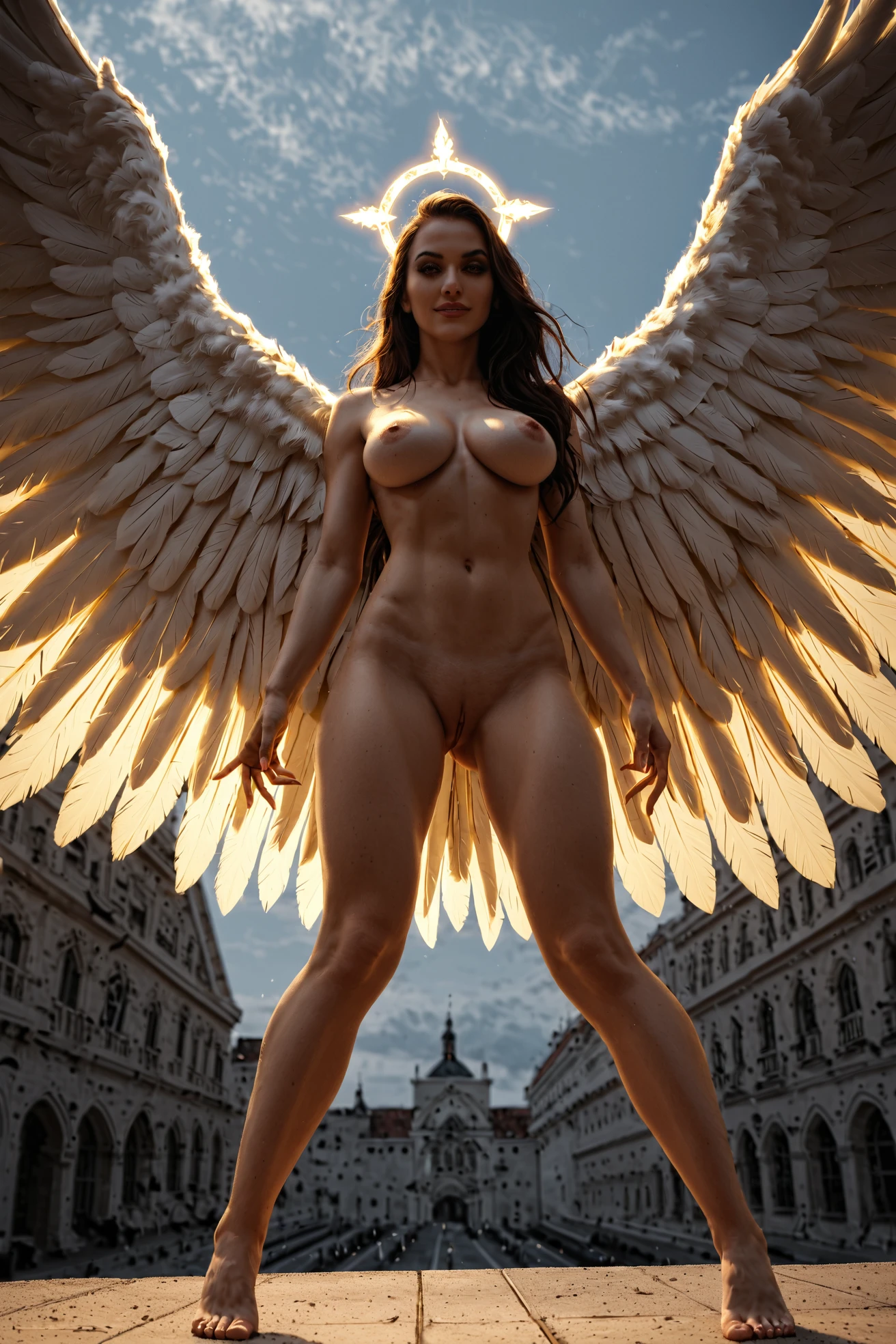
Two elements define this category, and both have to be visible: white wings and a halo. That is the whole rule. A figure shown with white feathered wings and a glowing halo reads as an angel; drop either one and the image no longer belongs here. Neither can be swapped for something else — no wings, no halo, no angel. Everything else in the scene is free to change, but those two anchors stay put.
A Prompt You Can Try
If you like to see what the system is working from, here is the tag-style prompt that drives an angel generation:
Tag form (Pony/booru):
```text
angel, white feathered wings, glowing halo, slender graceful body, medium breasts, heavenly clouds, divine light rays, fantasy setting, floating pose, legs gently parted, exposed pussy, serene smile, soft golden glow, ethereal lighting, looking at viewer, long blonde hair, completely nude, holy atmosphere
```
You don't need to type any of this in. It's here so you can see the shape of what runs behind your category pick.
Running an Angel Generation
1. Open the Generate page and choose the "angel" category.
2. Start generating. The platform builds the prompt from your pick — there is no prompt box to fill in — and returns WebP images at 1312x1968.
3. Finished results land in your gallery, where you can keep the ones you like.
From the Angel Gallery
angel example 1
angel example 2
angel example 3
angel example 4
angel example 5
angel example 6
angel example 7
angel example 8
All eight sit in the angel gallery. If you want only photoreal results, the realistic angel style narrows the set to that look.
Scenes and Framing
Within the two fixed anchors, there is real room to move. Wings can read as classic feathered forms or as softer, more abstract glowing shapes. The heavenly cue steers the light toward a warm, diffuse glow rather than flat daylight, and the setting can lean into clouds, rays, and an ethereal backdrop. Framing is yours to choose — crop in tight on the feather texture, or pull back wide for the full celestial scene. Wardrobe, when present, sits in a supporting role: it works best kept in the ethereal register and clear of the wings and halo so both stay in view.
A Few Working Habits
- Reach for the on-theme keywords the category leans on — angel, angel wings, heavenly — to keep the mood coherent.
- Sticking to one AI model gives the system a fixed face to hold onto and tends to bring back more consistent results.
- Generate in batches and keep your favorites; the throwaways cost you nothing.
Angel Next to Its Neighbors
A quick contrast with the categories angel tends to sit beside:
Category What it actually is
--- ---
angel (this guide) as an angel with white wings and a halo
lingerie delicate black lace lingerie with garters
cop in a sexy police uniform with cap and belt
nurse in a sexy nurse uniform, white outfit with a red cross
Combining Angel With Other Looks
Angel plays nicely alongside most options, and where it does brush up against another wardrobe choice, the friction stays mild — a bikini is the gentlest of those overlaps.
Where It Goes Wrong
Almost every miss traces back to the same thing: the defining pair isn't fully there. If the wings, the halo, or the heavenly glow around them goes missing, the image stops reading as an angel and won't count for the category. Keep both anchors visible and the rest takes care of itself.
Frequently Asked
Q: Why do some of my angels come out with abstract, glowing wings instead of clean feathers?
Both are valid within the category — wings can render anywhere from classic feathered forms to softer glowing shapes. Generate a few and keep the version that reads the way you want.
Q: Can I add a male partner to an angel scene?
The default scene has none. To include one, switch on the male-partner toggle in the generator.
Q: Do I have to write the prompt myself?
No. Picking the angel category is enough — the platform composes the prompt for you, and there is no prompt box to fill in.
Q: Can I control how tight the framing is?
Yes. Nothing forces a fixed crop, so you can lean toward close, wing-texture shots or wider celestial scenes across a batch.
More Guides
Close neighbors worth a look:
You'll find the full set on the blog index. Ready to try it? The angel generator is one click away.