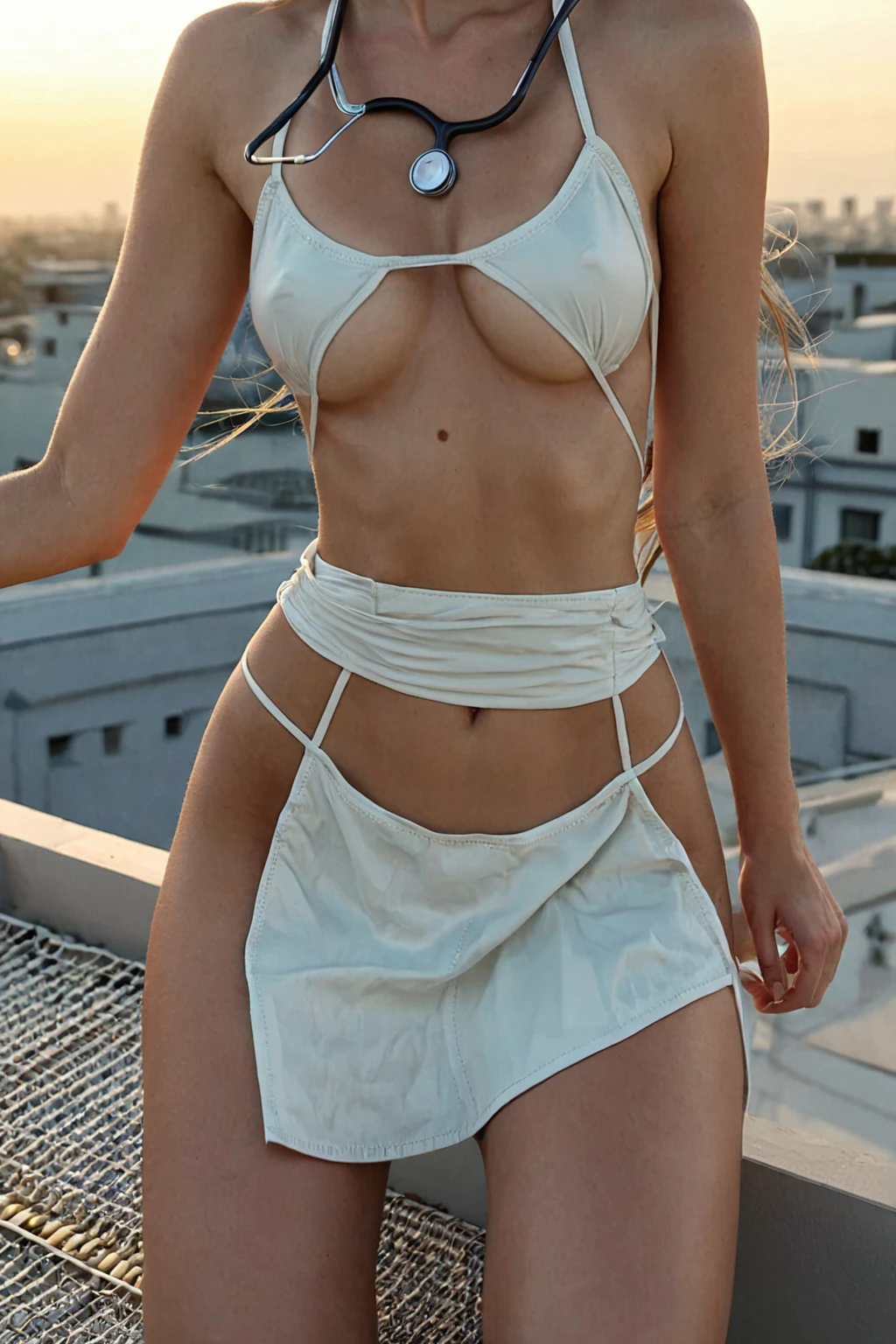

How to Generate Nurse AI Images — Complete Guide
Starched cotton, a hemline that stops well short of the knee, a stethoscope catching the light across the collarbone. The nurse look is one of a handful of costumes the eye identifies in about a quarter of a second, and that instant read is exactly why it holds up as a generated category. Nothing has to be described. Nothing has to be phrased carefully.
Ready to try it? Open the AI nurse generator. For background on the subject itself, see Nurse uniform on Wikipedia.
You select it on the Generate page and the wardrobe arrives assembled — the same theme, image after image, while everything around it moves. This guide covers what the category actually promises, how it behaves next to the outfits it gets confused with, and the one failure that accounts for most disappointing results.
Nurse, Precisely
The definition is short on purpose: a sexy nurse uniform, white, with a red cross. That is the whole contract. The uniform is the one element the category insists on — an image that does not show it is not a nurse image, no matter how medical the room looks.
Everything else floats. Pose, framing, expression, hair, lighting, background: all of it varies freely from one generation to the next, and none of it changes whether the result belongs to the category. Bright, clean light pushes the clinical side of the fantasy. Warmer, softer light pulls the same garment somewhere more intimate. Both stay inside the lines.
The narrowness is a feature. A category built on a mood gives you drift; a category built on one garment gives you thirty images that all read the same way at a glance.
Example Images from the Nurse Gallery
nurse example 1
nurse example 2
nurse example 3
nurse example 4
nurse example 5
nurse example 6
nurse example 7
nurse example 8
nurse example 9
nurse example 10
nurse example 11
nurse example 12
nurse example 13
nurse example 14
nurse example 15
nurse example 16
Sixteen frames, sixteen different poses and rooms, one garment holding them together. All 30 examples sit on the nurse category page, and if you only want the grounded, photographic end of the range there is a photoreal cut of the same category.
Getting a Nurse Image Out
1. Open the Generate page and pick nurse. You can pick more than one category in the same run — see the combination notes below.
2. Start the generation. There is no phrasing step and no settings to tune first.
3. Results land in your gallery on their own. Each one is a WebP file at 1312x1968, sized for saving or sharing without an export step.
A single image costs 15 credits. Sets are cheaper per frame — 68 credits for five, 120 for ten — and since nurse is a pose-flexible category, a set is usually the better buy: you get a real spread to choose from in one pass instead of judging the theme off one frame.
Working Prompt Examples
You never type any of this yourself. It is worth seeing anyway, because it explains why the category behaves the way it does.
What nurse contributes to a generation is a single wardrobe clause:
```text
in a tight white nurse uniform with stethoscope and short skirt
```
Read it as five concrete instructions rather than a sentence. It names the garment, its colour, its fit, one accessory, and one hemline — all of them visual, none of them mood words like "sexy" or "beautiful" that add nothing an image can show. The stethoscope is the quiet workhorse in that list. The uniform is what the category requires, but the stethoscope is what stops a white dress from reading as a white dress.
The clause is an add-on, which is the useful part: it attaches to whatever scene you pair it with. Pick nurse alongside bathing, and the scene supplies the setting —
```text
a young woman submerged in a luxurious bubble bath, only her bare breasts and shoulders visible above the suds, head tilted back in relaxation, soft candlelight and steam
```
— while nurse supplies the wardrobe, so the two arrive joined:
```text
a young woman submerged in a luxurious bubble bath, only her bare breasts and shoulders visible above the suds, head tilted back in relaxation, soft candlelight and steam, in a tight white nurse uniform with stethoscope and short skirt
```
Pair it with ass-slapping instead and the same clause rides a completely different composition:
```text
a young woman alone bent over with her ass raised, one of her own hands resting on her cheek, a faint pink handprint visible, looking back over her shoulder with a playful expression, full body visible, bright soft lighting, female alone in frame, no other people
```
That is the whole mechanism. Choose the scene you want, add nurse, and the uniform comes along.
Nurse vs Its Neighbours
The categories nurse gets mixed up with are the other single-garment costumes, and it helps to know exactly which item each one locks onto:
Category What it actually is
--- ---
nurse (this guide) in a sexy nurse uniform, white outfit with a red cross
lingerie delicate black lace lingerie with garters
cop in a sexy police uniform with cap and belt
secretary as a sexy secretary, tight pencil skirt and unbuttoned blouse
None of these is a "sexy professional" vibe. Each is one specific outfit. So when a result you meant as nurse comes back looking like secretary — blouse, skirt, no cross — you are not looking at a random miss, you are looking at wardrobe drift, and the fix is picking the category that owns the garment you actually wanted.
Combination Notes
Nurse sits comfortably beside the other costume categories: angel, bikini, bodysuit, bride, bunny-girl, cat-girl. Nurse-meets-bunny-girl or nurse-meets-angel tends to produce a genuine hybrid rather than a mess, because those wardrobes borrow from each other instead of fighting.
One thing to know before you stack: if you pick two outfit categories, only the first one shows up in the image. Choose your primary theme first and treat the second pick as an accent — that ordering is doing real work, not decoration.
Scenes are solo unless you decide otherwise. The generator carries an explicit male-partner control, which is worth switching on if you are after a bedside-visit or doctor's-office setup rather than a portrait.
Where Nurse Generations Go Wrong
Almost every bad nurse result has the same cause: the uniform is not clearly visible. The category counts an image only when the garment can be identified, so a frame where a pose, a tight crop, or heavy shadow hides the front of the outfit does not get filed under nurse at all.
Two practical consequences. First, if results feel inconsistent, try a more front-facing pose or wider framing before you conclude the category is at fault — it is a visibility problem far more often than a theme problem. Second, do not sit there tweaking a near-miss. Regenerate. Nurse is strict about the uniform, and a fresh frame beats rescuing a bad one.
The other recurring miss is the medical read going soft. A white outfit with no stethoscope in sight drifts toward generic dress, and the clinical cue evaporates with it. Setting matters here too: exam rooms, hospital corridors, an on-call room, a supply closet, or a plain white backdrop all reinforce the theme, while a beach or a nightclub actively works against it even when the outfit is technically present.
Things Worth Knowing
If I pick nurse and change nothing else, what do I get?
A woman in the category's uniform, framed as a medical fantasy rather than a woman who happens to be wearing white. Pose, room, and lighting change every run; that defining look does not.
Can I combine nurse with another outfit category?
Yes, and angel, bikini, bodysuit, bride, bunny-girl and cat-girl all blend well with it. Just remember that when two outfits are selected, the image shows the first one you picked.
My result has no visible uniform. What went wrong?
Usually the framing. A crop, a turned-away pose, or a dark shot that swallows the front of the garment leaves nothing for the category to hold onto. Front-facing and a little wider, then generate again.
Can nurse go into a non-medical scene?
It can — the wardrobe clause attaches to whichever scene you pair it with, as the bathing example above shows. Just expect a scene that fights the clinical read to look like a costume in the wrong room, because that is what it is.
Further Guides
The nearest neighbours, each with the same treatment:
- How to generate lingerie AI images
- How to generate cop AI images
- How to generate secretary AI images
Every category guide is listed on the blog index.