
How to Generate Cop AI Images — Complete Guide
Dark navy twill, a silver badge catching the light, the weight of a loaded duty belt riding low on the hip — this is a look built almost entirely out of hardware and texture, and that is exactly what makes it fun to render. The cop category on AINudeGirls leans into structured fabric and metal detail, the kind of wardrobe that reads instantly the moment it lands on screen.
You never write or edit a single line of prompt text here. You choose the category, the platform assembles the prompt, and it renders the result. Your job is picking the category and, if you want, a couple of scene options — everything after that is handled for you.
The cop category is live in the generator. Here's how to get the most out of it.
What Cop Means Here
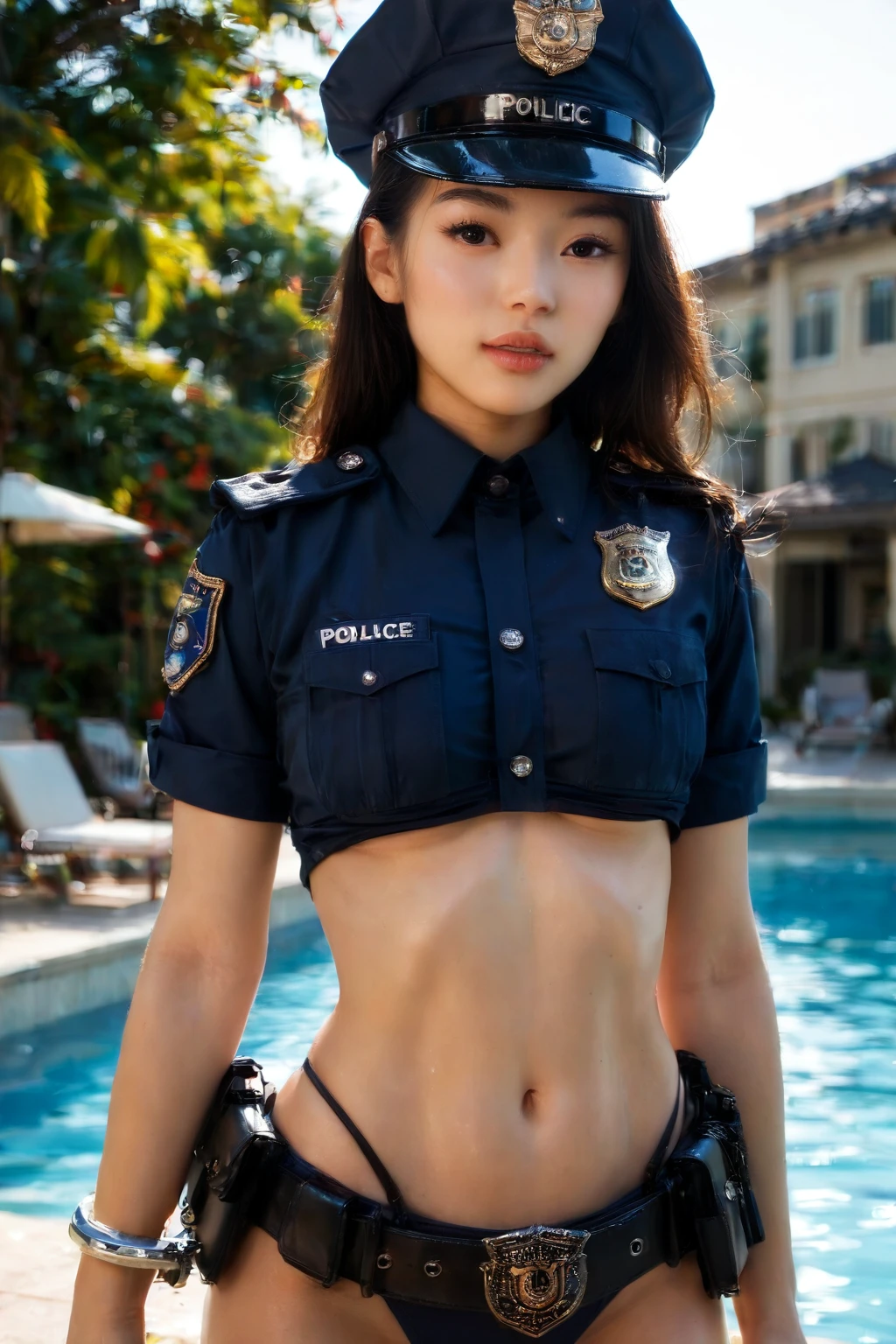
At its core this category delivers a person in a sexy police uniform that includes a cap and a belt, shown clearly. That's the whole brief: the uniform is the star, and the cap and belt are non-negotiable pieces of it.
You are not being asked to recreate a real police force. No genuine badge numbers, no patrol cars, no procedural realism — the emphasis stays seductive rather than documentary. What matters is that the uniform, the cap, and the belt come through cleanly in the frame.
Example Prompt to Try
The platform writes the prompt, but it helps to see what a fully specified cop look actually contains. The clause below builds an authentic dark navy uniform shirt with a silver badge and shoulder patches, a black duty belt carrying handcuffs and a radio, and a police cap on top — with the shirt left partially unbuttoned.
Modifier clause:
```text
(wearing an authentic dark navy police uniform shirt with a silver badge, shoulder patches, a black duty belt with handcuffs and radio, a police cap:1.3), uniform shirt partially unbuttoned
```
Running a Cop Generation
1. Pick the cop category on the Generate page. That kicks off the automatic prompt build.
2. Want a male figure in the frame? Flip on the male-partner toggle — the default scene has none.
3. Hit generate. You'll get a 1312x1968 WebP dropped into your gallery, ready almost immediately.
Example Images from the Cop Gallery
cop example 1
cop example 2
cop example 3
cop example 4
cop example 5
cop example 6
cop example 7
cop example 8
cop example 9
cop example 10
cop example 11
cop example 12
cop example 13
cop example 14
cop example 15
cop example 16
There are 30 examples in the full cop gallery, and if you want a strictly photoreal take you can switch to the realistic cop style.
Playing With the Scene
Within that defining wardrobe, you've got room to move. Framing is yours to set: shoot tight to dwell on the badge, the buttons, and the belt hardware, or pull back to a full-body shot that takes in the whole outfit. Either way the cap and belt need to stay in view.
Lighting is another dial. Cool, hard tones give you a crime-scene edge; warmer light reads more like a sunset patrol. These shift the mood while leaving the uniform itself intact.
The category also responds to how you name the subject. Words like *police*, *cop*, and *officer* all point at the same authoritative, law-enforcement register, while *policewoman* steers toward a female subject with the wardrobe matched accordingly. Whichever you reach for, the police uniform stays at the center of the image.
A Few Working Tips
- Reach for concrete terms — *police*, *cop*, *officer*, *policewoman* — rather than vague stand-ins.
- When you layer subject, style, and quality terms together, let the category's own keywords lead.
- Stick to one AI model if you want steadier, more consistent law-enforcement figures.
- Run a batch and cherry-pick the frames that land best.
- Steer clear of negatives that quietly contradict *police* or *officer* — they pull the character off-model.
How Cop Differs From Its Neighbors
It's easy to blur the cop look with other uniform and outfit categories, so here's a quick side-by-side of what each one actually delivers:
Category What it actually is
--- ---
cop (this guide) in a sexy police uniform with cap and belt
lingerie delicate black lace lingerie with garters
nurse in a sexy nurse uniform, white outfit with a red cross
secretary as a sexy secretary, tight pencil skirt and unbuttoned blouse
Combining Cop With Other Outfits
Cop lives in the outfit family alongside picks like angel, bikini, bodysuit, bride, bunny-girl, and cat-girl. These don't stack on one body — if you select cop plus one of the others, only your first pick actually renders, so choose the one you want on screen.
Where It Tends to Go Wrong
Most misses come from an incomplete uniform. If the dark navy shirt, the silver badge, the shoulder patches, or the black duty belt go missing — or the handcuffs, radio, and cap get dropped — the result stops reading as the category at all. The shirt also needs to be partially unbuttoned. When a generation piles on unrelated elements instead of nailing that defining kit, it won't match what this category is meant to look like.
Frequently Asked
Do I need a real badge number or a specific department?
No. There's no requirement for genuine badges, patrol vehicles, or any real force — the look is about the uniform, not procedural accuracy.
Can I keep it to a tight close-up instead of a full-body shot?
Yes. You can frame close to feature the uniform's details or go full-body to show the whole outfit, as long as the cap and belt stay visible.
How is this different from the realistic cop style?
This category is the standard cop look; the realistic cop style is a photoreal-only version. Pick whichever finish you're after.
More Guides
Closest neighbors to this one:
- How to generate lingerie AI images
- How to generate nurse AI images
- How to generate secretary AI images
Every category guide is indexed on the blog index. When you're ready, open the AI Cop Generator and run your first one.