
How to Generate Secretary AI Images — Complete Guide
Silk, not cotton. A skirt cut close enough to read as tailored rather than casual, and a blouse with two or three buttons already given up on. That is the entire secretary category on AINudeGirls, and it is narrower than most people assume — the desk, the blinds and the coffee cup are set dressing, not the category. Select secretary in the generator and the wardrobe comes with it. What follows is how that look is actually assembled, what you can steer around it, and which combinations quietly undo it.
Ready to try it? Open the AI secretary generator.
Secretary at a Glance
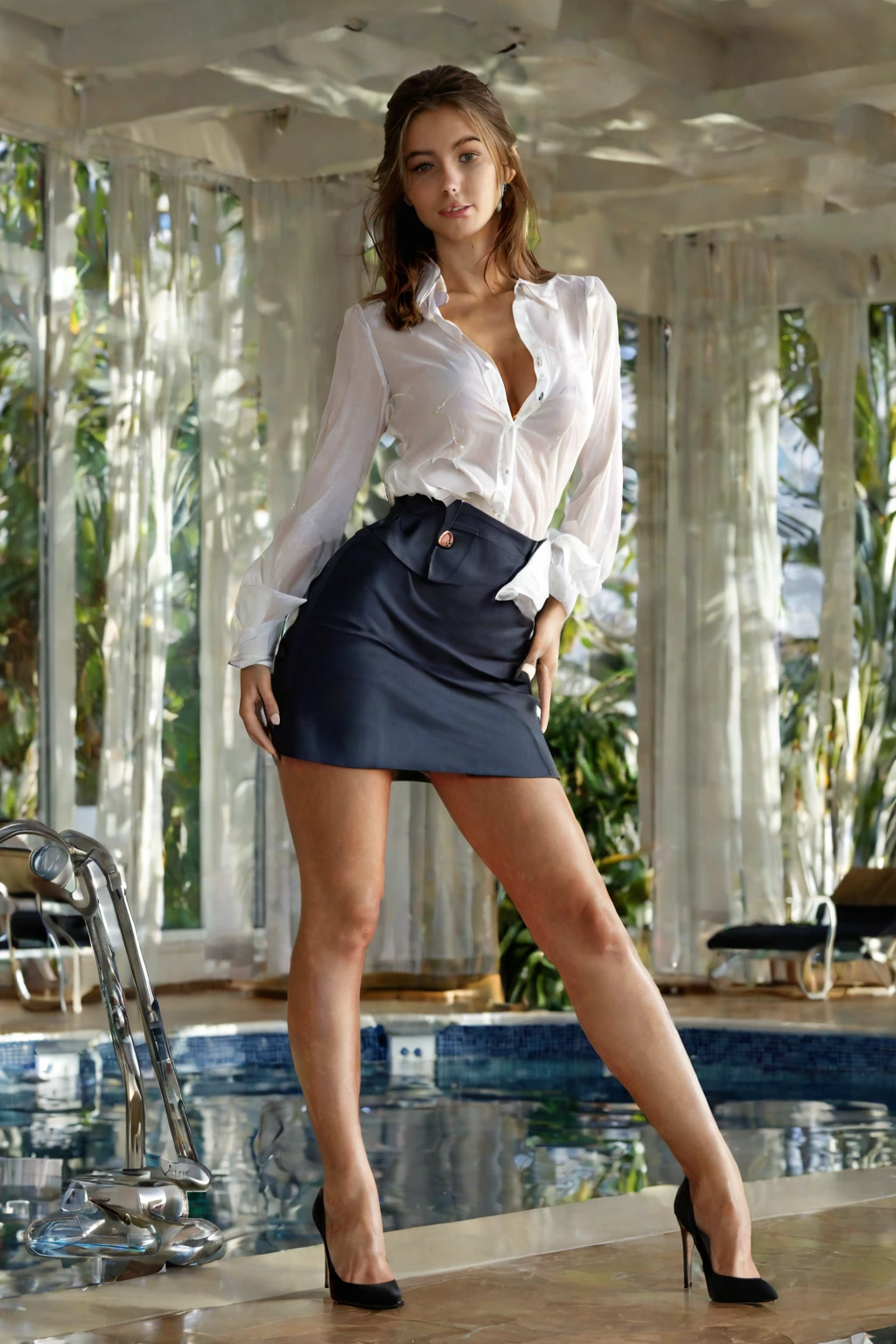
Two garments carry this category: a tight pencil skirt and a silk blouse worn partially unbuttoned. Both need to be visible in frame. Miss either one and you have an office picture, not secretary content.
The material matters as much as the cut. Silk catches light in soft vertical highlights down the front of the blouse, which is why the unbuttoned placket reads so clearly even in a wide shot; a matte cotton shirt in the same pose flattens into ordinary workwear. The skirt does the opposite job — it holds a hard, straight silhouette from waist to knee, and that contrast between structured lower half and loosened upper half is the whole visual argument of the category.
This is also the line between secretary and plain business attire. A blazer over a buttoned collar reads as competence and nothing else. Secretary is deliberately the inverse: a controlled environment, an uncontrolled neckline. Everything else in the shot — the chair, the window light, the laptop pushed aside — supports that, but none of it defines it.
secretary example 1
secretary example 2
secretary example 3
secretary example 4
secretary example 5
secretary example 6
secretary example 7
secretary example 8
secretary example 9
secretary example 10
secretary example 11
secretary example 12
secretary example 13
secretary example 14
secretary example 15
secretary example 16
Thirty examples sit on the secretary gallery. If you only want the photoreal end of the set, the realistic cut of the category filters out everything else.
Step by Step
1. Open the Generate page and pick secretary. You can pick more than one category — see below for which pairings hold together.
2. Start the generation. Results land in your gallery.
3. Every image comes back as WebP at 1312x1968, ready to use as-is.
A single image costs 15 credits. Sets are cheaper per image: 68 credits for five, 120 for ten. Video costs 250 credits.
Because framing varies a lot inside this category, a set of five is usually the better first move — you get the candid version and the composed version in one pass instead of guessing which one you wanted.
What Gets Fed In
You never write the wardrobe out by hand. Selecting secretary contributes exactly one clause to the scene:
```text
in tight business secretary attire with pencil skirt and silk blouse partially unbuttoned
```
Read it as three instructions stacked. "Tight business attire" sets the fit and the register. "Pencil skirt" fixes the silhouette. "Silk blouse partially unbuttoned" carries both the material and the single deliberate flaw in the outfit. Drop any one of the three and the look stops being this category.
That clause is all secretary supplies. The pose, the room and the framing come from whatever you select alongside it — which is why the same wardrobe can read as a stolen moment at a filing cabinet or a composed portrait against a skyline window.
The category's own keywords tilt that framing too. Office lady pulls toward a lived-in workspace and a candid, caught-between-tasks feel. Business woman pulls toward composure and authority: a corner office, a direct look at the camera. Either way the skirt and the blouse stay put; only the mood around them moves.
Here is what the pairing looks like in practice. Select secretary alongside standing, and the scene half of the image arrives as:
```text
POV from behind a young woman alone standing with one leg lifted onto a chair, hands braced on the chair back, looking back at the camera with a hungry expression, full body visible, bright soft three-quarter angle lighting, female alone in frame, no other people
```
The chair, the braced hands and the three-quarter light are all scene. The clothing is still yours. Select secretary alongside squirting instead, and the scene changes completely:
```text
a young woman lying spread-eagle on white sheets in mid-squirting orgasm, both legs wide open, (a powerful fountain of clear fluid jetting high out of her completely shaved smooth pink pussy, explosive squirt spray, gushing female ejaculation soaking the sheets, droplets frozen mid-air:1.3), her back arching violently, intense intimate full-body low-angle shot with the squirting pussy in sharp focus, bright soft lighting, female alone in frame, no other people
```
Same wardrobe clause, entirely different picture. That is the whole composition model: one category brings the outfit, another brings the situation.
Neighbouring Categories
The categories secretary sits closest to, and what each one actually puts on screen:
Category What it actually is
--- ---
secretary (this guide) as a sexy secretary, tight pencil skirt and unbuttoned blouse
lingerie delicate black lace lingerie with garters
cop in a sexy police uniform with cap and belt
nurse in a sexy nurse uniform, white outfit with a red cross
What to Select Alongside
Secretary is a wardrobe category, so it stacks cleanly with anything that describes a pose, a setting or an act — standing, squirting and their neighbours all leave the outfit alone.
What it does not stack with is other wardrobe. Angel, bikini, bodysuit, bride, bunny-girl and cat-girl each want to dress the same body. Pick two outfits and only the first one shows up; the second is simply ignored, which usually reads as a generation that "didn't apply" your second choice when in fact it never could.
One more thing worth knowing before you plan a set: secretary renders her alone. No male partner appears in these scenes, and multi-person compositions are switched off for this category.
Failure Modes
The recurring mistake is treating secretary as an atmosphere. Desk, blinds, warm afternoon light, the right expression — and still not secretary content, because the pencil skirt is out of frame and the blouse is buttoned to the collar. Pose does not substitute for wardrobe.
The second is crowding the wardrobe out with detail. If you stack a long list of setting and mood choices on top of the category, the clothing description has to compete with all of it for the same frame. Keep the additions to the things you actually care about — a location, a pose, a light quality — and let the category do the dressing.
The third is a framing problem rather than a wardrobe one. Tight head-and-shoulders crops cut the skirt out entirely, which leaves only half the silhouette doing the work. Anything from mid-thigh up keeps both garments in play.
Questions People Actually Ask
Q: What is she wearing if I pick secretary and nothing else?
A tight pencil skirt and a silk blouse left partially unbuttoned. That is the default and it needs no extra input from you.
Q: I picked secretary and bikini and got no bikini. Why?
Both are outfits, and only one outfit can be worn. The first of the two you picked is the one that shows up. If you want the bikini, run it without secretary selected.
Q: Can I keep the same face across a whole set?
Yes — pick the same AI model and it holds her face steady while the wardrobe and framing still follow the secretary category.
Q: What do I actually get back, and what does it cost?
A WebP file at 1312x1968. One image is 15 credits; five cost 68 and ten cost 120.
Where to Go Next
The nearest categories, each with its own guide:
Every category guide is indexed on the blog. To start building a set now, open the secretary category or go straight to the generator.