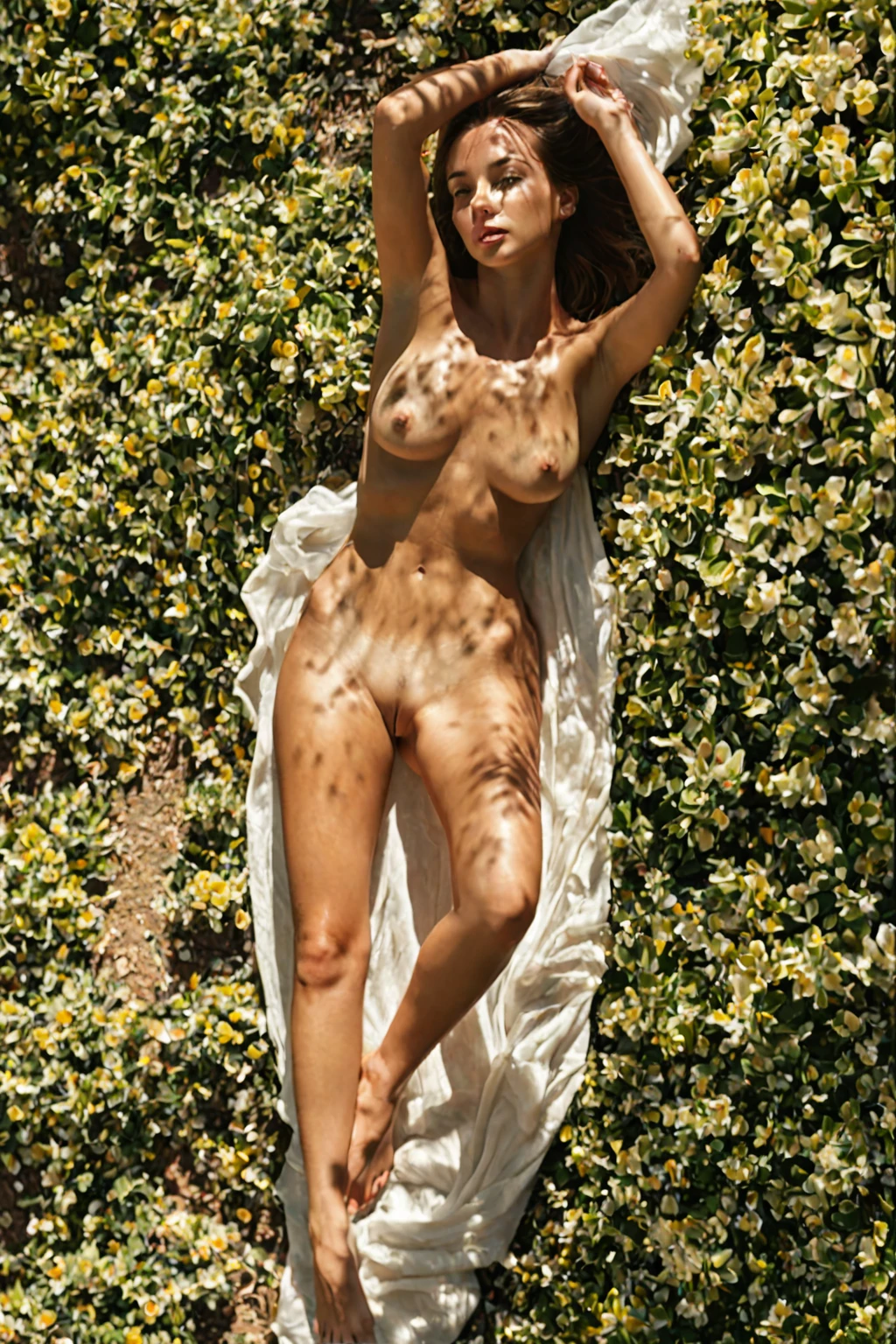

How to Generate Film Grain AI Images — Complete Guide
Grain is the one texture that sits on top of everything else in the frame. It rides over skin, over fabric, over the wall behind the subject, and it changes how all three read. Warm it up and a plain bedroom starts to look like something shot on a roll of film somebody found in a drawer. That is the whole appeal of the film grain category on AINudeGirls, and it is why this one behaves a little differently from the categories that describe a place or an act.
For background on the subject itself, see Film grain on Wikipedia.
You pick it from the film grain category page or straight from the generator. The wording that goes to the image model is assembled for you.
Film Grain, Precisely
The defining look is an analog film-grain texture: a grainy, filmic surface across the whole image, warmed by a vintage colour palette. That grain has to be visible. An image that comes out clean and digital, however good it looks otherwise, is not a film grain image — the texture is the category, not a garnish on it.
Everything else follows from that. Light tends to sit soft and diffused rather than crisp, because that is how film behaves. Framing runs a touch looser than a modern studio crop. Wardrobe and colour read warm rather than clinical.
film grain example 1
film grain example 2
film grain example 3
film grain example 4
film grain example 5
film grain example 6
film grain example 7
film grain example 8
film grain example 9
film grain example 10
film grain example 11
film grain example 12
film grain example 13
film grain example 14
film grain example 15
film grain example 16
Thirty examples sit in the film grain gallery if you want to see the range. There is also a photoreal-only cut of the same category worth comparing against.
Generating Your First Film Grain Image
1. Open the Generate page and pick film grain from the categories. You can select more than one category — that is the intended way to use this one.
2. Start the generation. Results land in your gallery as WebP files at 1312x1968.
3. Look at the surface before you look at anything else. If the grain is there, the rest of the frame usually followed it.
A single image costs 15 credits. Sets are cheaper per image: five for 68 credits, ten for 120. If you are hunting for a particular grain-and-light combination, the ten-set is the sane way to do it, because grain reads differently against different backgrounds and you want the spread.
Example Prompt Material
Film grain does not describe a scene. It describes a finish — so its entire contribution to the assembled prompt is one clause:
```text
analog film grain texture with vintage warm color palette
```
Two halves, two jobs. *Analog film grain texture* is the surface itself, the thing that must be visible for the image to count. *Vintage warm color palette* is what keeps that grain from reading as digital noise: warm, slightly faded colour is what makes the eye file the texture under "film" rather than "bad sensor".
You never type that clause. You pick the category, and the platform drops the clause into whatever scene the rest of your selections describe. So the useful question is what you pair it with. Choose film grain alongside flashing, and the scene half comes out as:
```text
a young woman in a public setting lifting her dress to flash her bare breasts and shaved pussy at the camera, mischievous grin, sharp daylight, intimate exhibitionist moment
```
Grain over sharp daylight is the classic street-photography combination — the hard light gives the texture something to bite into. Pair it instead with footjob and the scene half reads:
```text
POV full-body shot of a young woman alone lying back with her soft bare feet raised toward the camera, painted toenails prominent, looking down at her own feet with an amused smile, full body visible, bright soft lighting, female alone in frame, no other people
```
Different problem, same rule: bright soft lighting plus grain is the softer, more nostalgic end of the look. Pick the scene for what happens, pick film grain for how it feels.
Close Calls
Three categories get confused with this one, and it is worth knowing exactly where each diverges:
Category What it actually is
--- ---
film grain (this guide) analog film-grain texture, grainy filmic look
artistic nude tasteful artistic fine-art nude
studio professional photography studio, seamless white backdrop, softbox
cinematic cinematic film-still composition, dramatic mood lighting
The nearest miss is cinematic, which people reach for when they want "film". But cinematic is about composition and dramatic lighting — a frame that looks pulled from a movie. Film grain is about the physical surface of the image. Studio pulls the opposite way entirely: clean backdrop, controlled softbox light, nothing faded about it.
Combination Notes
This category is a finish, so it layers over almost anything. The one pairing to think about is portraiture. Grain covers the entire frame, faces included, and in a tight close-up it will eat fine facial detail. When a portrait-type category is in play, the face is kept clear and the grain settles into the background instead — you still get the texture, just not across the eyes and mouth.
Beyond that, it is an easy neighbour. Because it contributes a finish rather than a setting, it leaves the scene entirely to whatever else you picked.
Avoidable Mistakes
Treating grain as optional. If the finished image comes back clean, the generation drifted and you have a nice picture that is not a film grain picture. Regenerate rather than talking yourself into it.
Fighting the warm palette. The warm, faded colour is half of what sells the effect. Stack a category that pushes hard toward cold or high-contrast colour and the grain starts reading as noise instead of film.
Going too tight. Extreme close-ups are where that defining look does the least for you — there is not enough scene texture in frame for the grain to interact with. Looser framing, the kind vintage photography naturally used, gives it far more to work against.
Questions People Actually Ask
Will the grain show up on the whole image or just the background?
The whole frame, normally. The exception is a tight portrait, where facial detail is protected and the grain concentrates in the background.
Does film grain work with any other category, or only certain ones?
Any scene category, and that is the point of it. It supplies the finish; the other category supplies what is happening and where.
Is there a man in the frame?
No — film grain is a surface treatment, not a cast change, and no male figure appears by default.
Why does my film grain image look almost the same as a cinematic one?
Because you are probably judging by mood. Compare the surface at full size: cinematic gives you the composition and the dramatic light, film grain gives you visible texture and faded warmth.
Other Guides Worth a Look
The three categories most often paired or confused with this one:
- How to generate artistic nude AI images
- How to generate studio AI images
- How to generate cinematic AI images
Every category guide is indexed on the blog.