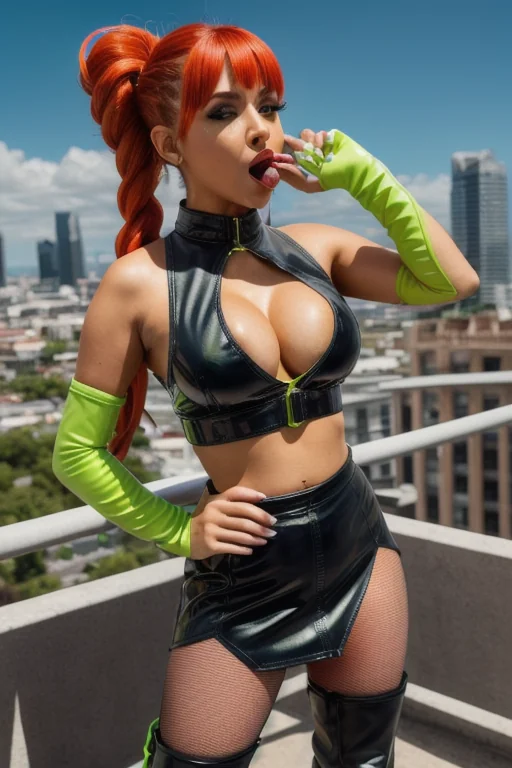

How to Generate Leather AI Images — Complete Guide
Leather here is a material spec, not a mood. Black, tight, studded — the same three things every single time you pick the category, which is exactly why it holds together across a whole set instead of drifting into vague biker-bar territory. You never describe any of it. You tick the category, start the run, and the wardrobe arrives already decided so your attention can go where it actually matters: how the light hits the hardware.
Browse the finished work on the **leather** category page, or go straight to making some in the generator.
The Leather Look
The category has one definition and it is short: a tight black leather outfit with metallic studs. Three traits, all load-bearing.
Tight reads as second skin — nothing draped, nothing oversized. Black is black, not brown, not burgundy, not distressed tan. And the studs have to be visible metal: rivets, grommets, rows of hardware catching light against a surface that otherwise stays matte. That contrast between dull leather and bright stud is the whole texture story of the category, and it is what separates a leather image from a generic dark outfit.
Narrow definitions get a bad reputation, but this one earns its keep. Because the wardrobe never moves, everything else in the frame becomes yours to play with.
leather example 1
leather example 2
leather example 3
leather example 4
leather example 5
leather example 6
leather example 7
leather example 8
leather example 9
leather example 10
leather example 11
leather example 12
leather example 13
leather example 14
leather example 15
leather example 16
That is 16 of the 29 images sitting in the full leather set. If you want the photoreal cut of the same wardrobe with the stylised frames filtered out, there is a dedicated realistic view.
Your First Run
1. Open the Generate page and pick leather from the category list. Add other categories if you want them; leave it alone if you don't. Start the run.
2. Nothing needs typing. The description is assembled for you from whatever you picked, and the finished images land in your gallery.
3. Look at what came back before touching anything. Framing, pose, lighting and expression are where the variation lives — the outfit itself will be identical.
If the first frame is not the one, regenerate rather than trying to argue with it. Since that defining look is locked, a second or third pass is a genuinely different shot at the angle you wanted, not the same image with a different seed of the same problem.
Prompt and Setup Reference
Leather contributes a single wardrobe clause to whatever scene you build. This is it, word for word:
```text
in tight black leather outfit with metallic studs
```
Read it as three instructions stacked in one line — fit (*tight*), material and colour (*black leather*), hardware (*with metallic studs*). Nothing about pose, nothing about setting, nothing about camera. That is deliberate: the clause is a costume, and it needs a scene to wear it into.
The scene comes from the other categories you select. Pick leather alongside a pose or expression category and the platform merges the two — for example, pairing it with all-fours puts that studded outfit into a scene built like this:
```text
a completely nude young woman on her hands and knees on rumpled white bed sheets in a softly-lit bedroom, her back deeply arched and her bare ass raised high toward the camera, she turns her head to look back over her shoulder with parted lips and a hungry inviting expression, her breasts hanging free beneath her, full body visible in a three-quarter rear view, warm golden window light rakes across her smooth skin highlighting every curve, intimate sensual atmosphere, female alone in frame, no other people
```
Note what that scene brings and leather does not: bedding, posture, eyeline, the raking window light. ahegao is the other frequent partner and works the same way — it supplies the face and the intensity, leather supplies the wardrobe. You are choosing categories, never composing sentences.
On settings, there is very little to decide. Every image comes back as WebP at 1312x1968, a portrait frame that happens to suit this category unusually well, since studs running from shoulder to thigh need the vertical room to read. A single image costs 15 credits; a set of 5 is 68 and a set of 10 is 120, which is the sensible way to buy yourself lighting variations. Video runs 250 credits.
Where Leather Ends and Others Begin
The categories people confuse with this one, and what each actually puts on screen:
Category What it actually is
--- ---
leather (this guide) tight black leather outfit with metallic studs
lingerie delicate black lace lingerie with garters
cop in a sexy police uniform with cap and belt
nurse in a sexy nurse uniform, white outfit with a red cross
Lingerie is the mix-up that actually happens, because at thumbnail size both read as "black and skin-tight". Up close they are opposites: lace is soft, sheer and translucent, leather is a solid surface with metal on it. If your result looks delicate, you have drifted into lingerie. Cop and nurse are uniform categories — they bring props and insignia rather than a material, so they sit further away than the shared black palette suggests.
Playing Well With Others
Leather is an outfit, and a subject can only wear one outfit at a time. If you pick leather together with angel, bikini, bodysuit, bride, bunny-girl or cat-girl, only one of them shows up — whichever you selected first. So when the studded look is the point, either run leather on its own or put it at the front of your selection. Combine it with poses, expressions, settings and moods instead; those stack cleanly.
Scenes are solo by default, with no male partner in frame. If you want one, switch on the male-partner toggle before starting the run; leave it alone and you get the outfit with nothing competing for attention.
A leather harness layered over the base outfit is the one wardrobe extra that fits, and it pushes the read harder toward strict fetish. Worth adding if that is the tone you want, easy to skip if it isn't.
Frequent Problems
Almost every disappointing leather result is a near-miss on the definition rather than a broken render. All three traits have to land together. A loose jacket with studs fails on fit. A tight black catsuit with no visible hardware fails on the studs. Studs on some other material entirely fails on both material and colour.
So when a batch feels slightly wrong, name which of the three is missing before concluding the category is off. Nine times out of ten the fix is another pass.
The other recurring complaint is flat, lifeless texture — and that is a lighting problem, not a wardrobe one. Hard side light is what makes leather look like leather: it exaggerates the gap between matte hide and reflective metal, and it carves the fit. Soft diffused light collapses that contrast and the studs stop reading as hardware. If your images look mushy, ask for a harder, more directional mood before you blame the outfit.
Quick Answers
Can I get leather in brown, oxblood or a distressed finish?
No. The category is black leather only — colour is part of its definition, not a variable.
How is this different from the lingerie category?
Material and hardware. Lingerie is delicate black lace with garters; leather is a rigid, matte-to-glossy surface with visible metallic studs. Sheer and soft means you have landed in lingerie.
Can I add a leather harness on top?
Yes. The harness is an optional layer over the base outfit and shifts the tone toward a bolder, stricter fetish look.
What actually changes between two runs of the same category?
Everything except the clothes. Camera angle, crop, pose, expression, lighting and mood all move; the tight black studded outfit does not.
Continue Exploring
The categories closest to this one, if you want to compare wardrobes:
Everything else we have written sits on the blog index.