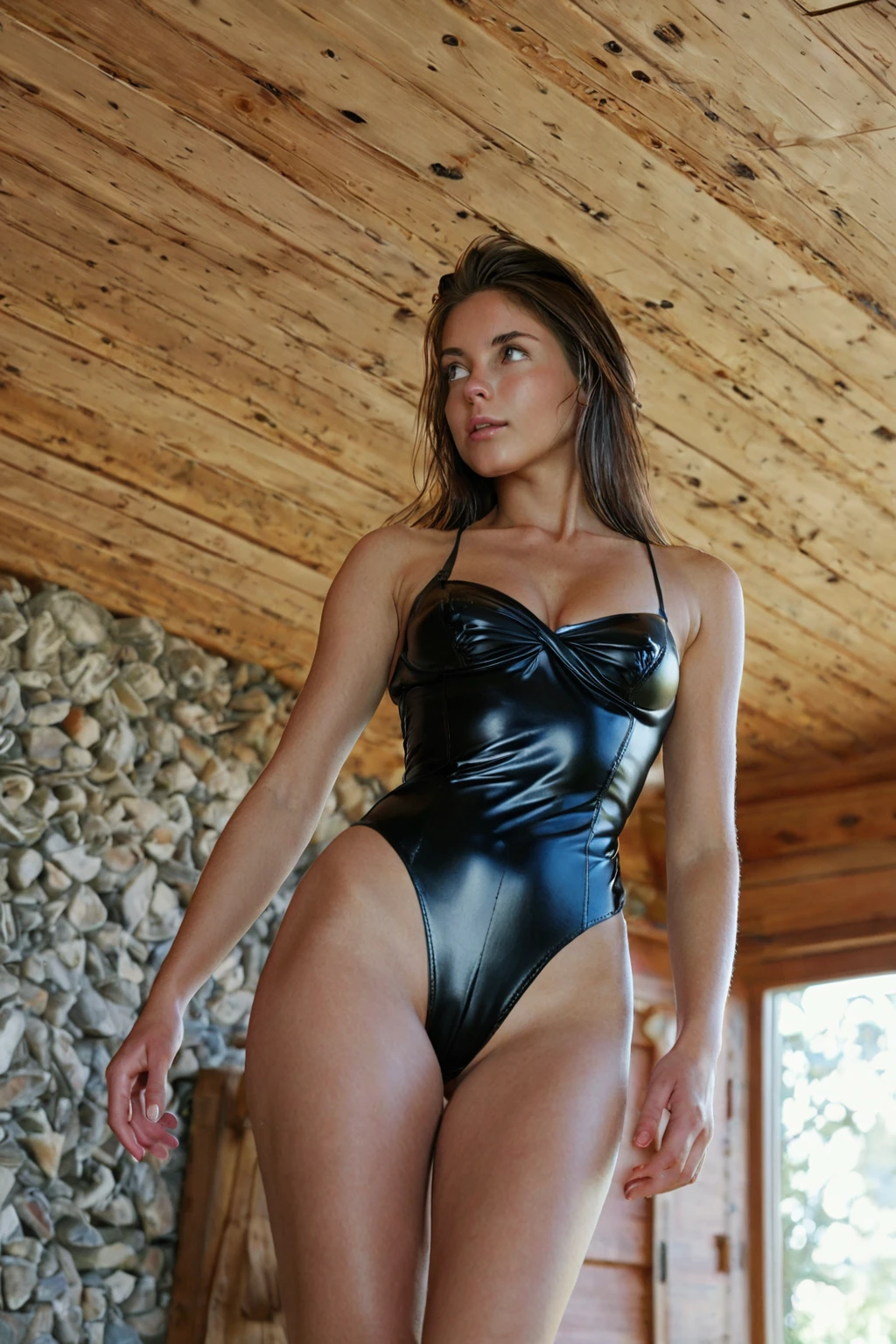

How to Generate Leather Outfit AI Images — Complete Guide
Leather lives or dies on light. Put flat, even illumination on a black leather jacket and it collapses into a silhouette — a dark shape where a garment should be, indistinguishable from vinyl, neoprene or heavy cotton. Give the same jacket one strong directional source and it comes back: the highlight runs the length of a seam, the surface tension shows where the body presses against it, and nobody has to ask what it's made of.
Ready to try it? Open the AI leather outfit generator.
That gap between a dark shape and a readable material is what this category is built around, and what this guide is about.
What Makes It Leather Outfit
On AINudeGirls the definition is narrow and deliberate: in a tight leather outfit. *Tight* is doing as much work as *leather*. The garment has to hold the body's line rather than hang off it, and the surface has to carry enough sheen that the material announces itself before anything else in the frame does.
Accents are welcome. Gloves, boots, a collar — none of that competes, as long as it doesn't outrank the main piece. Near-misses tend to arrive in one of two shapes: a loose coat over jeans, which reads as outerwear rather than as this category, or a dark garment lit so flatly that leather, vinyl and latex become interchangeable.
Sixteen frames from the live category, so you can calibrate against real output rather than a description:
leather outfit example 1
leather outfit example 2
leather outfit example 3
leather outfit example 4
leather outfit example 5
leather outfit example 6
leather outfit example 7
leather outfit example 8
leather outfit example 9
leather outfit example 10
leather outfit example 11
leather outfit example 12
leather outfit example 13
leather outfit example 14
leather outfit example 15
leather outfit example 16
There are 29 in the full set, and a photoreal-only cut if you want to skip the stylised renders.
How to Set It Up
1. Open the Generate page.
2. Select leather outfit. You can select more than one category — that's how a wardrobe and a scene get combined, and it's covered further down.
3. Start the generation. Finished images land in your gallery.
What comes back is a WebP at 1312x1968 — a portrait frame, which suits a head-to-hem garment better than a square would.
Costs are worth knowing before you commit: one image is 15 credits, a set of 5 is 68, and a set of 10 is 120. Sets get cheaper per frame, which matters more here than in most categories — see below.
At no point does this ask you to write anything. The category *is* the input.
Prompt Anatomy
Leather outfit is a modifier. It doesn't describe a scene; it contributes one wardrobe clause, and the platform composes that clause with whatever else you've picked. Here is the clause in full:
```text
wearing a tight black leather outfit shining under bright natural light
```
Every word is load-bearing, and it's worth reading left to right. *Tight* fixes the fit, which is the single trait most near-misses fail on. *Black leather* names the material outright instead of leaving it to be inferred from a colour. *Shining* asks for the specular highlight — the thing that separates hide from any other dark fabric. And *under bright natural light* hands that highlight a source to come from. Strip the lighting half and the sheen has nothing to work with, which is exactly how renders end up ambiguous.
Because it's only a clause, it needs a scene to live in. That's what a second category is for. Pick leather outfit alongside anal-toys, and the scene half comes from there:
```text
a young woman with an anal toy buried deep inside her, her ass raised and back arched, one hand pulling her cheek aside to expose the insertion, intimate rear view with soft lighting, female alone in frame
```
Pick it alongside anal instead and you get a different framing entirely:
```text
POV rear full-body shot of a young woman alone with her back arched and ass raised, looking back at the camera over her shoulder with parted lips, hands on her own hips, full body visible, intimate rear framing with bright soft rim lighting, female alone in frame, no other people
```
Neither half is something you type. You choose two categories; the wardrobe clause and the scene are joined for you.
Easily Confused With
Three neighbours get picked when leather outfit was the intent, or picked instead of it. What each one actually specifies:
Category What it actually is
--- ---
leather outfit (this guide) in a tight leather outfit
lingerie delicate black lace lingerie with garters
cop in a sexy police uniform with cap and belt
nurse in a sexy nurse uniform, white outfit with a red cross
The cop entry is the one that trips people most often, since a police uniform brings its own belt and boots and can look leather-adjacent without being this category at all.
Pairing Leather Outfit
Scene categories pair cleanly with this one, because they describe what's happening rather than what's worn. Other wardrobe categories don't. Angel, bikini, bodysuit, bride, bunny-girl and cat-girl all dress the subject, and if you pick two outfits only the first one shows up in the render. Nobody wears a leather catsuit and a bunny costume in the same frame, so the generator doesn't attempt a blend — it just uses one and drops the other.
Worth knowing before you plan a set: this category renders solo. It isn't built for two people in frame, and the male-partner toggle doesn't apply to it.
Frequent Problems
The fit comes back loose. This is the most common failure by a distance, and it's the one that turns a leather image into a coat image. If the garment would look the same on someone standing perfectly still doing nothing, it's too loose for the category.
The material reads as something else. Dim or diffuse lighting is almost always the cause. The render technically contains dark clothing, but nothing in the frame confirms what that clothing is made of. That defining look depends on light hitting a surface at an angle; take the angle away and vinyl, latex and leather all converge on the same flat grey.
One render isn't representative. Fold patterns and highlight placement vary more run-to-run here than they do on matte fabrics, simply because a reflective surface has more to get wrong. Generating a set of 5 or 10 rather than a single image is the cheap fix — you're paying less per frame anyway, and you get to pick the one where the light landed well.
A set drifts from image to image. If you want a look to stay recognisably the same across several generations, stick to one AI model and keep the frames that match instead of hoping consecutive runs agree with each other.
Asked and Answered
Q: What does this category actually put on the subject?
A tight leather outfit, form-fitting, with visible surface sheen. The garment is the dominant element of the shot rather than one component among several.
Q: Can I combine it with bodysuit, bride or another outfit?
Not usefully. Pick two outfits and only the first one appears — the second is ignored rather than merged. Pair leather outfit with a scene category instead.
Q: Why do my results sometimes look like vinyl or plastic?
Almost always lighting. Flat or dim light removes the highlight that identifies the material, and a dark garment without a highlight could be anything.
Q: What file do I get, and what does it cost?
A WebP at 1312x1968. A single image is 15 credits; 5 images cost 68 and 10 cost 120.
Related Categories
The closest neighbours, each with its own guide:
Every category guide is indexed on the blog.