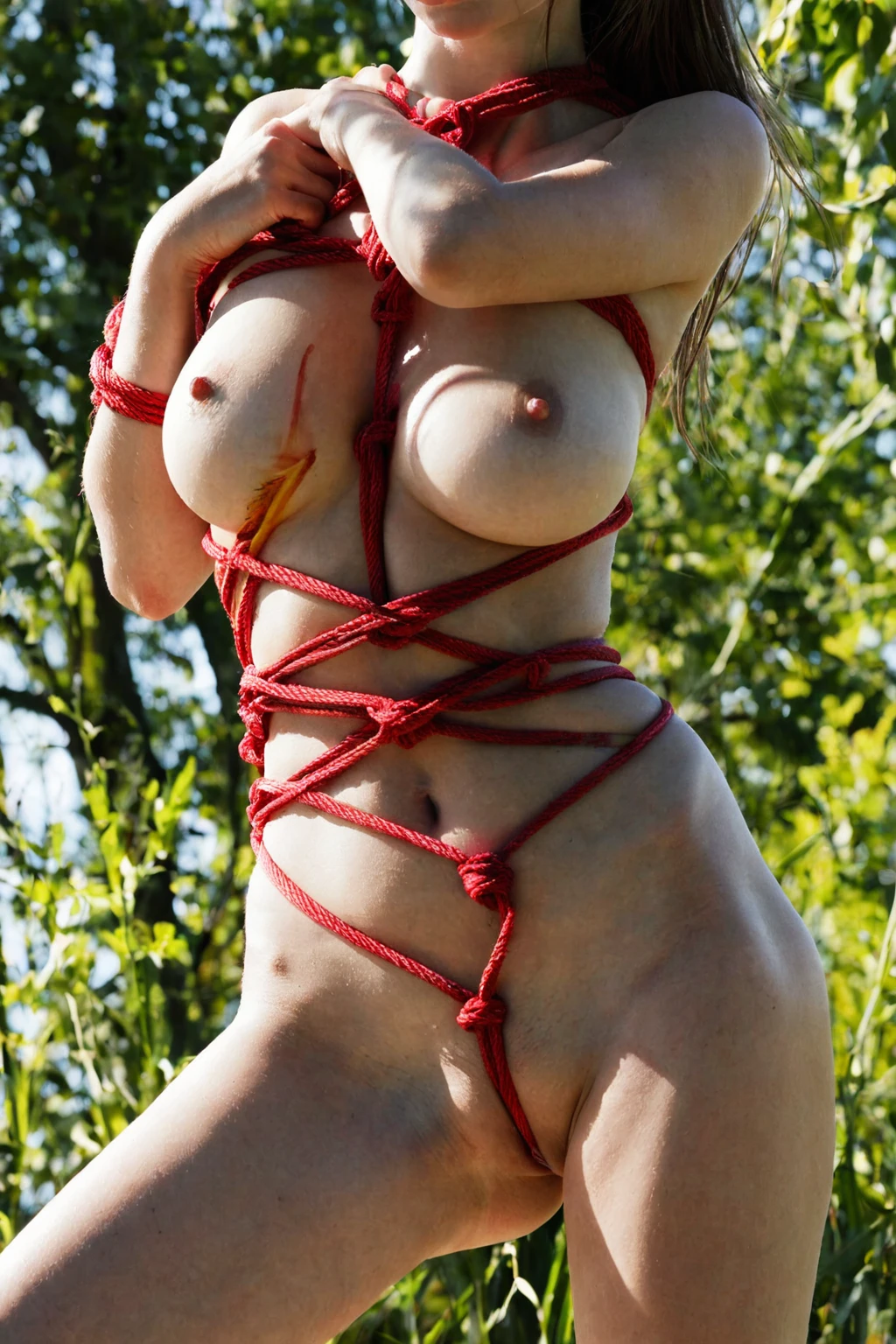

How to Generate Shibari AI Images — Complete Guide
Rope is a material before it is a subject. Jute catches the light along its twist, presses a shallow groove into skin at every crossing, and traps shadow in the gaps between coils — and that material, read closely, is the entire reason this category exists on AINudeGirls. Most "tied up" imagery treats rope as set dressing. Shibari treats it as the frame's leading detail, which changes how the body is lit, how much wardrobe survives, and where the eye lands first.
For background on the subject itself, see Japanese bondage on Wikipedia.
You pick the category. The generator carries the description, so there is no prompt to write and no dials to balance.
Everything below runs from the shibari category page and the generator.
The Shibari Look
Intricate Japanese rope bondage, with decorative knotwork arranged across her body. Two elements have to be legible in the frame for a result to count: the harness itself, laid out as a deliberate structure rather than a loop or two, and knots placed to be seen rather than tucked away. That is the defining look, and it is the yardstick for everything further down this page.
Material behaviour is what sells it. The fibre reads as fibre — you can see the ply, the fuzz along a worn length, the sheen where a coil turns toward the light. Tension is the other half: rope that sits *against* the body, taking up slack, marking where it crosses. Lighting in this category leans into both, dropping shadow into the channels between coils so the knots gain depth, and catching the sheen along the rope's length so the tie reads as craft.
Wardrobe stays minimal, and that is a decision rather than a shortcut. A harness needs skin to sit against; fabric would bury the one thing the whole category is organised around.
Within that, there is genuine range. Shibari and kinbaku pull the mood in different directions — the first more traditional and restrained, with cleaner, symmetrical rope paths; the second more elaborate and theatrical, rigging composed for effect. The keyword japanese rope tilts the framing toward the precision of the tie, favouring shots that read the knotwork closely over shots that take in the whole body. Quiet discipline at one end, ornate performance at the other.
Sixteen unedited outputs, straight from the category:
shibari example 1
shibari example 2
shibari example 3
shibari example 4
shibari example 5
shibari example 6
shibari example 7
shibari example 8
shibari example 9
shibari example 10
shibari example 11
shibari example 12
shibari example 13
shibari example 14
shibari example 15
shibari example 16
All 30 sit in the shibari gallery. The photoreal-only cut narrows it further if stylised results are not what you are after.
Running a Shibari Generation
1. Open the Generate page and pick shibari. You can select more than one category in the same run, which is how the platform builds a full scene — more on that below.
2. Start the generation. Results land in your gallery.
3. Open the result at full size before you judge it. Knotwork is the kind of detail that survives or dies at 100%, and a thumbnail flatters a sparse tie.
4. Work in small batches rather than singles. Knot placement and rope density shift from shot to shot, so choosing your favourite from five gives you a far better keeper than accepting the first.
The default scene is solo: her and the rope, nothing else competing for the frame.
Frequent Problems
The failure that actually costs people images is decorative draping. A few strands arranged for visual interest, no structure holding them, and the result looks like styling rather than rigging. The category is tuned to steer away from that, but it is still the thing to check first.
Look for slack. Rope that floats a millimetre off the skin, that crosses without pressing, that never marks anything — none of it will read as a real tie no matter how much of it is in frame. Real shibari has bite.
Then count the knots. Sparse knotwork drifts toward jewellery: pretty, incidental, anchored nowhere. Knots should sit at clear points along the harness and look load-bearing.
If a result fails any of those three, regenerate rather than talking yourself into it. It is the cheapest fix available.
Prompt and Setup Reference
You never type a prompt here, but it helps to know what your category pick contributes. Shibari's contribution is a single clause:
```text
intricately bound with red shibari rope bondage across her bare body
```
Read it in pieces. *Intricately bound* forces structure — the harness, not a loop. *Red shibari rope bondage* names both the palette and the tradition, which is what keeps the tie symmetrical and deliberate instead of improvised. *Across her bare body* sets coverage and explains the minimal wardrobe: the rope needs the whole torso to work with. Swap the colour in your head — black, white, natural jute-toned — and the palette shifts while the harness structure and body coverage hold.
That clause is a modifier, not a scene. It describes what is on the body, not where she is or what she is doing, which is why the platform composes it with a second category that supplies the setting. Pick shibari alongside dancing, and the scene half comes from there:
```text
a young woman in mid-sensual dance, body moving fluidly with arms raised overhead, hair flying, club lighting casting dramatic colored shadows on her exposed skin
```
Raised arms and coloured club light change how the harness reads — the chest lines stretch, and the shadows between coils go hard-edged. Pick shibari alongside deepthroat instead and you get the opposite register:
```text
POV full-body shot of a young woman alone with her mouth open and lips glistening, watery teary eyes looking up at the camera with a submissive expression, hands resting on her thighs, full body visible, intense intimate bright soft lighting, female alone in frame, no other people
```
Soft, close, frontal — the knots across the chest sit dead centre and the rope texture is the sharpest thing in the frame. Same clause, two entirely different images.
On costs and output: a single image is 15 credits, a set of five is 68, and a set of ten is 120 — which is what makes batch-and-choose the sensible way to work. Everything comes back as WebP 1312x1968, a tall portrait crop that suits full-body harnesses because it keeps upper-body knotwork and the lower harness lines in the same shot.
Playing Well With Others
Shibari sits inside the broader bondage family, and it pairs cleanly with the scene and subject categories around it. Composition is additive: your other picks supply the setting, the pose, the camera, while shibari supplies what is on the body. The two halves do not fight.
Subject categories are the other easy pairing. Asian or japanese describe who is in the frame and say nothing about rope on their own — pair either with shibari deliberately and you get the subject plus the tie, which is usually what people are actually after when they search for one of them alone.
There is one control worth knowing about. The male-partner toggle, flipped before you generate, puts a second person in the scene; the harness gets built the same way and the knots land in the same places, so you are changing who is present, not what the rope does.
Shibari vs Its Neighbours
Where the lines fall between this category and the ones it gets confused with:
Category What it actually is
--- ---
shibari (this guide) intricate Japanese rope bondage, decorative knotwork across her body
bdsm BDSM scene: restraints, discipline, dominance-submission gear
asian beautiful Asian woman with porcelain skin and dark almond eyes
japanese Japanese woman, porcelain skin, straight black hair
Bdsm is the one that trips people. It covers a far wider gear vocabulary — cuffs, collars, discipline props — where shibari is narrowly about rope and knotwork as the visual centrepiece. If you want leather and hardware, that guide is the better starting point. If you want the tie itself, stay here.
Asked and Answered
Q: What is the difference between shibari and kinbaku in this category?
Both live under the same pick, and the vocabulary you lean on tips the balance. Shibari reads more traditional and restrained, with cleaner, symmetrical rope paths; kinbaku pushes toward more elaborate, artistically composed rigging.
Q: Can I get rope in a colour other than red?
Yes. Black, white and natural jute-toned all work as alternatives to the red the category leads with, and the harness structure and body coverage stay the same either way.
Q: Why is there almost no clothing in these results?
Because the harness has to sit against skin to be visible at all. Fabric would cover the knotwork and the rope tension, which is the specific thing the category is built to show.
Q: Can I steer the result toward a particular harness shape?
Not directly — the category decides the tie. Run a small batch and keep the frame closest to the harness you had in mind, which matters most when you are chasing one specific tie rather than the general look.
The nearest neighbours, each with its own guide:
Every category guide is indexed on the blog index. When you are ready to tie one yourself, the generator is one click away.